
Themable node socket colors
Shader, compositor and geometry nodes have many node socket types. They are all important and color coded together with noodles(node links). The chosen colors are great, but might not always go well with chosen custom theme color schemes. It would be nice to be able to change those now hard-coded colors when designing a theme.
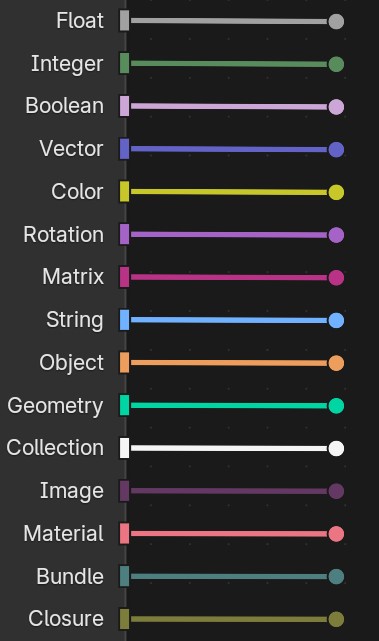
This would not require design decisions as the color options can just be added to theme settings in the preferences under Node Editor section as a simple list.
4 Comments
It’s more important for someone to easily read another’s node graph (example: screenshots) , than to make it pretty to match a theme desire.
Sometimes color assignment is more than just eye candy.
This could be said about other parts of the UI as well though. Node colors for example... Script editor syntax highlighting... Plus I see people helping others with nodes all the time on Blender Stack Exchange for example. In reality, nobody looks at screenshots in those situations. With geometry nodes sharing a .blend file is quite non-negotiable at this point.
It would also mean extra additions for custom python-defined sockets.
Well, despite the terrible unpopularity, I still made a build with that for myself to enjoy... I share the code and a theme on Blenderartists here if anyone is interested.