
Transform Origin-Position in Transform Palete, when "Only Origins"
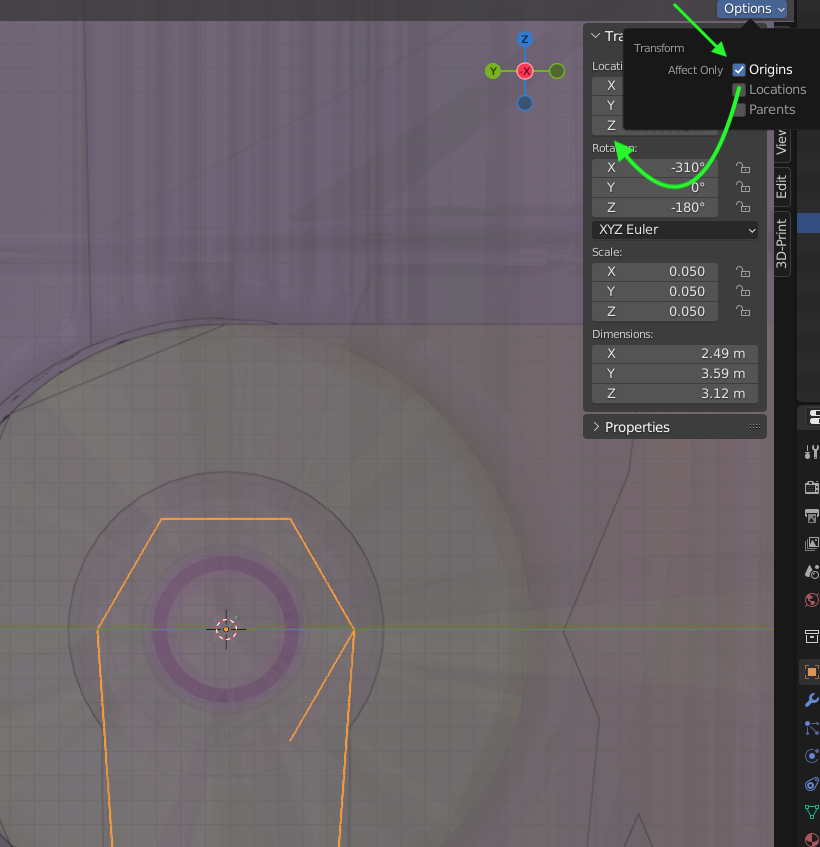
I use the function "affect only Origins" with grab tool in viewport or "selection to cursor". But I don't understand why modifications in the transform palette affect NOT only origins, but also the geometry.
example: I want to set the Origin to the world 0 a) check the affect only origins b) then set position XYZ to 0. especially for known positions of my constructions (axles) - I got them always in mind - I find annoying to select something, set the cursor to this, then set selection to cursor. even more if there are no vertex or other objects at this positions, because its just an abstract point, snapping doesnt work in this case.
2 Comments
Just hit Ctrl A → Apply Location , it does exactly that.
yes, 0 was not the best example, but how about 0.5? or just X to 0, without the other axes? its not about the number. it looks like some one have forgotten to include the transform palette to the "only origins" function.