
GPencil:viewport Overlays: selected strokes order (arrangement)
hi, i want to solve a problem of Arranging(reordering) strokes number (order) for convinient build using build modifier.
this issue happens often when we use converted Text to GPencil that when we have mistyping or forgetting to add some characters or accents , also when we use some addons to generate text or complete texts or shapes from SVG to GPencil type and we want to correct and arrange priority to build them by build modifier.here is difficult to do that without a Visual helper to see where to stop reuse 'arrange ->backward/forward 'operator in
besd on above reasons i propose two solutions
-
to have an Overlay checkbox named ''order onion''with two colors options as onion skin to show which stroke is before and which is after the selected
strokes
example of usage:i draw 'a' then '2' then 'b' i want to build 'a'then 'b' then '2'
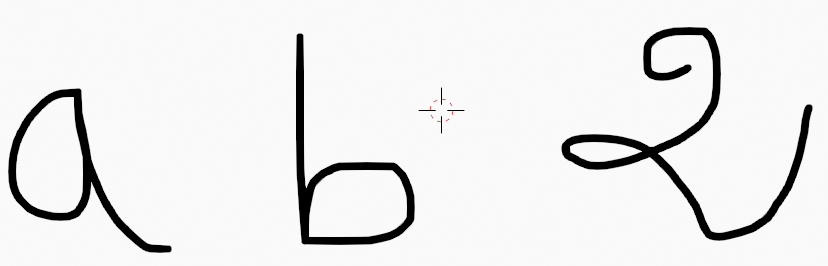 Here the look before arranging
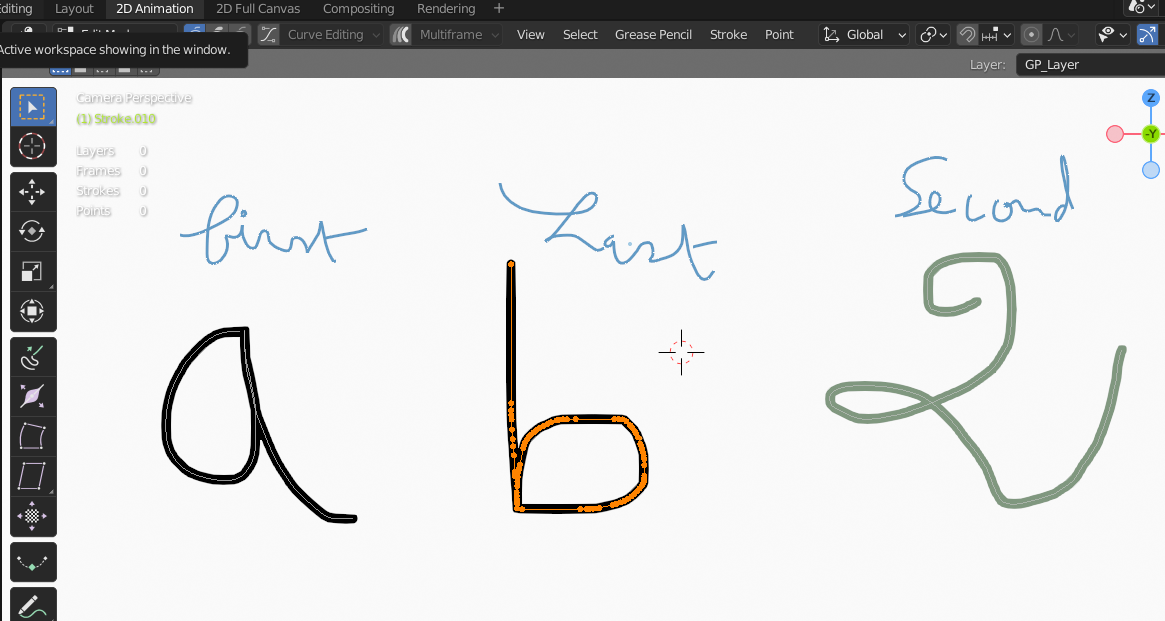 The look after arranging
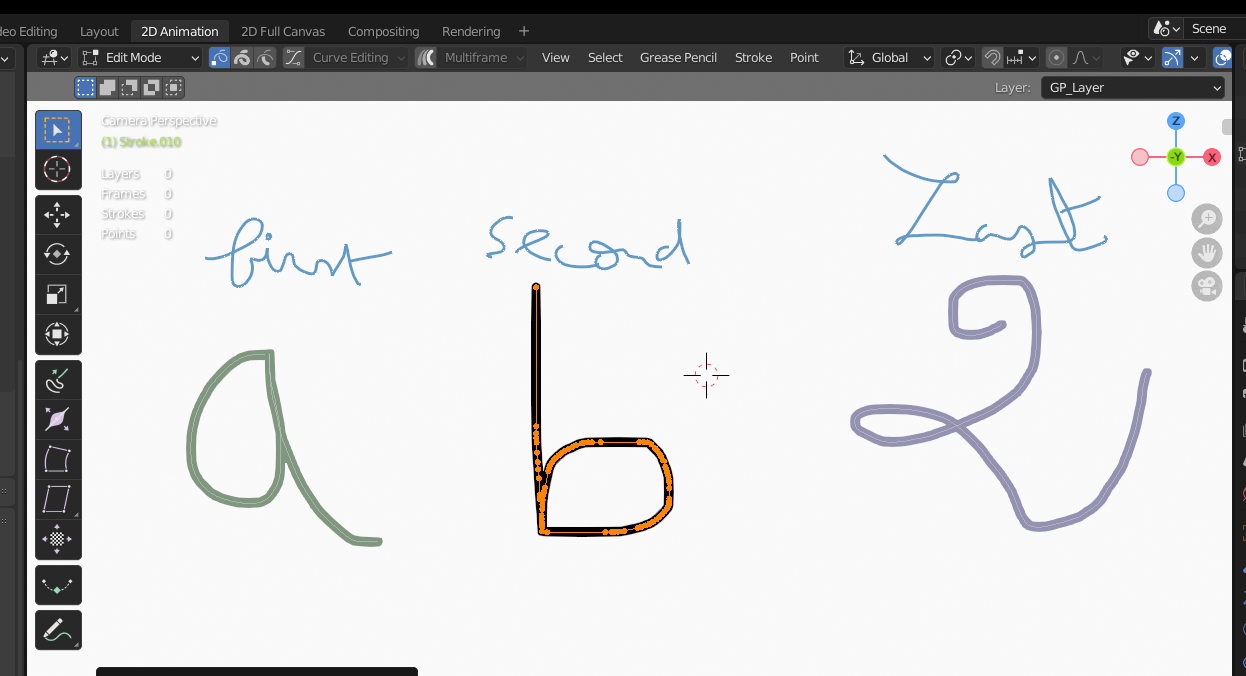
-
second solution is a checkbox 'order number' overlay for showing strokes numbers (index or order) with opacity option and color if possible,to know what the number of the selected stroke to realise exactly how many time you need to
Redoarange forward/backward operator for a nice build animation
-
(optional ) adding field to insert number(order) where we want to set the selected
strokesso we don't need to redo same operator many times to reach desired order.
thank you for reading
3 Comments
By order , you mean indexing ? Like the number a stoke gets assigned when it's created ? I would like to have a option of visualising stroke index order and I kinda like the onion skin idea too
Exactly index is the number assigned when it's created
maybe have them both for more cases and preferences