
Global Viewport Disable Except for timeline
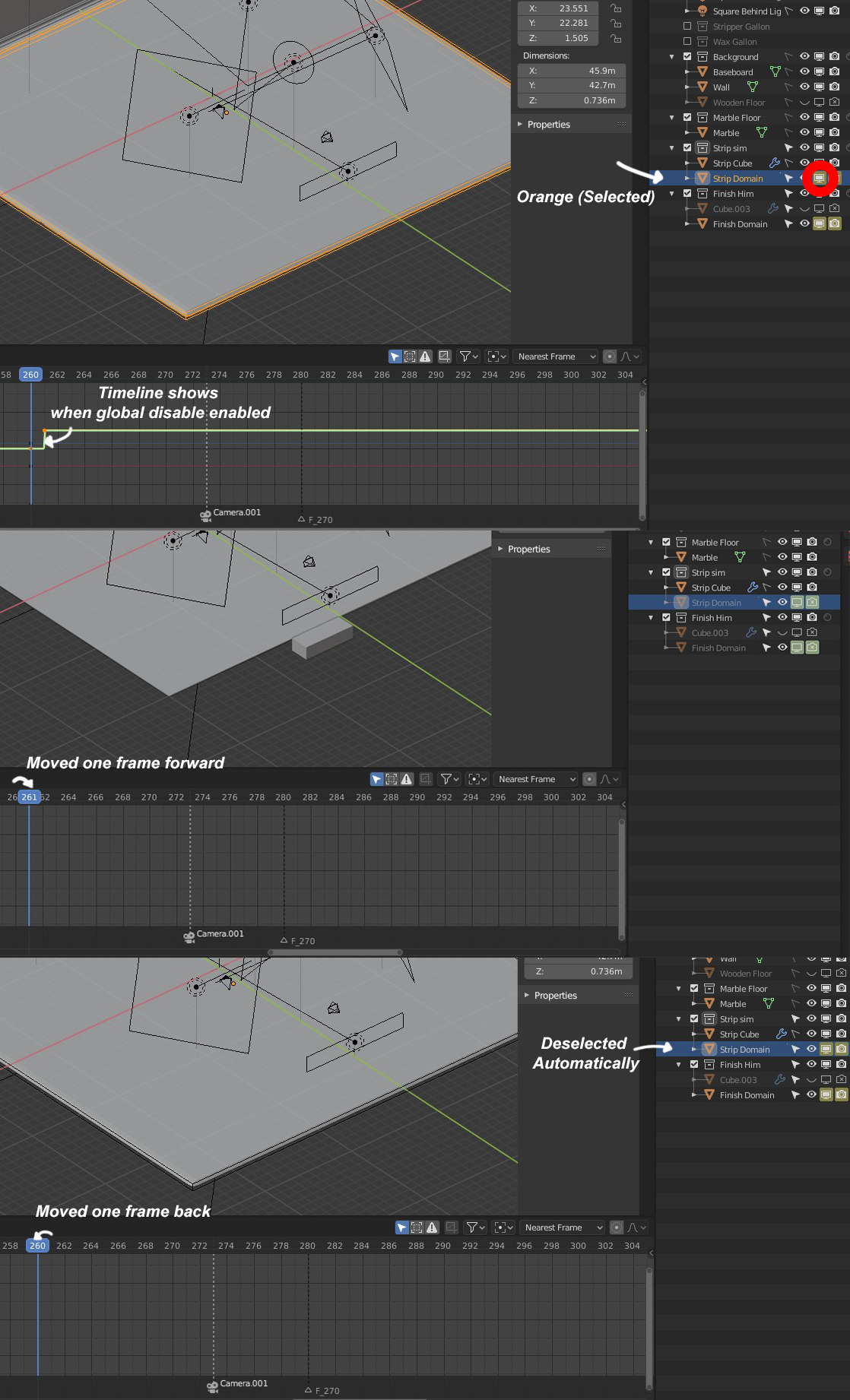
When the Globally Disable in Viewports is on, your selected object is deselected and is no longer visible in the timeline. This makes it difficult to see when that object will no longer be in the viewport. Scrubbing back to when the object was enabled will allow you to see it again after you reselect it.
Is there a way to keep any selected item/object always in the timeline whether or not it is disabled in the viewport?
1 Comment
If you use a Graph Editor or Dope Sheet with (or in place of) your Timeline, you can use the filter options to show hidden or unselected objects.
Maybe it makes sense to include those buttons in the Timeline.