
Denoising Factor
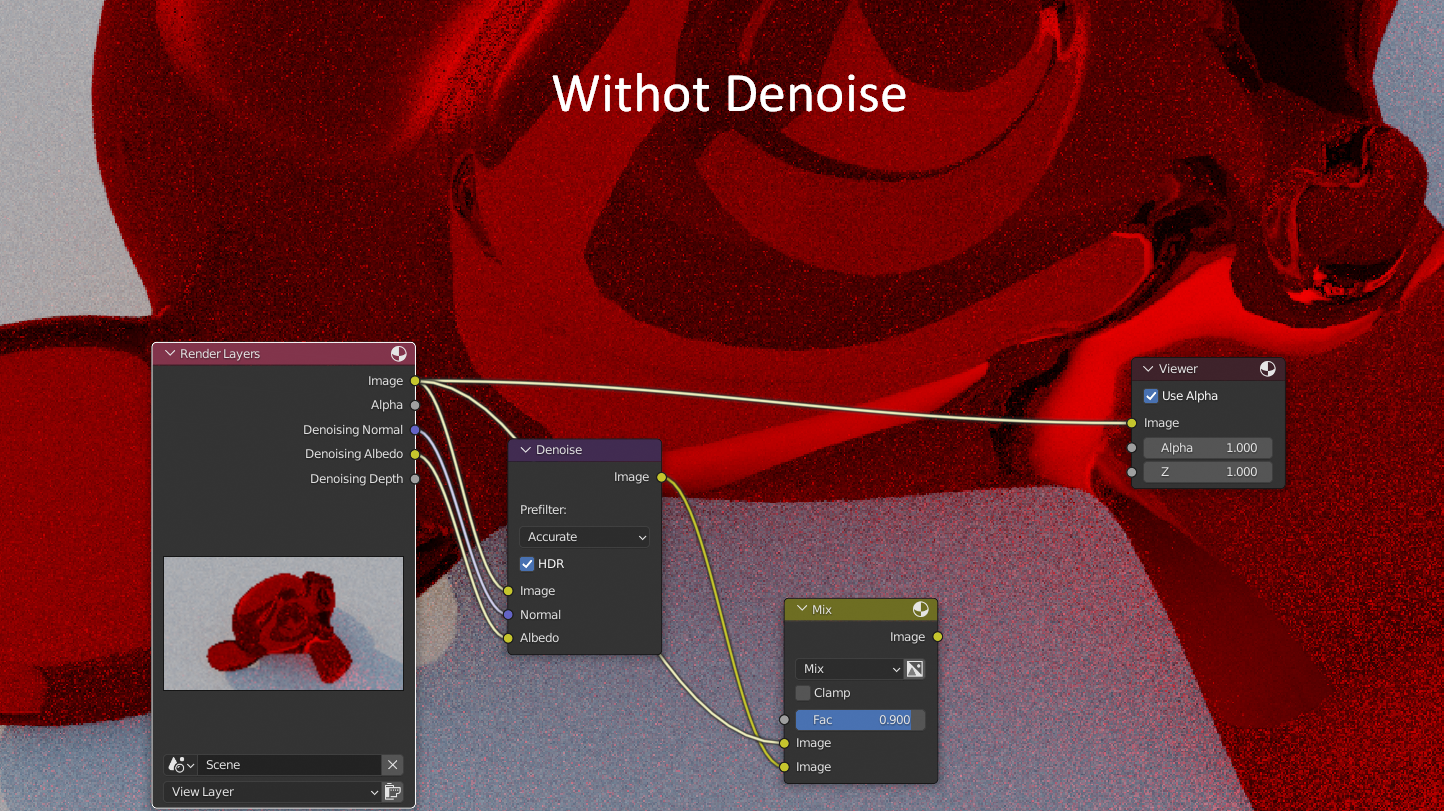
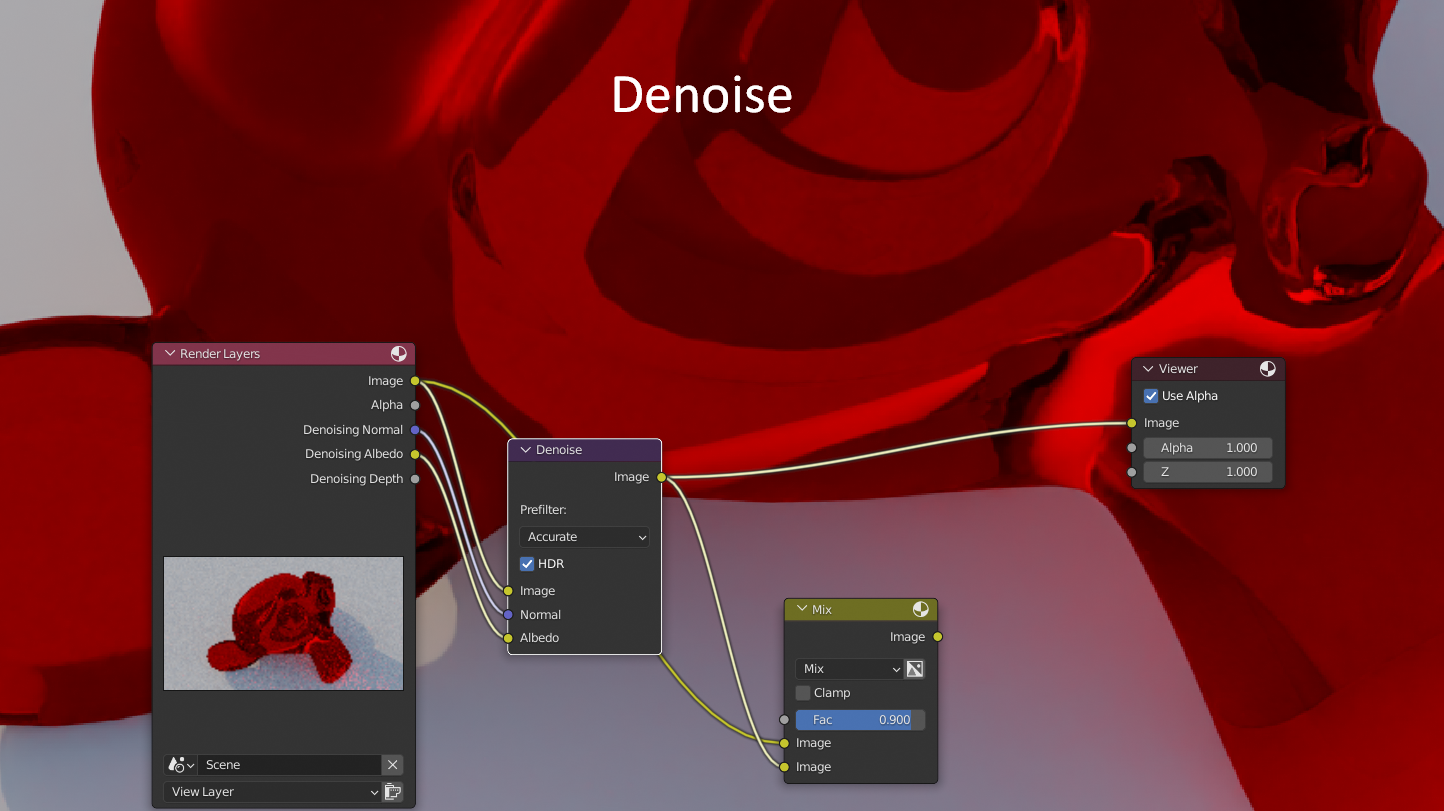
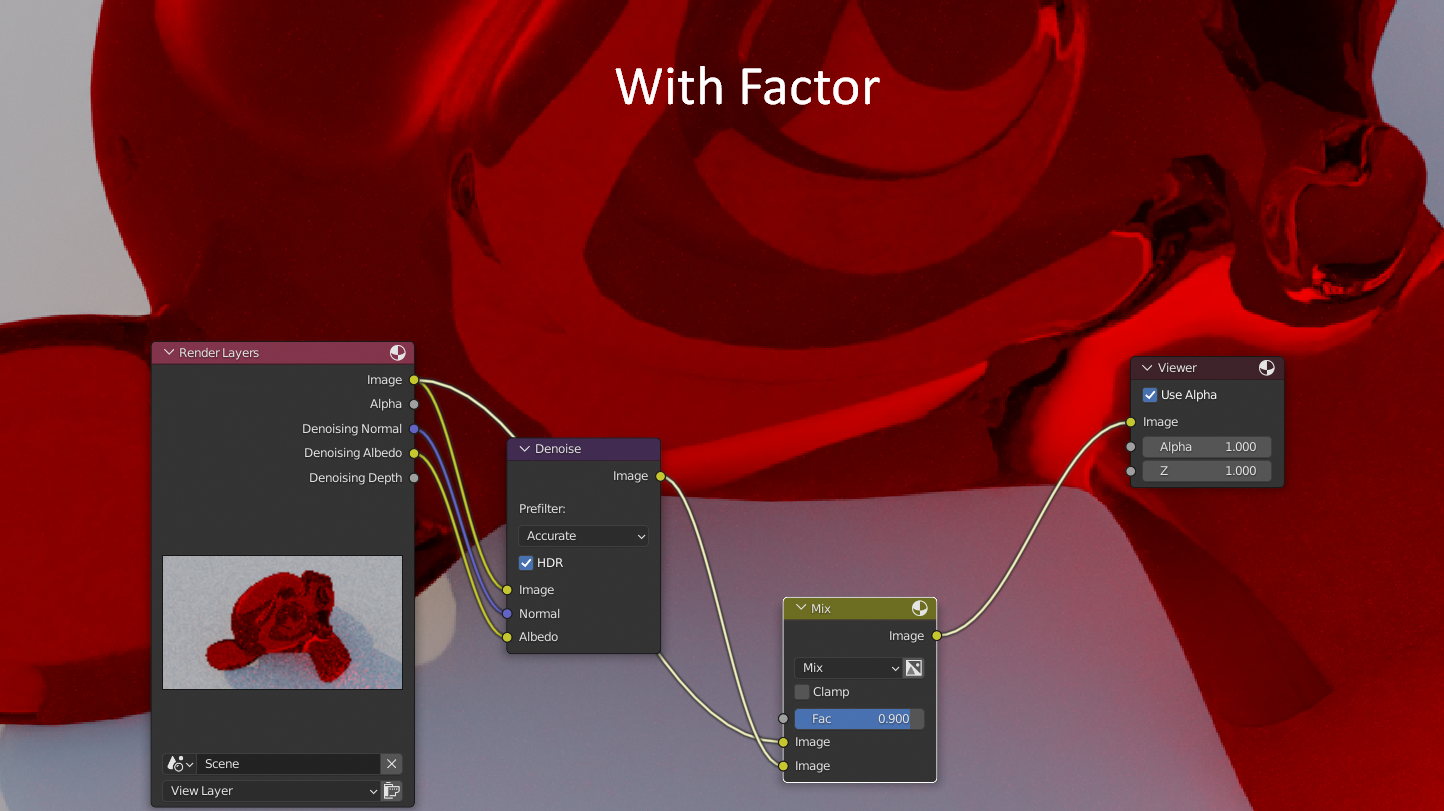
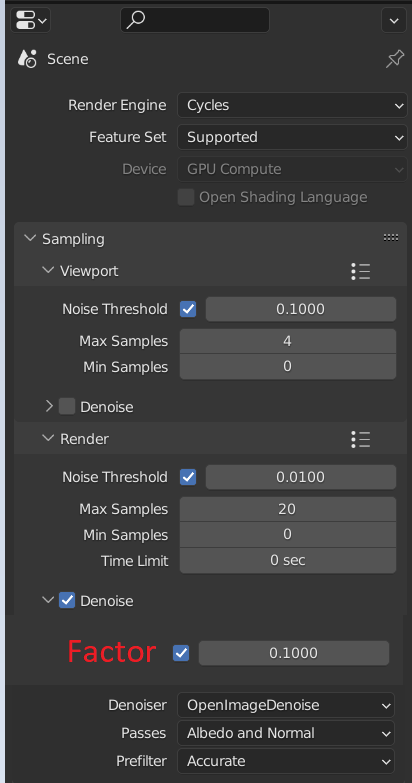
Denoise is very useful, but sometimes it removes too much detail. In cinematography, they purposely add a noise effect to give a realistic picture. To achieve this in the blender, you have to go into the compositor, and mix the texture with and without denoise with a certain factor. You can simplify this task, and add a slider to adjust the denoising factor.
In this example I mixed 2 textures with a certain factor, but I am sure that this can be done by changing a certain variable in the code, which is responsible for the strength of denoising, thus you can bypass mixing 2 textures and improve the performance, as well as make the denoising factor more linear
3 Comments
Since you can so easily mix between a noisy image and the denoised image with a mix node, this is almost pointless... but it's just one slider and saves a step, so... why not?
I disagree that this makes it more realistic, because the render engine noise does not look like camera grain. If you want your renders to be more photo-like, what you need is camera grain. Render engine noise will not match photos that you are compositing the 3D renders onto, so you need them as noiseless as possible.
The only reason why you'd want to do that is if you're solving a problem of lost details in the denoised image, because you didn't render enough, or the denoiser interpreted your texture as noise, so it smoothed it out. Doing so is an exchange of noiselessness for sharpness and clarity.
That makes sense.
UI-wise, setting the factor to either 0 or 1 does exactly the same thing as the checkbox, so no need to add unnecessary widgets.
I feel like "strength of denoising" in the code that does the denoising would be something completely different from "adjust the transparency of the denoised image over the original image".
With the upcoming real time compositor, doing it in the compositor (and saving it in your startup file so it's always already there) will be much less annoying.