
Solidify in Multires
I use Google Translate. I apologize in advance for any inaccuracies.
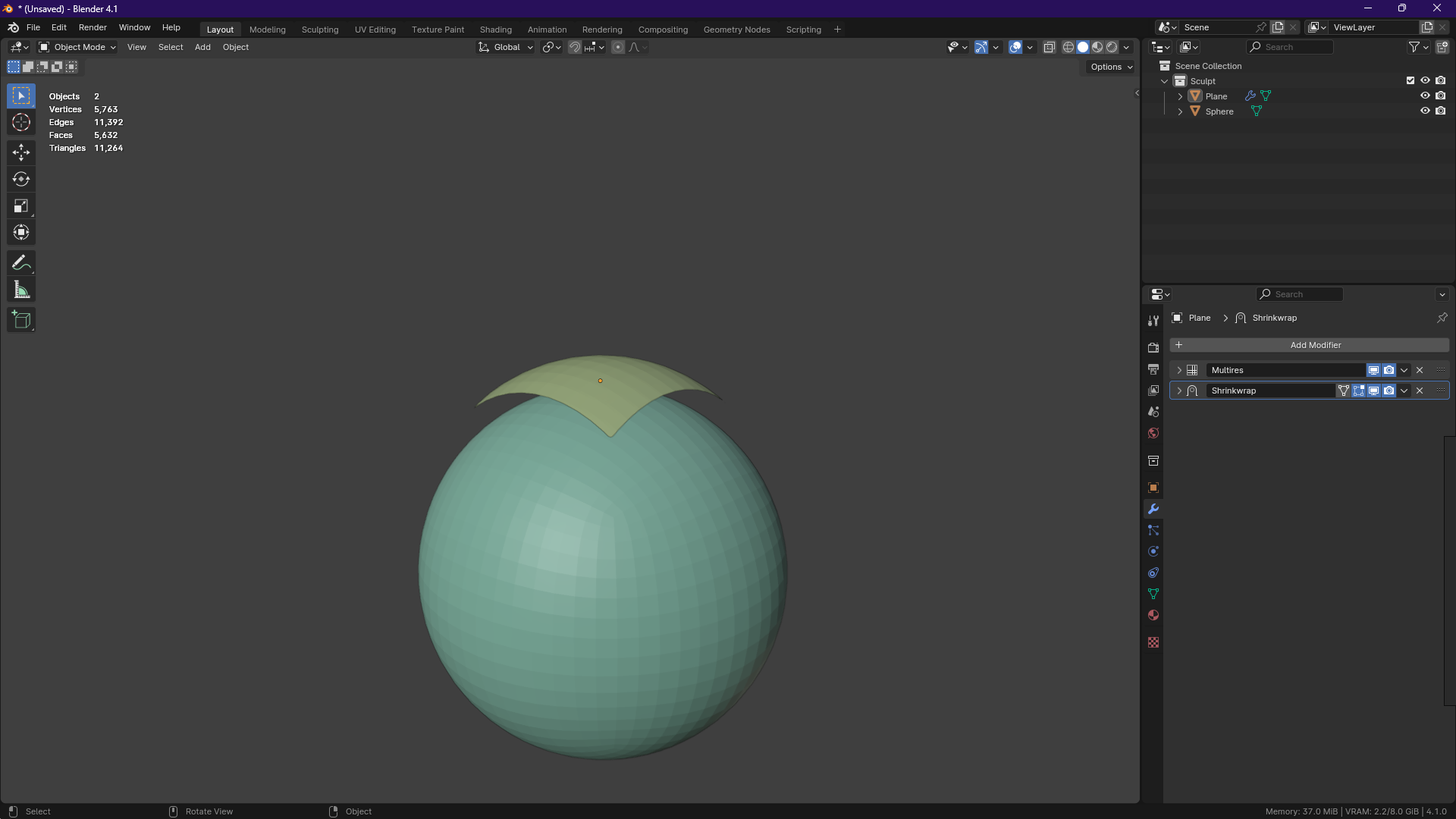
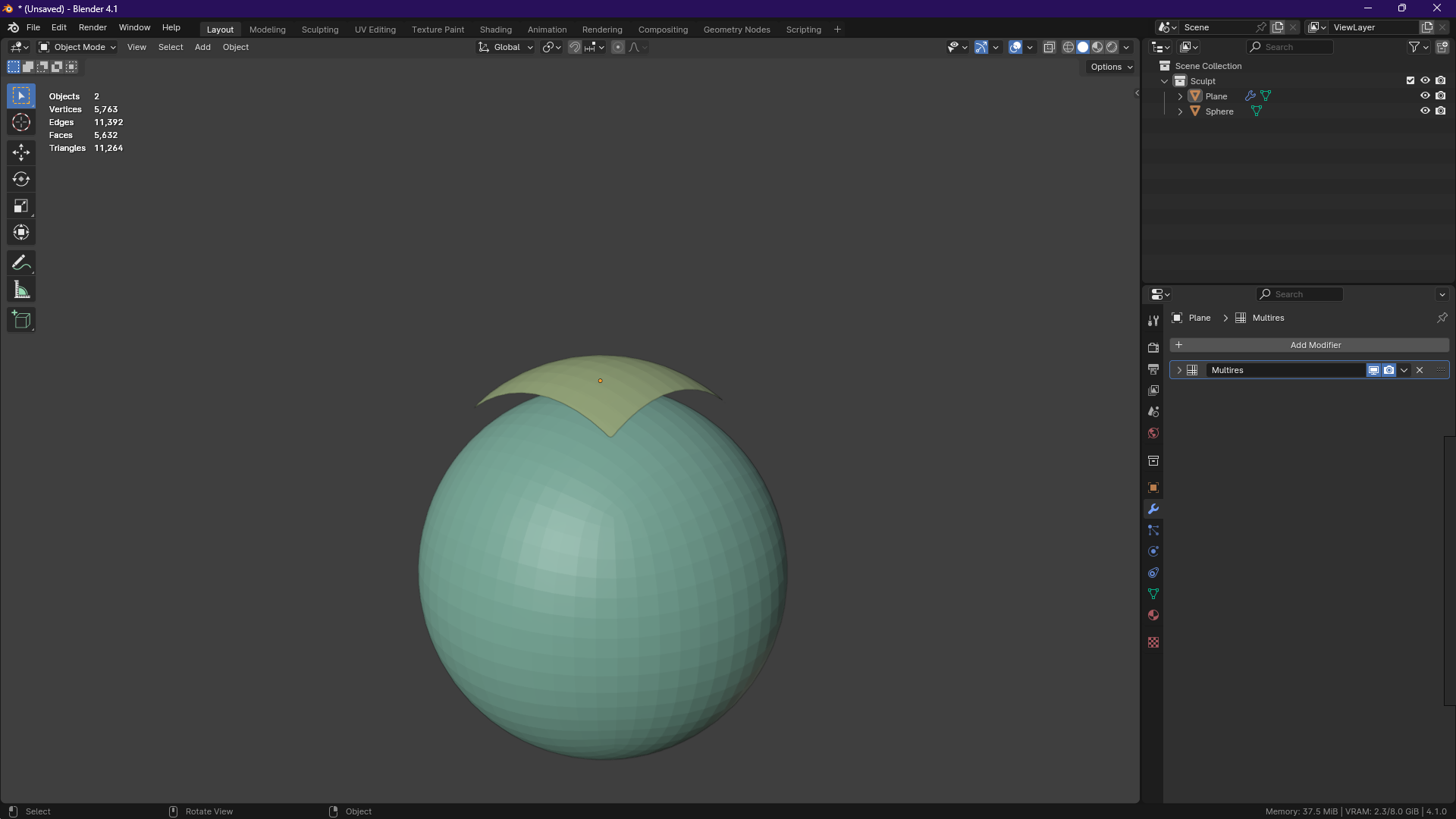
If you've ever worked with clothing from Marvelous Designer, you know that it is exported as a plane with no thickness. After retopology of the mesh and applying the Shrinkwrap modifier to the Multires modifier, you get a plane with all the details of the original, with the correct topology and subdivision levels for comfortable work.
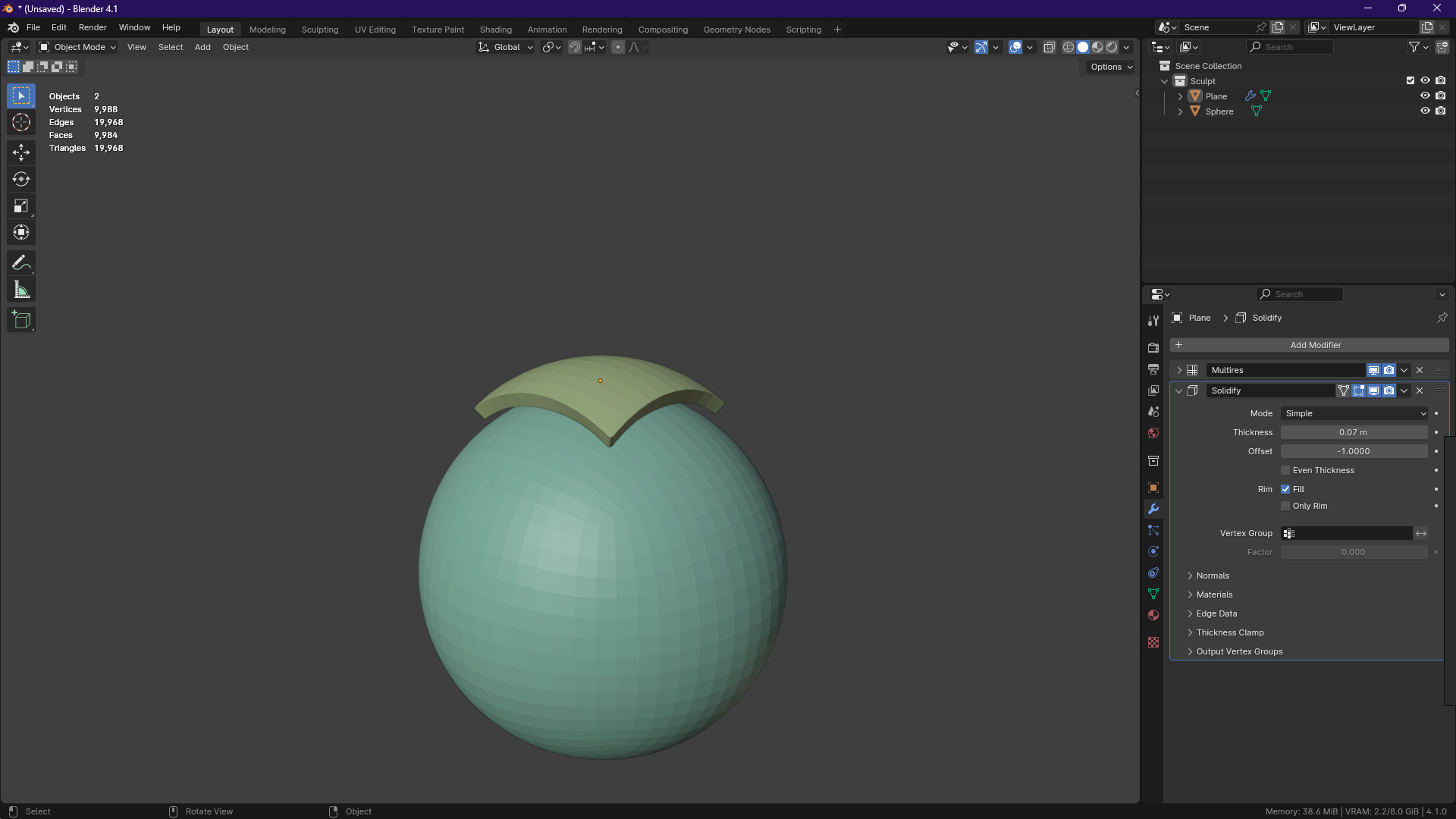
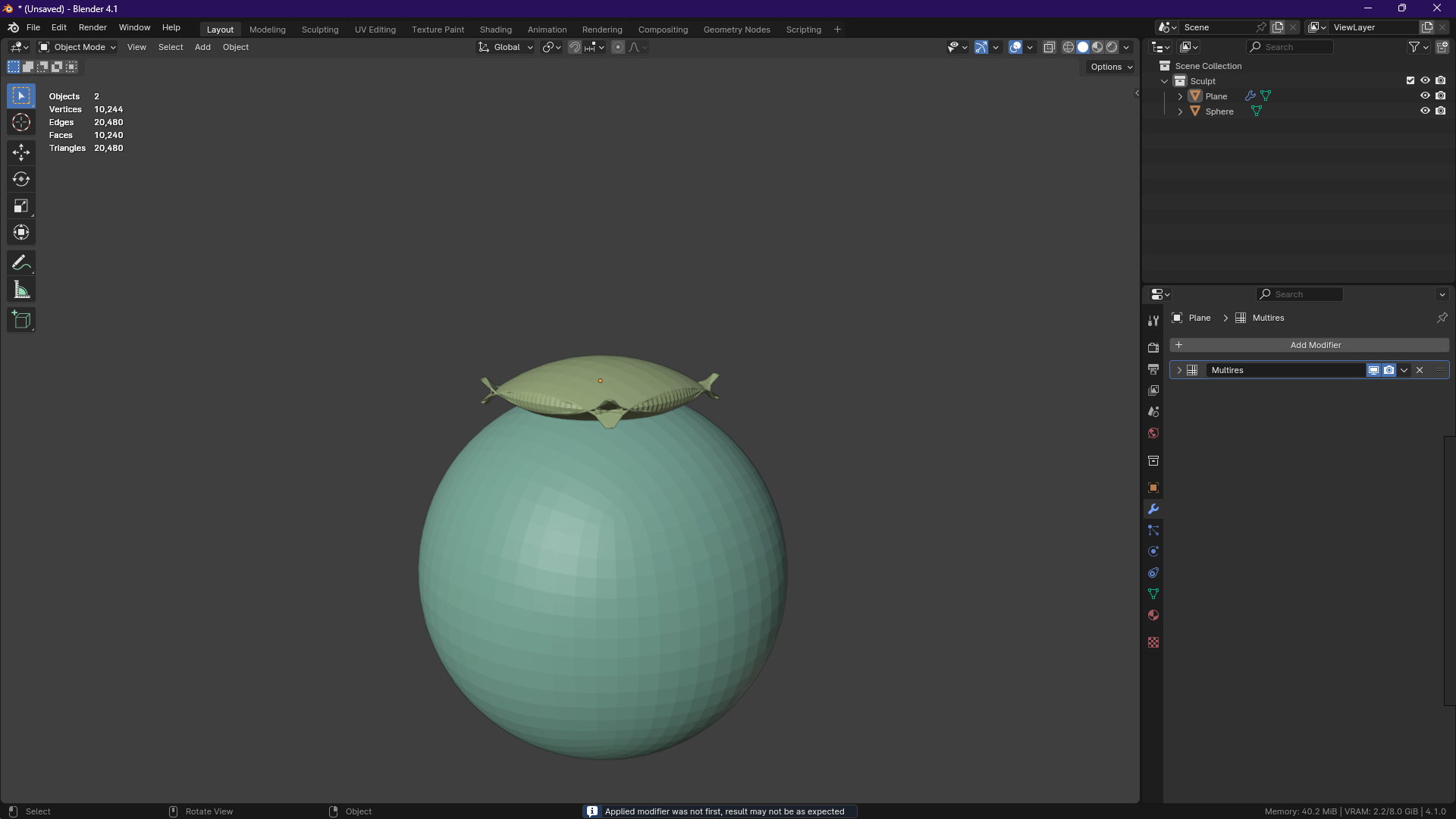
Unfortunately, working with a plane is not very convenient or cool. If you try to add thickness to your clothes using the Solidify modifier, you will find terrible mesh distortion and a lot of artifacts.
An example of Shrinkwrap working with Multires:
An example of Solidify working with Multires:
That is why I propose to slightly supplement the functionality of the Multires modifier, which will help artists get rid of the headaches that I encountered in my new project. I used Figma specifically for this purpose to not only describe the new feature, but also demonstrate its possible design
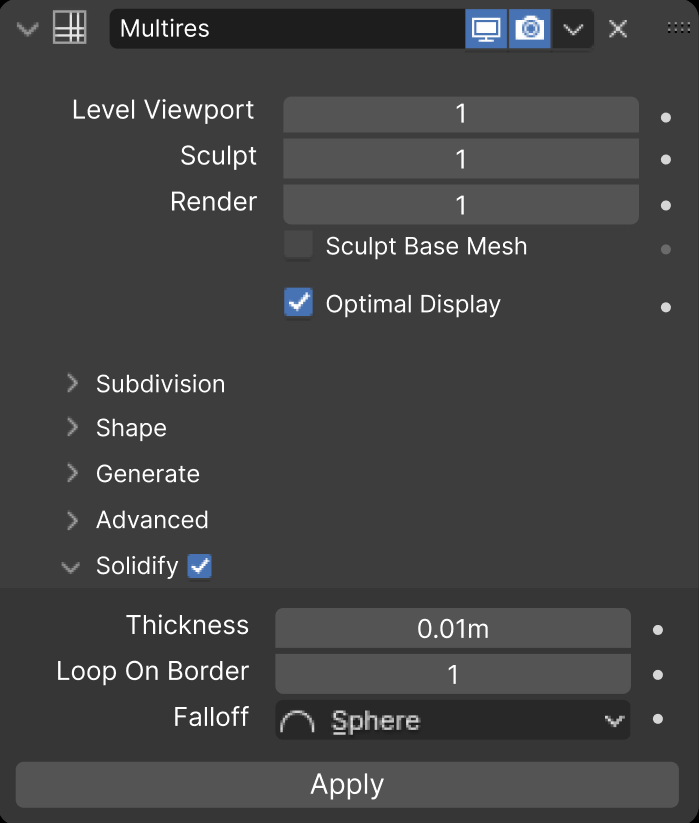
The "Thickness" parameter controls the thickness of your object;
The "Loop ON Border" parameter is responsible for the number of edges on the initial mesh (the indicator can vary from 0 to 100, if a value of 0 is used, then "Falloff" stops working);
The "Falloff" parameter determines the shape of the rim you want to achieve.
After clicking the "Apply" button, the base mesh gets its thickness, edges on the rim and its shape.
When the user begins to adjust the thickness, the Multires modifier turns off the display of subdivision levels and shows the base mesh.
Implementing this function will make it easier to work with objects that need to add thickness if there is a "Multires" modifier in the stack.
P.s. Anyway, thanks to everyone who took the time to read this post!
6 Comments
I am not sure in which way adding a solidify modifier inside the multires is necessary. The point of modifiers is to each doca somewhat badic operation which let you assemble complex setups like legos. Adding multiple tasks to one modifier isn't really the wanted design IMHO. You can always add a solidify modifier after the multires, with the flexibility it offers like any other modifier (visibility toggles, reorgering, ...) and the other interesting options of the current solidify modifier.
That being said, adding more options to the solidify modifier can be interesting. Like the falloff and rim subdivision.
I just want to have compatibility between the two modifiers, if this can be done without adding this function to the "Multires" itself, then I will be happy.
Now, unfortunately, you cannot add thickness to an object that has “Multires” in the modifier stack, which is very inconvenient when working with clothing.
"Solidify" working with "Multires" should be as good as "Shrinkwrap" working with "Multires".
But you can use a Shrinkwrap and Solidify with a Multires:
If you encounter any issue, I reckon it's either a problem with the mesh or a bug. In which case I advise you to seek help on blenderartists.org or on the bug tracker respectiely.
Sorry, I'm using a translator, so there may be misunderstandings. I mean the compatibility of these modifiers. After applying Shrinkwrap, which comes second in the stack, the data is transferred to Multeres without any distortion, but if you try to apply Solidify, you will see terrible artifacts on the mesh.
P.s. Please teach me how to send screenshots. I wanted to demonstrate the reason for my post, but I still haven't figured out how to send images.
P.s.s. Our communication in the comments will drag on for a long time, to avoid this I will try to supplement the post. Please re-read it.
That's a nite addition to your proposal!
To post images in comments, you need to upload them yourself on a third-party website (personally I use imgur), then use the markdown code:
I think I see what you mean. I am no developer, but I do think this is something to be solved in the existing modifiers themselves rather than having a bandaid solution consisting of adding extra ways of doing the same thing in a specific modifier just to handle a corner case. ;)
Thank you very much for learning and understanding my proposal!
I agree with you, it’s worth fixing this in the modifier itself, but I suggested adding this feature to Multires because I thought it would be easier from an implementation point of view.
Unfortunately, my proposal was not to the liking of half of the users, most likely it will never be implemented. :(