
dont duplicate things in the animation editors.
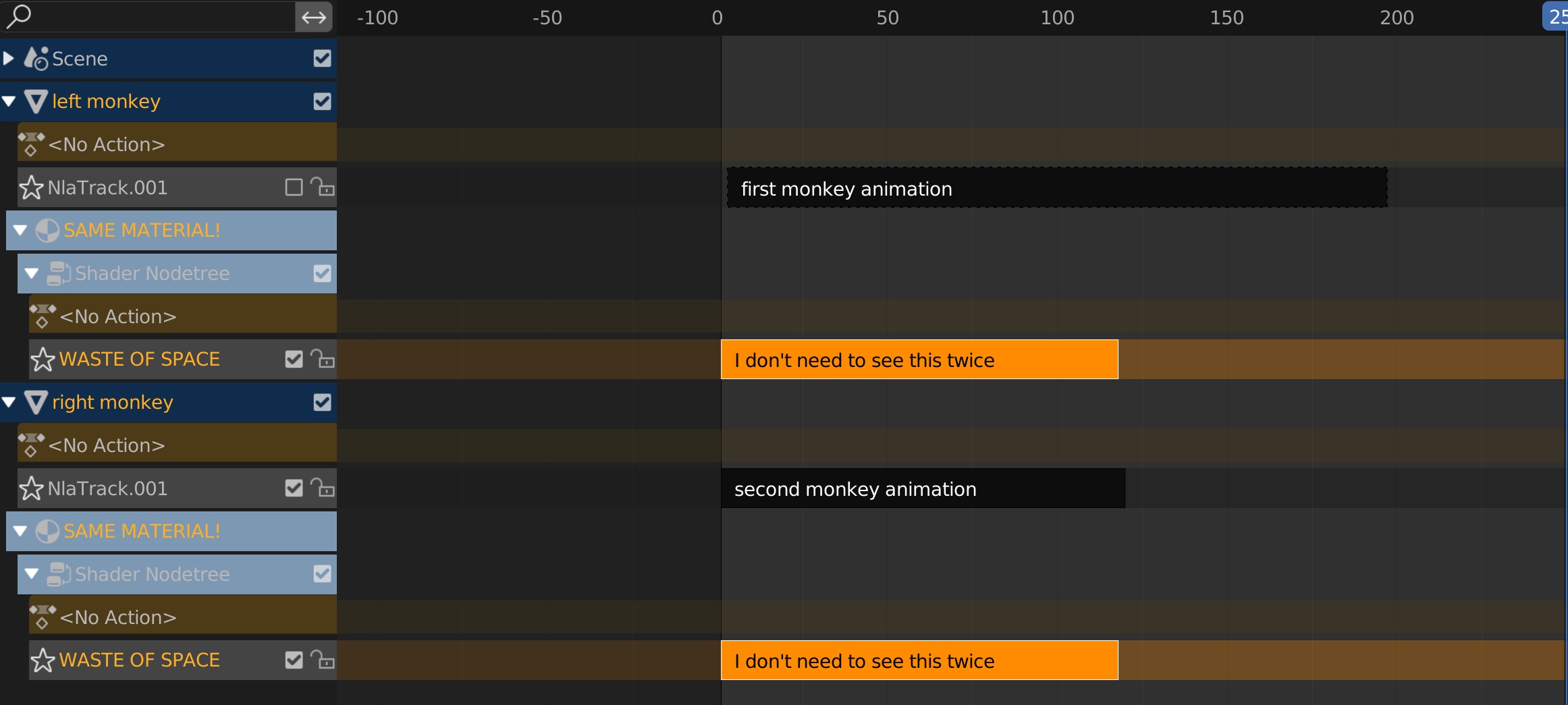
The same material cant be animated differently for different objects. So in the various animation editors (nla, graph editor, timeline), rather than show the material multiple times as a sub track of each object the material is applied to, show the material once outside of the object to avoid confusing the UI with duplicate entries. In a similar fashion to how the scene only has one top level track.
BAD:
GOOD:
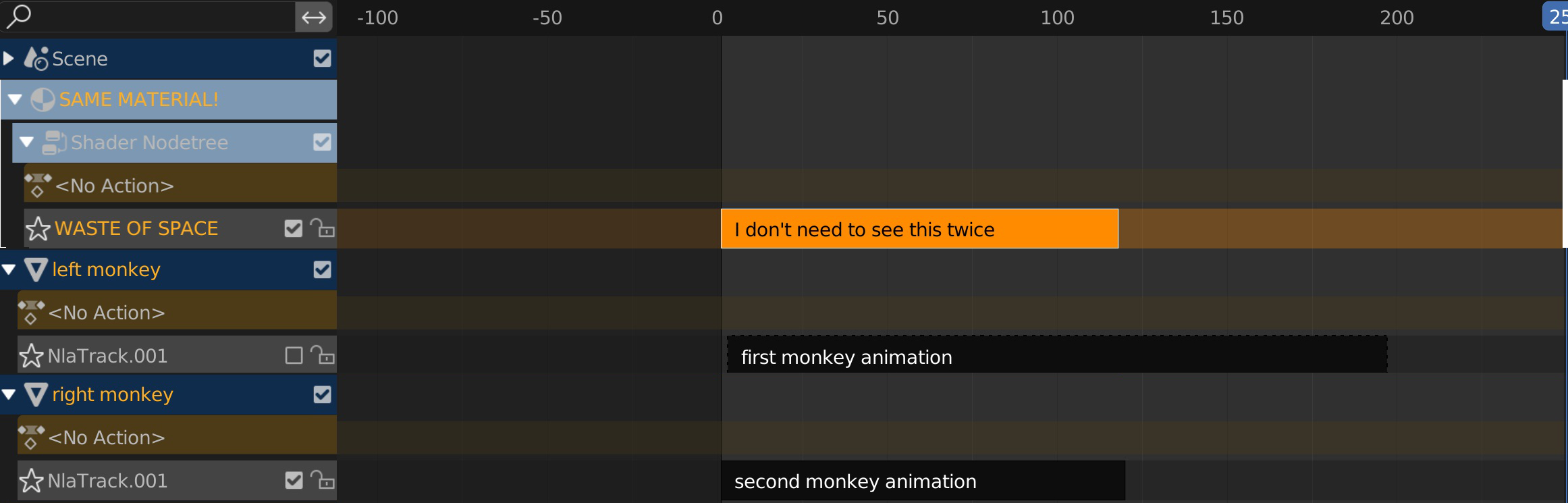
Unless I'm mistaken, there's no benefit to having the material show up as a sub track of each selected object, because if a material needs to stay in view, then a second smaller editor can be opened above with the filter set to just materials.
ps, it would also be nice to have a view option to hide empty tracks so that we don't have to constantly see the <no action> track.
4 Comments
These are great suggestions. It points to an overall need for the animation tools to get a UI pass and clean up redundancies / annoyances. You just earned my upvote. Nice!
You can use the NLA or animation editor filter to hide Materials if you don't want to see their action
that's correct, but this suggestion is pointing out the issue that if you want to see the material when you have multiple objects selected, you have to see it multiple times instead of just once, which takes up a lot of the UI needlessly as materials can't be edited independently per object.
Ah I see, thank you.