
Set Rotation and Set Scale
Maybe I'm too new in Geometry Node and don't know how to achieve what I want with current nodes, but here is what I expect to have since we have a "Set Position" node: "Set Rotation" and "Set Scale".
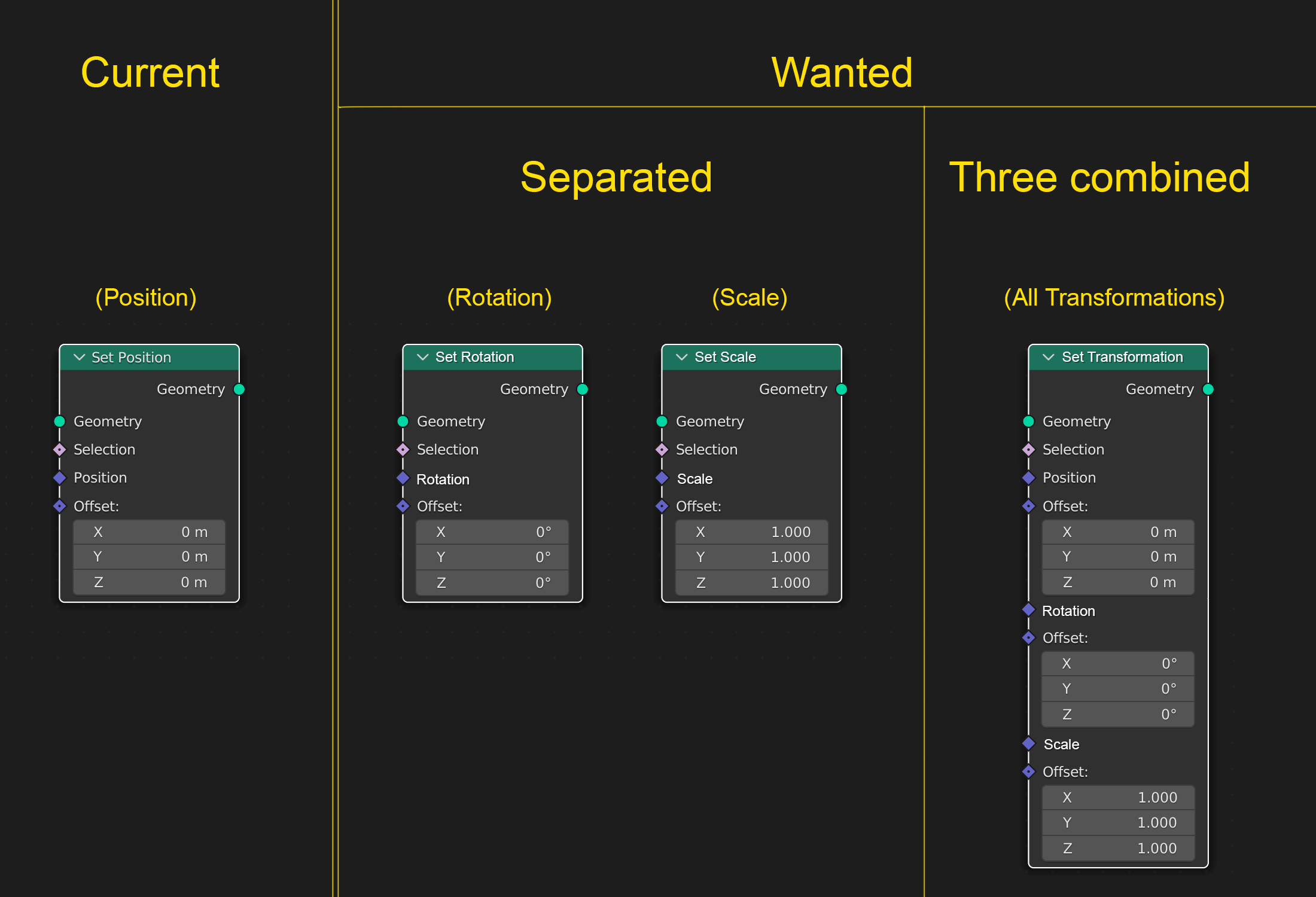
Maybe I'm too new in Geometry Node and don't know how to achieve what I want with current nodes, but here is what I expect to have since we have a "Set Position" node: "Set Rotation" and "Set Scale".
9 Comments
Add > Geometry > Transform.
And this is not the help section.
Ok but this is not the same as Set Rotation, Set Scale
Yes it does.
We have set rotation and set scale nodes for instances because instances are multiple closed container with an individual origin.
Regular meshes however are considered as one container with their origin being at 0|0. All transforms are therefore performed around 0|0, just as the instance nodes do around their respective 0|0
Are you really sure...? "Set position" set vertices positions. "Transform" set object position. (Consider adding a noise or any "diamond" value in there.)
If you mean Transform Geometry node, it doesn't have Selection input, which makes it unusable after e.g. Extrude Mesh where you want to further transform just the Top or Side faces of extrusion. So it's not the same.
Imagine 2 isolated vertices in space. One is "rotated" with a "set rotation" node by 90 degrees. How can you see which one was rotated?
I am definitely upvoting this, and for people saying that it's the same as Transform Geometry: TG node doesn't have Selection input, which makes it unusable after e.g. Extrude Mesh where you want to further transform just the Top or Side faces of extrusion. Or any operations where you select stuff parametrically. If there's a workaround, please cast some light on me.
Ok thanks, not sure I really understand for now but I will look into it deeper. BTW where is the help section?
Best geometry nodes help is
#1 read everything in here: blenderartists.org/t/geometry-nodes/1264425/3903 but don't actually try to follow any instructions until after the date where the "fields" feature of geometry nodes became available.
#2 post questions on that site in the support - modeling category and make sure to tag the post with "geometry nodes"