
Variable bevel depth
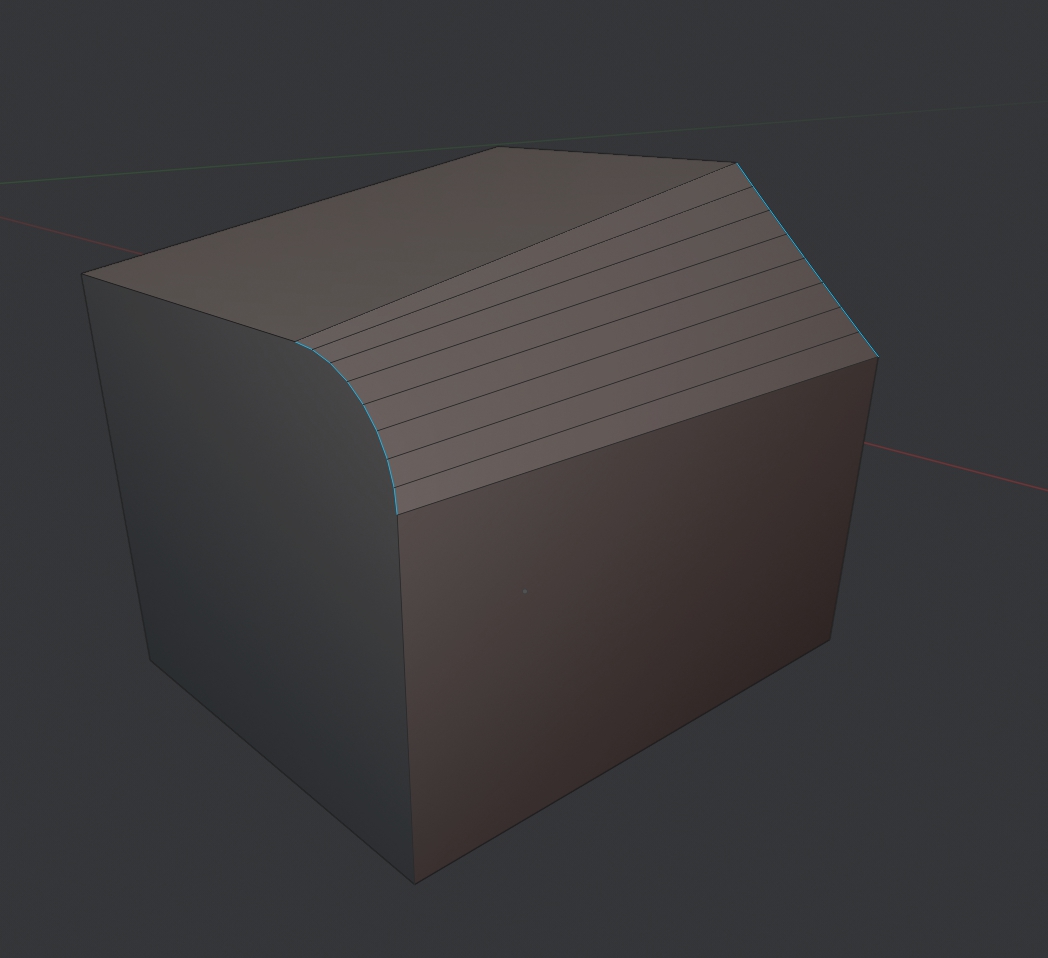
That's the problem where there is a round corner and an acute corner. It would be convenient if you could set a round corner at one point, and set a acute corner at the second point.
I have previously suggested a similar request: blender.community/c/rightclickselect/ZFcbbc/

6 Comments
What would the workflow for something like this look like?
* @Jason van Gumster * It is possible this way: 1) activate the bevel 2) press the key to activate bevel/fillet 3) indicate the first point on the model, indicate the parameters(width, depth) for this point 4) indicate the second point on the model, indicate the parameters(width, depth) for the second point 5) enter/click LMB
* @Jason van Gumster * I offered a similar function here blender.community/c/rightclickselect/ZFcbbc/
* @Jason van Gumster * the best and most flexible workflow is to have a general falloff system, similar to Modo's. It's extremely useful and can produce results like this (and other really esoteric things) extremely easily.
youtube.com/watch
* @testure * I would also like to see this fallof tool in blender
* @testure * oh yes