
Sync and Expand to Selected Object in Outliner
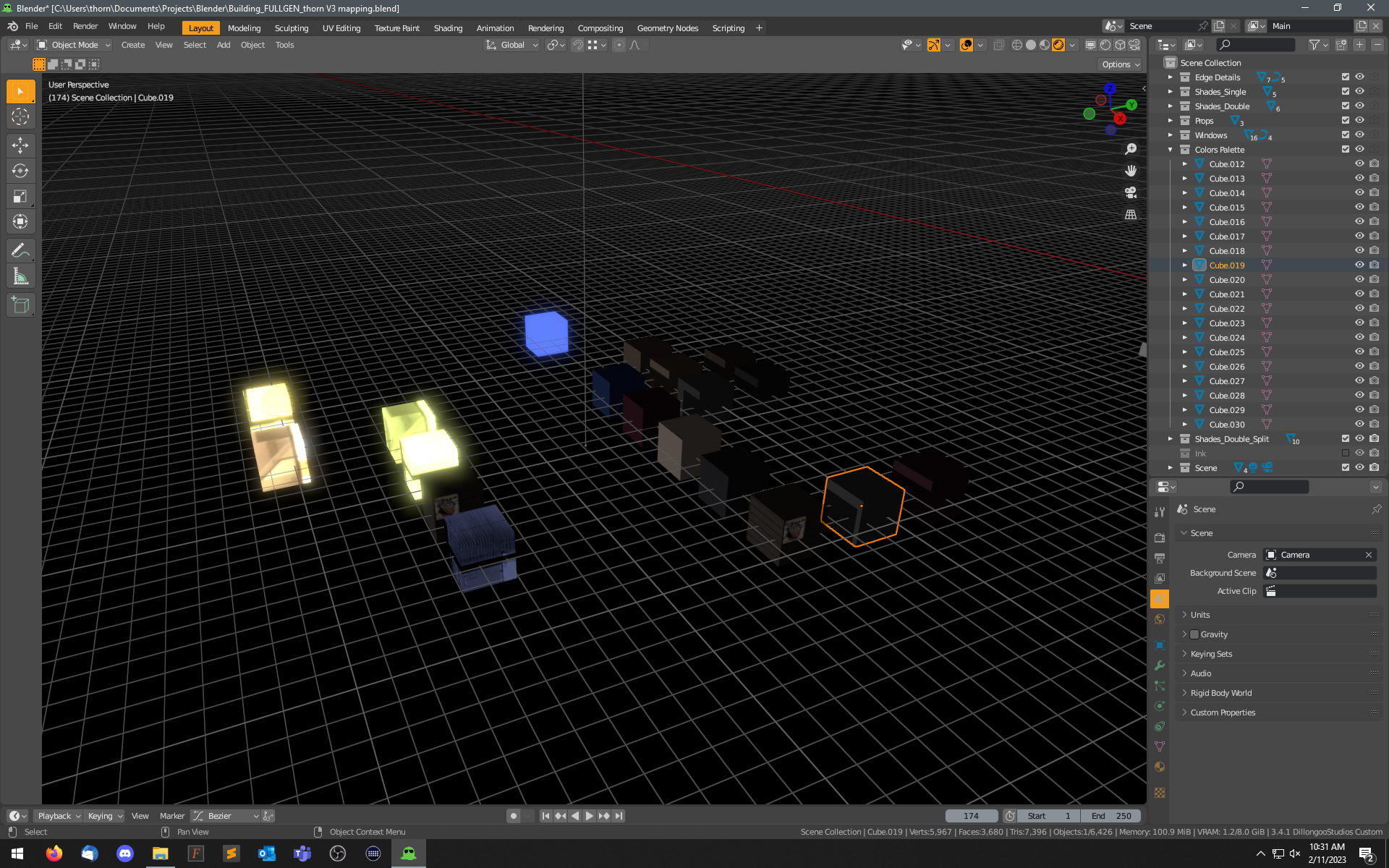
Outliner currently highlights the object selected in the view window, but it should expand/scroll the list to make the object visible in the list.
And yes, I'm aware I can put my cursor over the Outliner window and use the "." hotkey. These are two extra steps that shouldn't be necessary.
5 Comments
Yeah! Proposed the same like a year ago blender.community/c/rightclickselect/x6yE/
You can have 64 outliners in 64 windows. Do they all sync and scroll when you select an object? That would annoy me to death.
Also an object can be in infinite different collections while being the child of another object that can be in infinite different collections. Which ONE is it supposed to scroll to?
i.imgur.com/TkXNkHJ.png
maybe thats a Performance Update UI boundary contraints thing..a little add on could fix this.. In the viewport ona in the ouliner maybe ..a proposal could help...
I made this last year(please check some posts below it for some extra info and potential issues) : blenderartists.org/t/free-script-sundays-free-add-ons/1336843/68
Hi hi -
I actually am aware of your addon (love your stuff), but the report on conflicting with autosave made me hesitant to install. Autosave has rescued me more than once recently...