
More user-friendly OSL node by supporting metadata
The problem:
Using OSL scripts is great in Blender, in my experience it has been the most reliable software for that. But currently, OSL script nodes in Blender don't support metadata. This means tooltips , min and max values , checkboxes , and more cannot be used. This makes using OSL scripts frustrating for the artist.
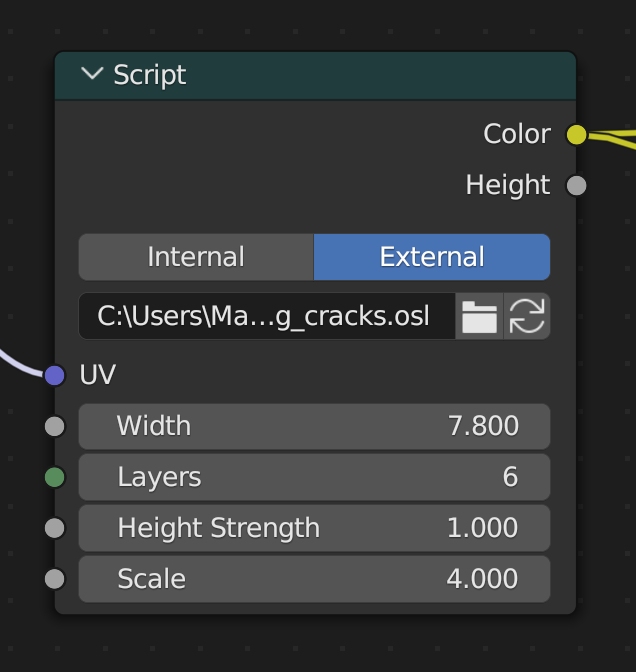
For example, in this script, the artist could set the layer count to a negative value or the scale value to something completely unusable and has to reload the script to default the parameters. It's also a hassle to find parameters by sliding, as you can go overboard. Script developers cannot help the artist, since the functionality is not yet implemented in Blender.
How is it solved in OSL?
As stated in OSL documentation, such things can be implemented with metadata, here's a script that sets a range for the "Input" parameter using float min = 0 and float max = 1 :
shader Color(float Input = 0 [[string label="Input", string help="", float min=0, float max=1]], output color Output = color("rgb", 0, 0, 0) [[string label="Output", string help=""]]) { Output = color("rgb", Input, Input, Input); }
OSL is already so well implemented in Blender and supports the GPU as well. Metadata support would be a great addition and allow for a greater script experience for everybody.
1 Comment
Please use triple ``` before and after code block to insert multiline code block.