
Pressing Enter in Outliner Search should select highlighted objects
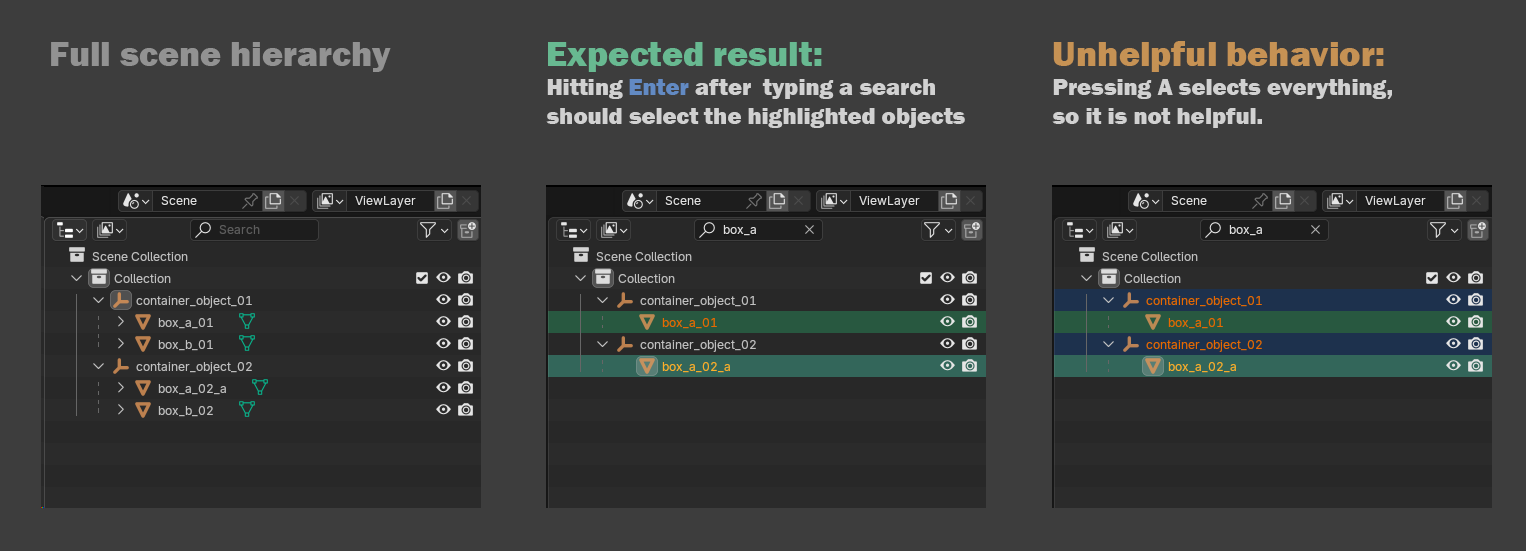
There is no easy way to select the objects that are highlighted with a green background in the Outliner search results.
Pressing A to selects everything that shows up in the filtered list, but the search results include all Parent objects so it is not helpful.
Therefor I suggest that pressing Enter in the text input should immediately select these objects.
0 Comments