
Toggleable Shader Normals in Blender
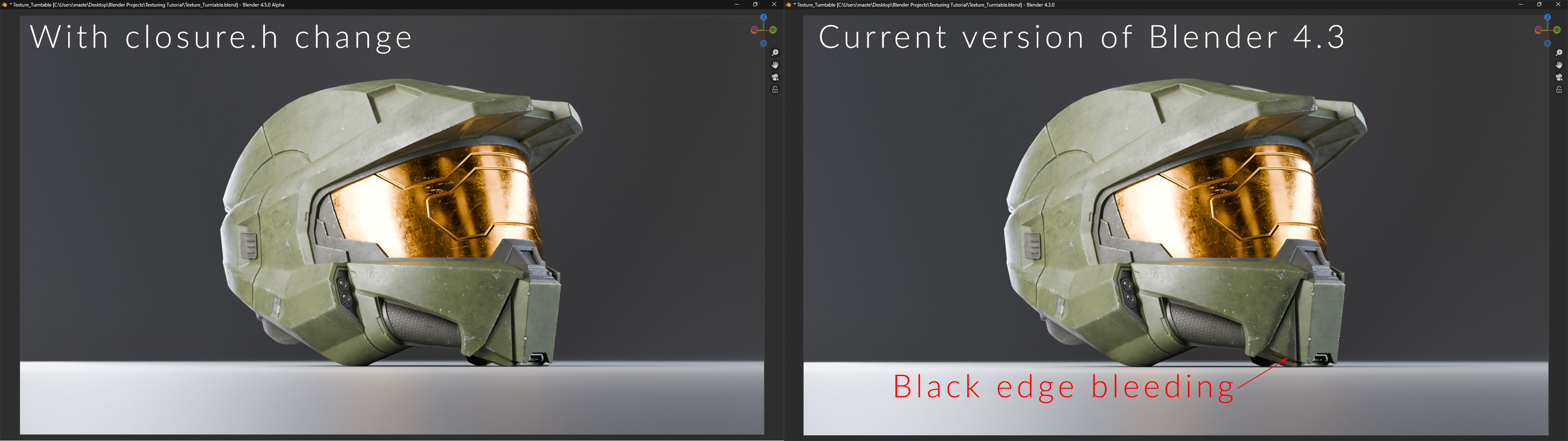
In Cycles, the handling of normal maps currently relies on a combination of mesh surface normals and shader normals. This approach introduces shading artefacts and inconsistencies for artists using low-poly (LP) to high-poly (HP) baking workflows. Unlike EEVEE, which correctly interprets normal maps, Cycles’ reliance on geometric normals leads to unwanted shading errors, including black artifacts and edge bleeding.
Quick caveat here: I believe that newer versions of EEVEE beyond 4.1 also have this issue with the introduction of the raytracing option.
I'm not suggesting an outright change to how Cycles handles normals. Instead, I propose adding a toggleable option that allows users to switch between the current behaviour, which, as I understand it, prioritises geometry normals based on the light source and its angle relative to the mesh surface, and an alternative mode that forces Cycles to rely exclusively on shader normals. This would give artists greater control over their renders, especially in cases where the default approach introduces unwanted artefacts.
Commonly Noticed Symptoms
- Shading artifacts on LP models with baked normals, especially on dielectric materials
- Edge bleeding and dark artifacts under certain lighting and camera angles
- Inconsistencies between Cycles and EEVEE, which makes the render results of real-time previewing unreliable (though, as I said, I believe more recent versions of EEVEE also now display these issues.)
- Unnecessary workarounds (beveling LP meshes or painting parts of the normals manually) complicate workflows and do not always yield clean results
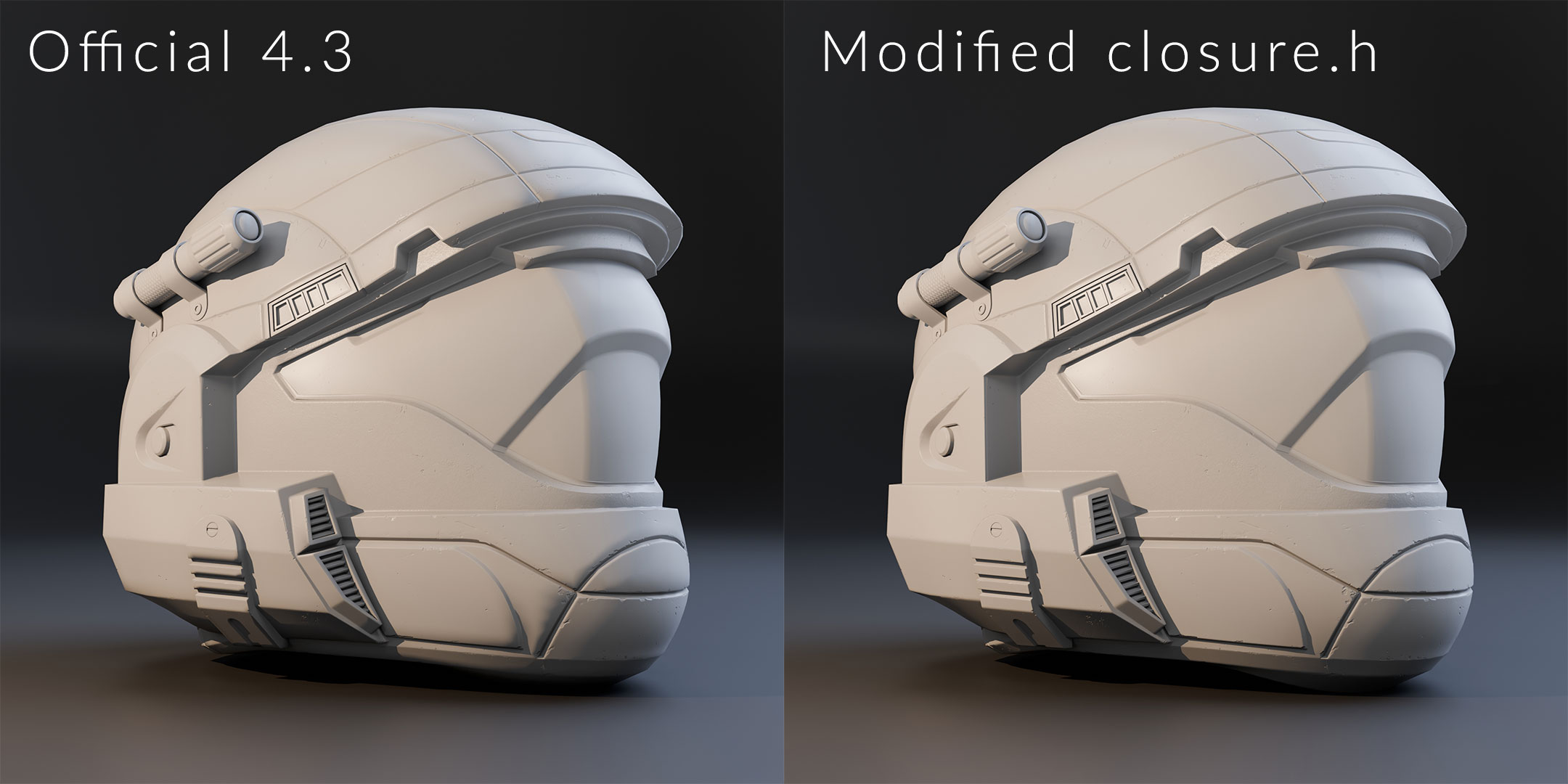
Using a solution posted by Alaska Young, I compiled a custom build of Blender 4.3 with the following change to the
closure.h
file that forces the Principled BSDF shader node to rely exclusively on the shader normals:
// closure.h - Starting at line 85
85 float3 N = stack_valid(data_node.x) ? stack_load_float3(stack, data_node.x) : sd->N;
86 N = safe_normalize_fallback(N, sd->N);
+87 // Force the shader data normals to use the modified normal:
+88 sd->N = N;
+89 sd->Ng = N;
- This modification eliminated shading artifacts, demonstrating that Cycles can correctly use shader normals when directed.
- However, I understand that there may be limitations to this solution. Thus, I understand why it’s not currently the default solution. Though, in seeing that it does work, it would be nice to have as an official option to toggle between
To ensure this wasn’t an isolated issue with my HP -> LP normal baking workflow, I tested this with a AAA game model from Gears of War 5, which can be correctly seen rendered in game in UE4 Credit to Fernando Ometto.
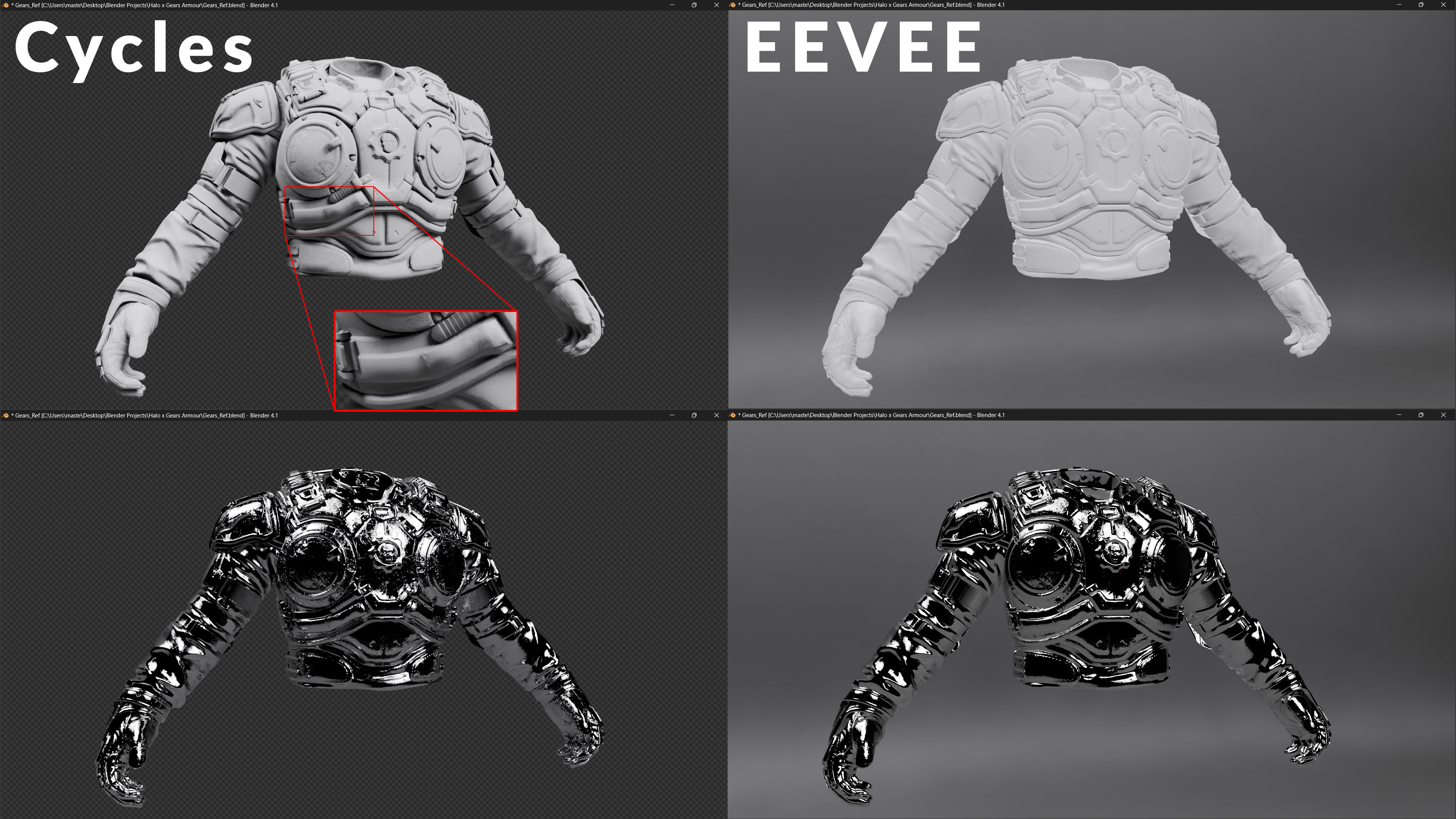
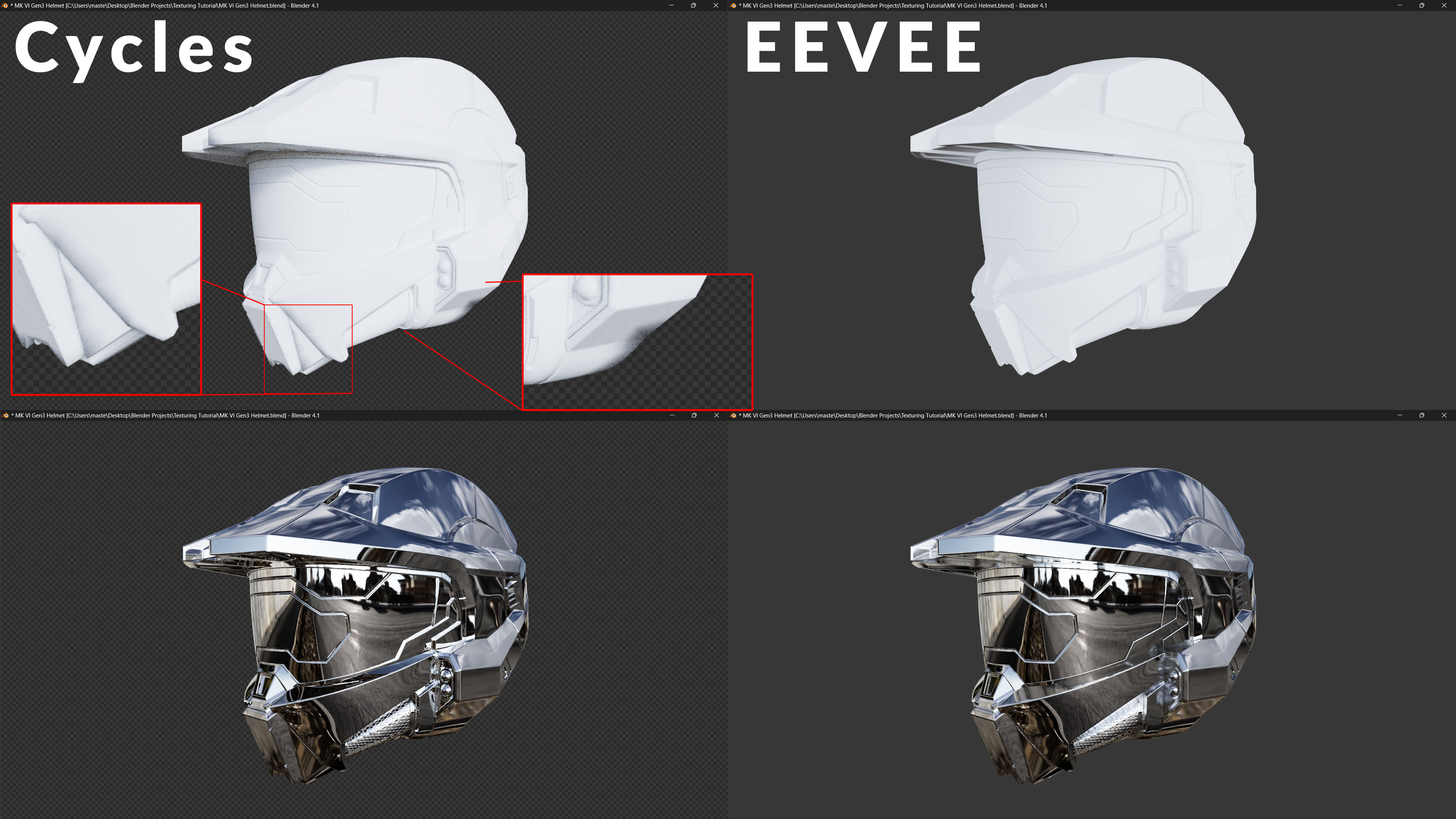
The metallic shaders are present to show that this seems to be isolated to dielectric materials, while metallic materials appear correct. In the links I'll provide at the end, others have also seen this issue on other professionally made photo-scanned assets with Quixel Megascan assets, further solidifying this as a Blender-related issue.
Proposed Solution
Similar to how we have the option to disable the
bump map correction
within the settings of our shader, it would seem reasonable to introduce a toggleable option that allows users to choose between:
- Default Mode (Current Method): Uses a combination of mesh normals and shader normals.
- Force Shader Normals Mode: Ensures Cycles only considers shader-provided normals, bypassing geometric normals where possible (such as in the code snippet above).
Overall, introducing this proposed normal toggle would provide greater artistic control and provide users with a solution to a long-standing normal map shading inconsistency in Cycles.
This would align Cycles more closely with industry-standard workflows for game assets or pseudo-game assets, reducing unnecessary workarounds and improving render accuracy for models that rely more heavily on normal maps while catering towards users who do not encounter issues with the current normal rendering pipeline.
If there is any other information that people require/critical points that you think I have missed here, please let me know so I can update this post and do additional research. 😄
1 Comment
References and Further resources
Below are links I used to research this topic and a video I made that tries to better visualise the problem and the proposed solution in the custom-compiled build.
Cycles and surface normals (normalmap shading)
Cycles normal shading issue in assets with baked normal maps
Normal map node produces wrong result after reflection fix patch
cycles normal shading issue with normalmaps and heightmaps
Cycles: Add reflection fix to Bump and Normal Map nodes · d6e769d32e