
Suggest placing third-party installed plugins in scripts \ addons instead of extensions \ user_default
As a user who frequently modifies plugins, I am puzzled why the plugins I installed using Add on's Install from Disk were placed in the extensions \ user_default directory,
Plugins installed in the extensions \ user_default directory do not allow me to uninstall or reinstall them。
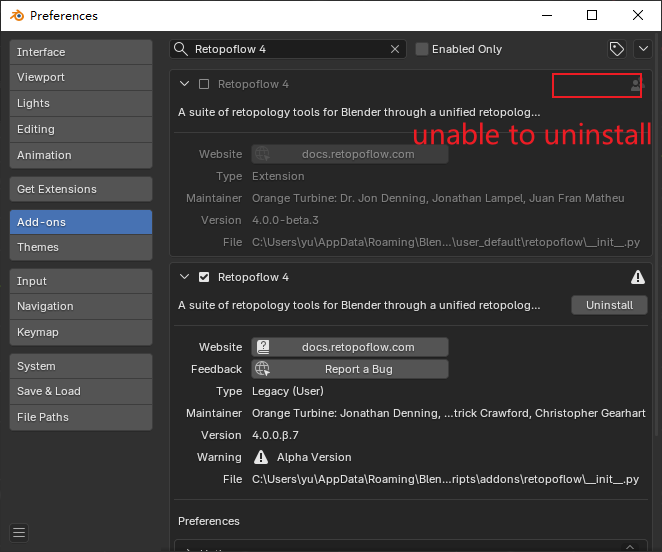 Additionally, when I installed a plugin and tried to install it again after the update, the system did not display the latest version.
This has caused me a lot of trouble. I need to uninstall or delete the file in extensions \ user_default, close Blender, reopen it, and then install it again in order to update successfully.
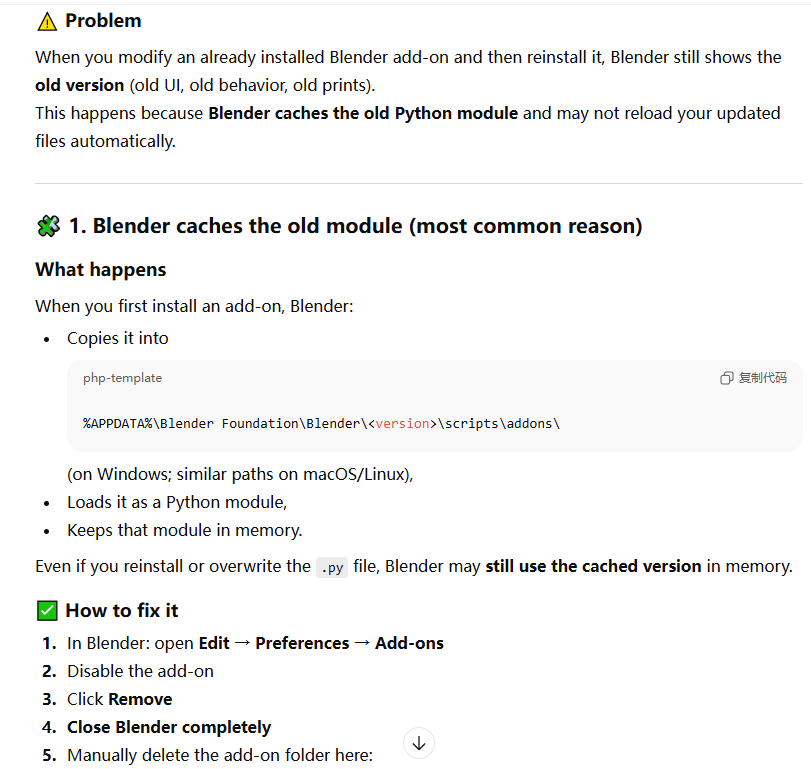
Additionally, when I installed a plugin and tried to install it again after the update, the system did not display the latest version.
This has caused me a lot of trouble. I need to uninstall or delete the file in extensions \ user_default, close Blender, reopen it, and then install it again in order to update successfully.
2 Comments
What differentiates a legacy addon from an extension is the way it is made. If it has a toml file, it's an extension. The folder in which an extension or legacy addon will be installed to depends on which folders you setup in your preferences, and which one of those you ask to use when installing:
There isn't a real concept of "3rd party addons" anymore. The core addons required by Blender for basic funtion like Cycles render engine are built-in. But extensions from the official extensions platform don't make any difference between ones provided by the BF or the community, besides the "maintainer" credited on the extension. And you can add other extensions sources that have nothing to do with the BF too.
Plus, you don't need to restart Blender to update manual changes in your scripts:
Finally, legacy addons are considered deprecated, extensions are the new way to go, and legacy addons should be upgraded into extensions before not being supported anymore. So requests to treat extensions as legacy addons when you modify them will not go anywhere. Expanding the extensions system would have more chances to be considered.
I suggest you to read a bit of documentation, not only to learn how to work with legacy addons and especially extensions, but also have a better idea of the extensions system if you want to suggest improvements on it:
And there are also some 3rd-party tools that help like Blender Development - Visual Studio Marketplace that basically lets you live edit your addon among other things.
Okay, thank you for your answer