
Automatic Texture Downsizing [ Scene optimisation ]
hello
we have a magic option right now , that many of us maybe dont know ,its under the propreties/scene/simplify tab and its called "Texture Limit" .. and its really really really amazing ...
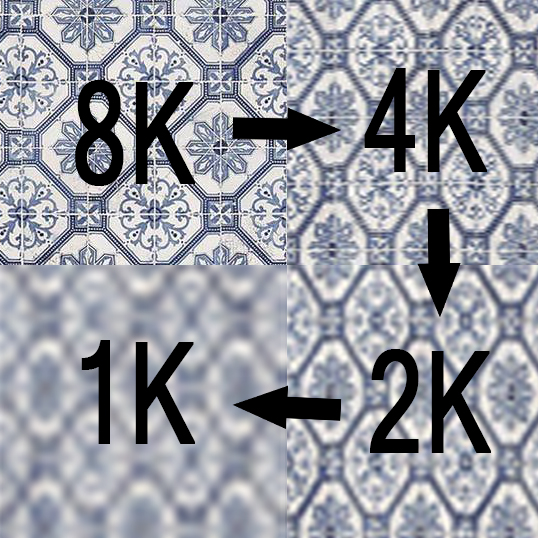
It automatically downsize an for example "16k texure" to an for example "1080p " with no problem ! the file size of the texture then goes from 1Gb to 20Mo !!! its just pure joy for people always goint out of memory while rendering !! al of us rendering with gpu , huge numbers !!! no more out of memory problems ! scene too big ? just hit the option and -3Gb on the scene ..
But the problem is that it doesnt let us choose which object texture are converted or not ... Why ??? why not letting us choose to let our 8K texture on the foreground not downsized , while our 8k texture in the background are downsized to 1080p ? its totally useled having a more than 2k texture from far away on the scene .
why not going even further ? a simple script that tell X objects when they're from X meters from the active camera are downsized by X time for the final render , could do the job perfectly well ... for exemple:
- every textures from objects touching the radius 0 to 2m of the camera are not downsized
- every textures from objects touching the radius 2 to 4m of the camera are downsized to 2K
- every textures from objects touching the radius 4 to infinity m of the camera are not downsized to 1080p
*if same material are present on foreground and background , then the the priority go to the foreground and the material is not donwsized in the background for sure
This could be an extremely useful optimisation tool !! for big scene especially
5 Comments
Simplest solution which would be very helpful is to have per material override for a global setting Texture Limit. Similar the way we have Camera Cull checkbox for objects we want Simplify to be applied. I would just put Simplify Texture checkbox in material settings, turned on by default if global Texture Limit option is enabled. Also that checkbox would be useful in Environment settings too. That way we choose what will be affected and what wouldn't, so it won't produce flicker in animation, but I would rather use this option for testing purposes, scale down all textures except the one I am working on
Great idea
its a drastic optimization method , i really like this concept of "texture lod" quite amazing , this could be amazing inside of blender
We need this into blender
yes, I was always unhappy with downsizing the HDRI while using texture limit. I wished many times to have a separate control over it. But having separate control of any texture, is a better way to go.