
Command options in view
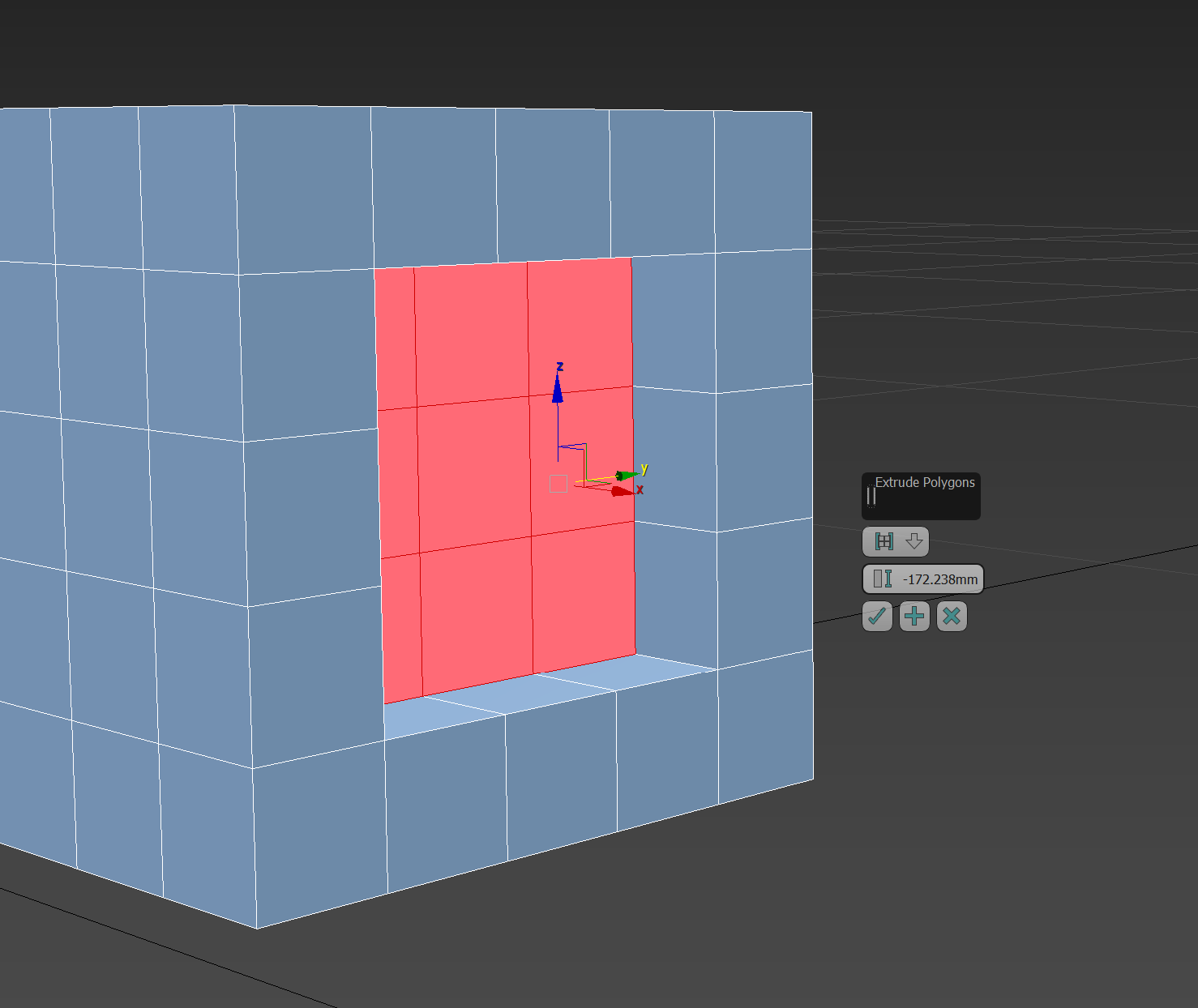
The command options should be put in a (transparent) moveable window so that they can be closer to the mouse input. This is called the 'Caddy' in 3ds Max. Other programs use TAB input to cycle through the options in the interface to avoid having to move the mouse out of the workspace.
6 Comments
* @IIIFGIII * That's a good workaround for the time being, thanks!
* @Hologram * That is not work around something. Problem in this unintuitive key map - newbies have no ideas that such function exist...
* @IIIFGIII * Totally agree.
* @IIIFGIII * Every piece of software I've used allows you to set values in advance rather than having to redo last so that's counter intuitive as well.
* @Hologram * Why every software should be like " every other software ". If things work in this way - you would not left 3D Max because of reasons and not try to switch to Blender because of another reasons ....
You can look at this from other point - in most cases " visual " input by moving cursor or typing value during operator is enough (operator, I dont use this new "tools"). In much less cases you need this panel input.
Maybe if your " panel input " cases is not so rare it reasonable to add somewhere some checkbox with option " panel input " by default for such seekers as you.