
Edge Projection
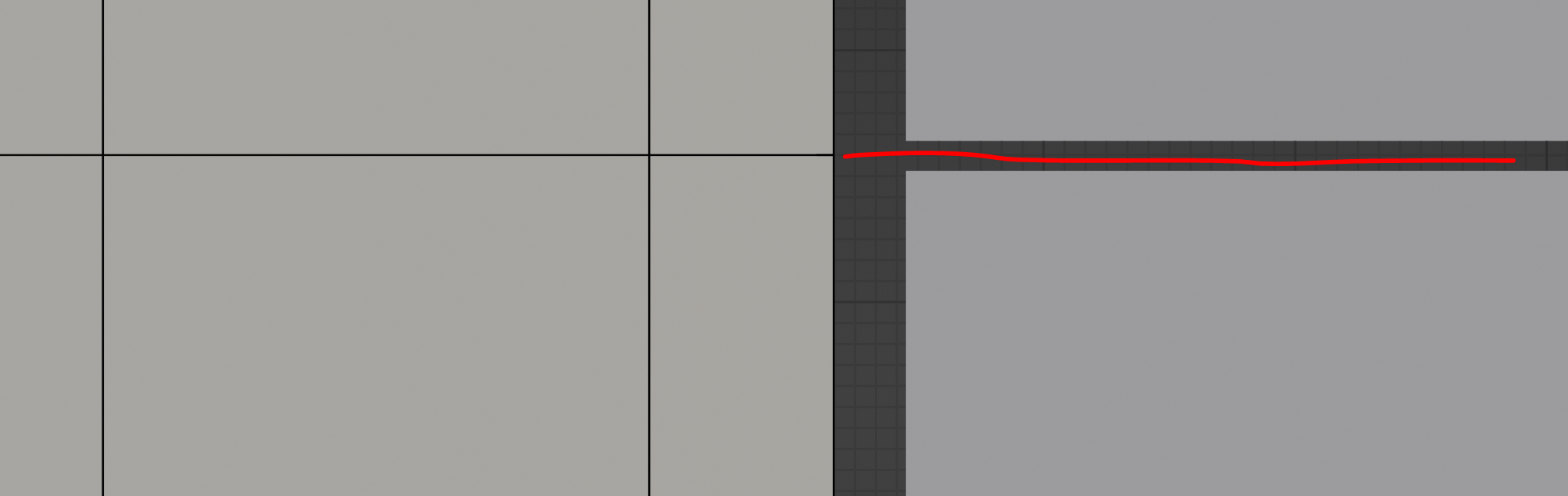
Another handy dandy thing. I am making a yuge scene in this one. I would like to align this edge loop to somewhere between this gap. Well the grid is not the best use in this. To have an edge loop projection would be handier like the red line in this picture. Distance etc as an option for it. That way I know where the edge lines up. Maybe even have face projection and vertice projection of selection. Add it to 2.95 as the measurement update lol. _____ Example of this.
Go to object properties, go to viewport display. Have check boxes for selection projection (vertex, face, edge) with distance, norm, global, local (x,y,z) as well (I mean vertices would have a projection in a spherical pattern otherwise ). ____ I am aware of cursor, scale zero along whatever axis. However, this is not what this is for. There are several scenarios where you want an edge to line up between a gap, and other things in the scene not just the gap. Maybe I am a weirdo but this place is for ideas not demands.
2 Comments
If you need to snap that edge exactly in the middle of the gap you need to activate vertex snap. Then grab the edge and move on z axis, now without leting the mouse you can hover the gap vertices and press A to add snap constraints and then move the mouse between them. The edge will snap at the middle distance between marked points. You can use this method to find the middle of more than 2 points, for example the center of an irregular quad.
* @Ge Ro * That hardly ever works with a large scene and also I want to be able to line it up with other things in the scene as well.