
Cycles Material Preview Settings
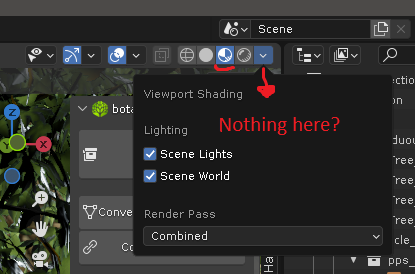
Cycles material preview uses Eevee to render. You'd expect to find shading settings for this shading mode in the drop-down, but you won't.
Actually ,they exist, but they are in a weird place: The appearance of cycles material preview is set in the eevee settings on the render tab, when the render engine is set to eevee. This is very unintuitive.
I believe those should be completely independent.
You should be able to find the settings you need for this shading mode, specifically when Cycles is selected, on that drop menu. Everything, from AO, to reflections and refractions... They don't have to be as detailed... Keep it simple. it's just a material preview...
0 Comments