
Useful use of the viewport background
H
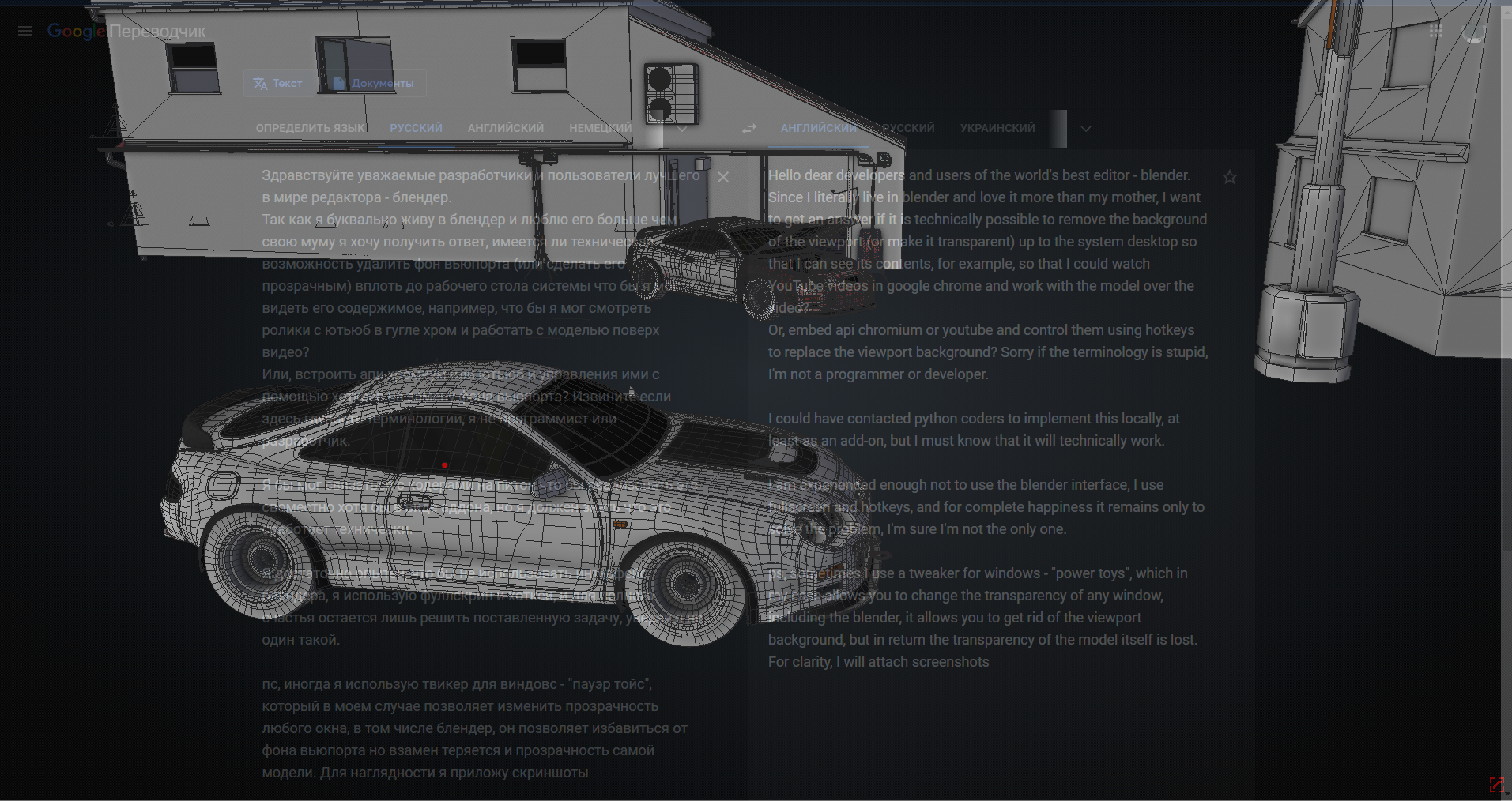 ello dear developers and users of the world's best editor - blender.
Since I literally live in blender and love it more than my mother, I want to get an answer if it is technically possible to remove the background of the viewport (or make it transparent) up to the system desktop so that I can see its contents, for example, so that I could watch YouTube videos in google chrome and work with the model over the video?
Or, embed api chromium or youtube and control them using hotkeys to replace the viewport background? Sorry if the terminology is stupid, I'm not a programmer or developer.
I could have contacted python coders to implement this locally, at least as an add-on, but I must know that it will technically work.
I am experienced enough not to use the blender interface, I use fullscreen and hotkeys, and for complete happiness it remains only to solve the problem, I'm sure I'm not the only one.
ps, sometimes I use a tweaker for windows, which in my case allows you to change the transparency of any window, including the blender, it allows you to get rid of the viewport background, but in return the transparency of the model itself is lost. For clarity, I will attach the media youtube.com/watch
9 Comments
I always use transparency for overlaying model above refs (only miss perspective match option as in max) for now i fo it with Peekthrough app and realy dont know will blender's own solution give any new advantages to this method.. zbrush has its own transparency and pureref does, but for me i found peekthrough much more suitable.. also let me mention that model also should be transparent, otherwise benefits of suggestion misses. If you need youtube for fun or puref list why not just stack 'em on top of blender?
Because when working with objects in full screen mode, you will be able to watch multimedia in the same full screen mode, when the video on top of the blender is limited by its size and overlaps the available space.
Perhaps i just cant do two things at once..
What exactly can you not? I understand that not everyone needs this, so I only need information confirming that it is technically possible to implement this setting so that I can contact the person who will make the addon
I like your thought process. And I do not mean to discourage you.
But i just wanted to mention that i have noticed in the past (atleast on a Windows OS) is that enabling transparency itself would slightly slow down the performance. Internally, i think it does something like an Alpha Overlay operation.
Now, in your use case, the objects/models needs to be masked out first and then the transparency has to applied which i think would be a double step for Blender. And this would have to be done every time the model is changed. So i think this would make a dent in the performance of the application.
Sorry, I do not see performance problems with Windows with transparency, I don’t know about it. Maybe it is possible to broadcast viewport elements with overlay on top of windows?
There is a small discussion social.msdn.microsoft.com/Forums/vstudio/en-us/df5fe1d3-69ef-46c8-b4eb-bb125a5e5ac6/window-transparency-performance , but this post is quite old.
Though i still believe about the performance impact, maybe the difference may have become negligible due to the latest changes in technology/GPU.
Sorry, i am slightly out of touch with these technologies and do not have any recent benchmarks.
Anyway, now if I change the transparency of the blender window I see no performance problems Provided that I can have several other applications running and the RAM is very busy
I would like to emphasize that I mean the transparency of only the background and not the entire blender window, objects should be opaque