
Rotate hidden edges
In 3ds max there is ability to show and turn hidden edges in polygons. You can unhide, select and “turn” hidden edges. In my opinion it’s very important feature for polygonal modeling for blender. At the moment i have to use knife tool to connect two veritexes to make turn edge in angle i want and then just resolve created edge, it's so slow, and does not always work.
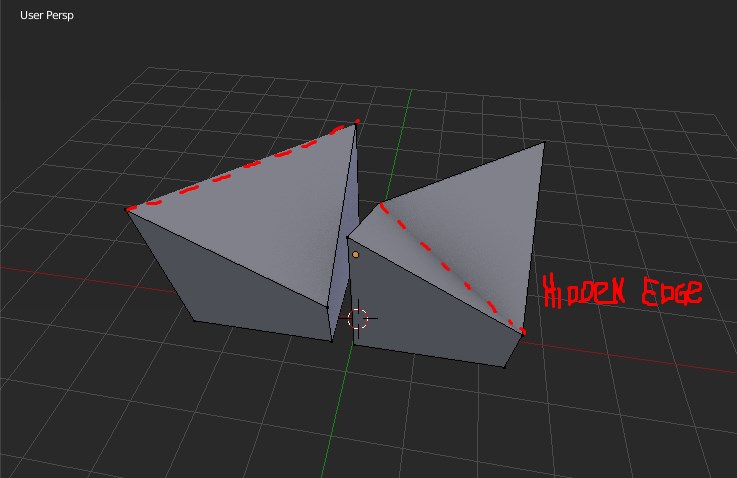
15 Comments
It's good, i want this.
+1 Besides, there are already operators to rotate edges, but they work only on non-hidden geometry. They could simply be made to be able to manage hidden triangles on quads too (maybe even ngons).
... At the moment i have to use knife tool to connect two veritexes to make turn edge in angle .... You HAVE TO USE Knife to connect two vertices? Really?
Of course it's damn stupid way to use knife all the time. What you need is practice Blender more before writing any suggestions... You need Connect Vertex Path
J(I remap it toCtrl+Alt+C) Triangulate FaceCtrl+Tand Rotate Edge CW/CCW (no hotkey by default, I mapp it toAlt+5)* @IIIFGIII * I mapped the rotate edge cw to shift+r it's a very useful tool for asset creation. and spamming it till it looks ok is way faster for me to think about choosing cw or ccw! :p
* @IIIFGIII * Well, nice solution, but you must agree, when there are a lot of such polygons this is still a very ineffective method. You need modify topology instead direct control this edges. When in other 3d tools it is done in one mouse click.
* @molestium * Do something with some " hidden " edges is not the best solution IMO - all this hidden stuff will be overrided if you modify your polygon somehow. Best way it is to just add connect. Then one mouse click what? Select two vertices and connect it by hotkey? Or select face, press Ctrl+T and rotate edge. It takes me less then second...
Key reason you write this suggestion is because you connect vertices by knife tool and " it was too slow " and even " not always work "( O_o I cant imagine how, but still ). It shows that you absolute zero in Blender and this suggestion is just another - " I opened Blender yesterday and can't do anything, please can you make Blender but Maxblender for ME?". Did you connect vertices in Max only by Quick Slice or Cut too?
* @IIIFGIII * This is a suggestion thread. Show your VERY HIGH SKILLS elsewhere. You have not come up with a solution, and you are being very rude. You can do not answer, I ignore your trolling.
* @molestium * I know what this thread for... I sitting here 2+ years. I remember times without all this " I come from Max and nothing work as I expected " suggestions. It's not trolling.... Suggestion even have sense in case of rotate this damn edges and keep quad topology.
But the way you suggest burned me out. You come with no skill and tell us that you do some stupid things and as expected it is not so convenient so " guys, you know what - your Blender is kinda shity, bring me some Max, cause Max is all I know". Its like you try to play some music instrument holding it in wrong way and reading notes upside down and then conclude that this instrument isn't good... Don't you find that first it need to spend some time (not few days/weeks) and learn how software work?
I have to use knife to connect vertices . Sound like someone stay behind you with gun and say that if u don't use knife for that - he'll kill u!!! Sound like stupid joke.
Good luck...
* @IIIFGIII *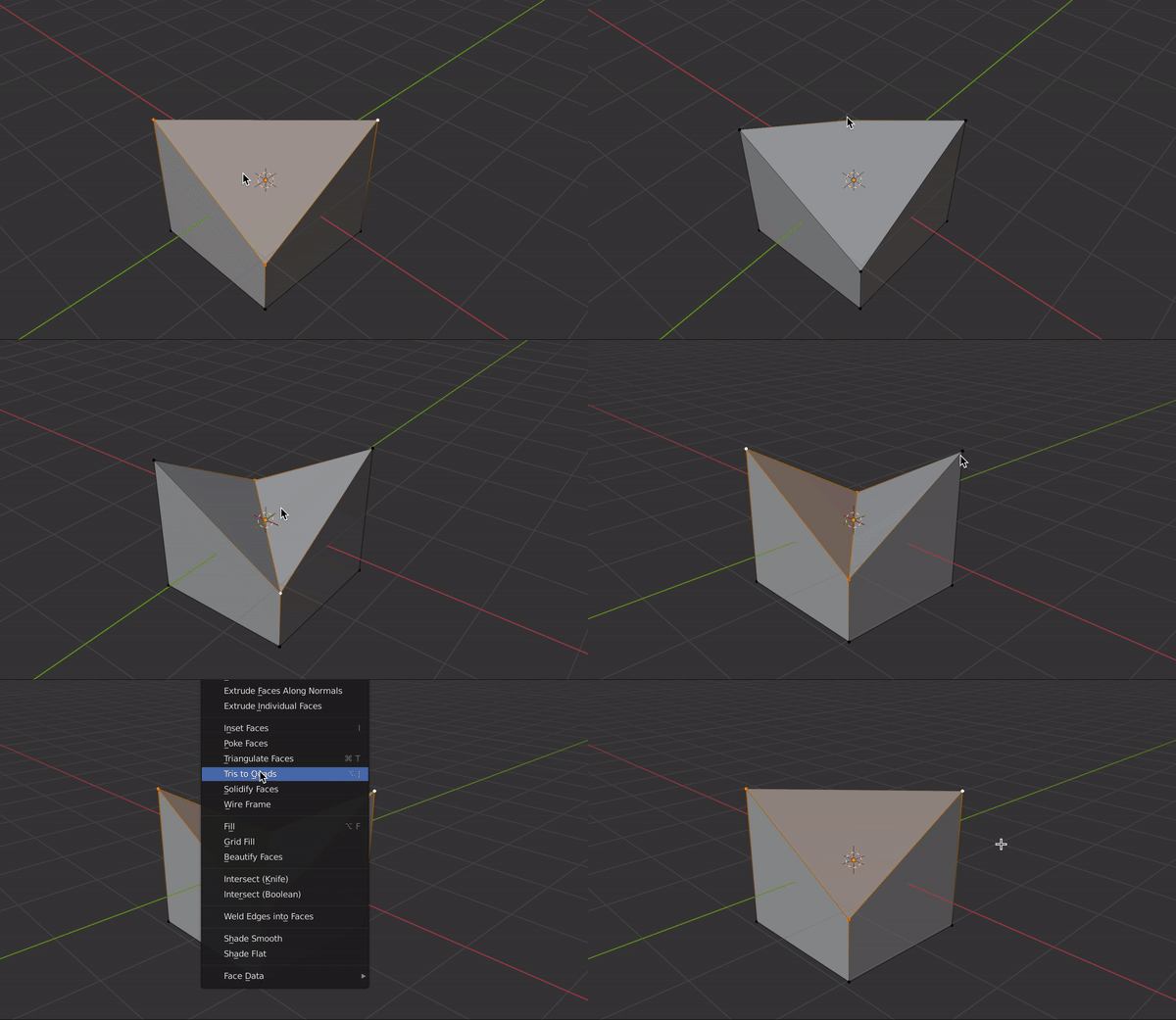 what am I doing wrong?
yes! very helpful indeed.
we really need this
also they have to fix that in exporting. I had many many times that the hidden edge was where I wanted to be but after export to fbx or obj I saw it change so for now I always triangulate my model with a modifier first before any export.
SketchUp has this tool too & there are rare cases where it's the only tool to get the job done quickly. Like when you have to flip many edges. How would this work though considering you can't select hidden edges in Blender? Select the face?
Well if nothing else you can make an edge with the knife tool to determine the "hidden edge" rotation.
oh lol didn't read the whole thing
Like. I'm realy need this