
Move the "New Object" Properties into the Properties panel
"New Object" Properties belong in the properties panel. It also shouldn't disappear the second the object gets deselected.
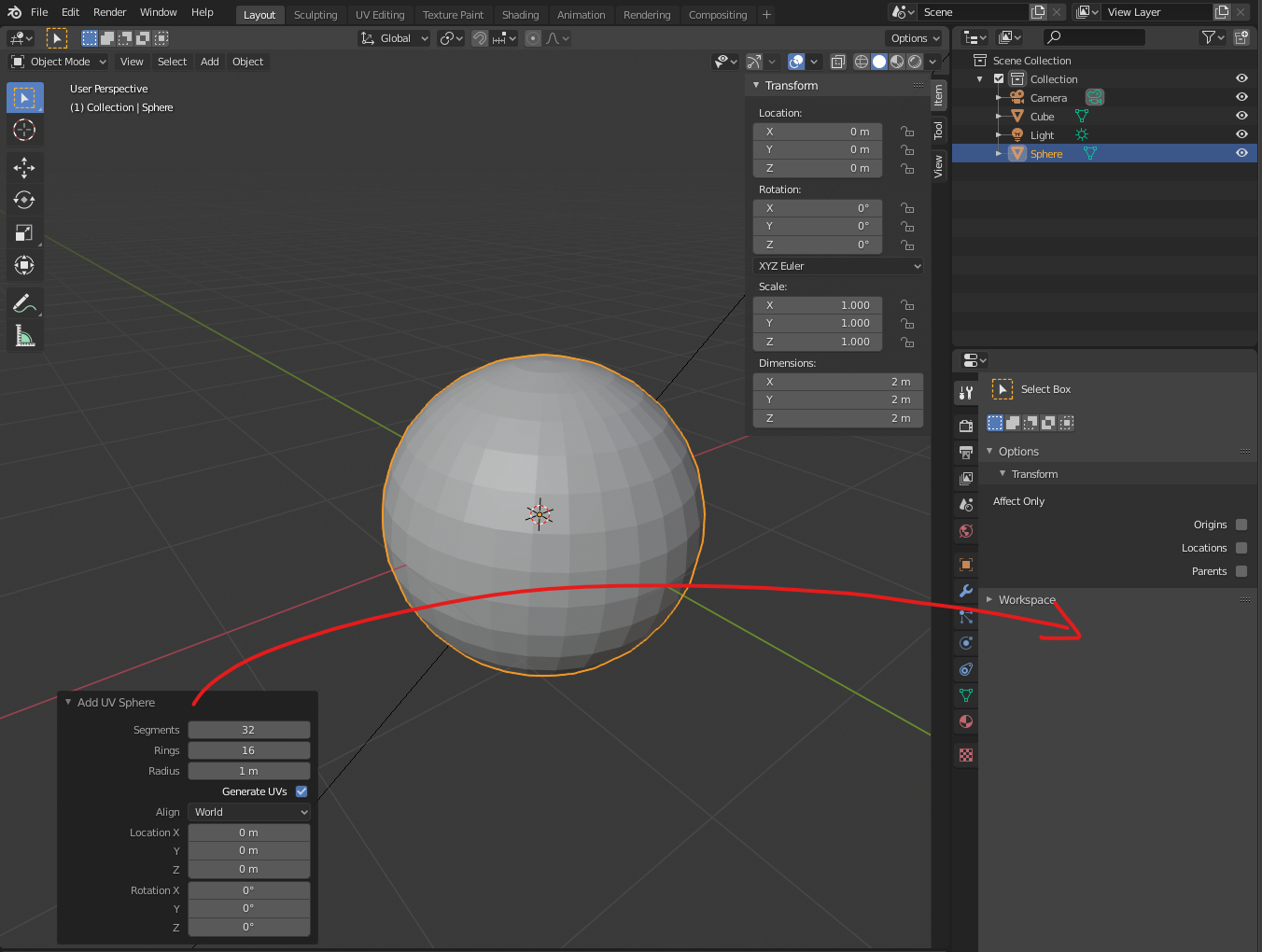
"New Object" Properties belong in the properties panel. It also shouldn't disappear the second the object gets deselected.
14 Comments
when you use full view with ctrl + space bar then how will you access the properties panel
* @mittisimone * If you feel like you need to change something you can still go out of Fullscreen and quickly do it there. And if it was more persistent than the current window, you wouldnt even have to worry about it going away.
* @Thane5 *
There are a lot of addons that depend on properties views in the 3d view context if switched to properties context then the addons would work since their context is with view 3d viewport. I think you get confortable with the way it is. If in export mode which is fullscreen then I don't think the contexts would match.
* @Thane5 * Try wonder mesh addon
For what it's worth, we should call it by its proper name. It's not a New Object Properties panel. It's the Last Operator panel. It's an important distinction that explains some of its behavior.
And while persistent properties for primitives can be useful in some cases, let's make sure we consider the other functions of the Last Operator Panel. It's for all operators, not just for new objects.
* @Jason van Gumster * I see how this makes sense for things like a Bevel operation, but in my years as a blender user i simply have wasted way to many clicks by deleting and re-spawning primitives, just to change some minor settings. (The fact that this panel is collapsed by default doesn't make it any better too)
* @Thane5 * Humorously, I'm on the other side of the fence. For me a primitive is merely a means of throwing verts into the scene that I can customize. It's incredibly rare that I ever run into the situation where I need to put in a new primitive with a different starting point and begin anew.
* @Jason van Gumster * but this is not the point at all. at first it does exist editable primitives (in some addon) and so the evolution of the conversation is melting 2 different concepts. the undo is out of the range there. and that's strange your answer when a total branch of modeling is around non destructive work. this is the main goal of every modifiers. so maybe it should be called a PRIMITIVE MODIFIER. this is strange to answer I don''t see the point because I'm not using things in this way. Me I like to work under edit mode and I asked about to have in the bevel (ctrl B) bevel weight parameter too. but other people anwsered me the modifier is already doing it. most of the time they have external demands of modifications and so they prefer of course modifiers. but me I prefer in real time. but why I should only consider my own perspective. it would be closed mind blendernation.com/2017/09/27/add-wonder-mesh/
blenderartists.org/t/editable-primitives/696654/2
* @1conscience0dimension * If your aim is for more non-destructive editing tools, then you should suggest that (or see that it's been suggested before and respond to those proposals). This proposal isn't that and it's not a proposals for a modifier. It's proposaing a UI change based on a somewhat incorrect assumption about how the Last Operator panel works.
* @Jason van Gumster * yes many subjects around the same idea. but I think maybe not the good approach there and the good solutions. but I think this is linked to the same topic. but under my own logic. so I could be wrong. but I know this is difficult to explain something obviously lacking but not existing yet.
It's about parametric primitives..
developer.blender.org/T57727
I understand, you've seen such behavior in 3dsmax
I think having an option in the user preferences for people who prefer full screen to let them choose.