
Incrementally change value on Ctrl+Click
just a small UX thing as we already do incremental value change by holding Ctrl while dragging so why not do this when we click on arrows as well.
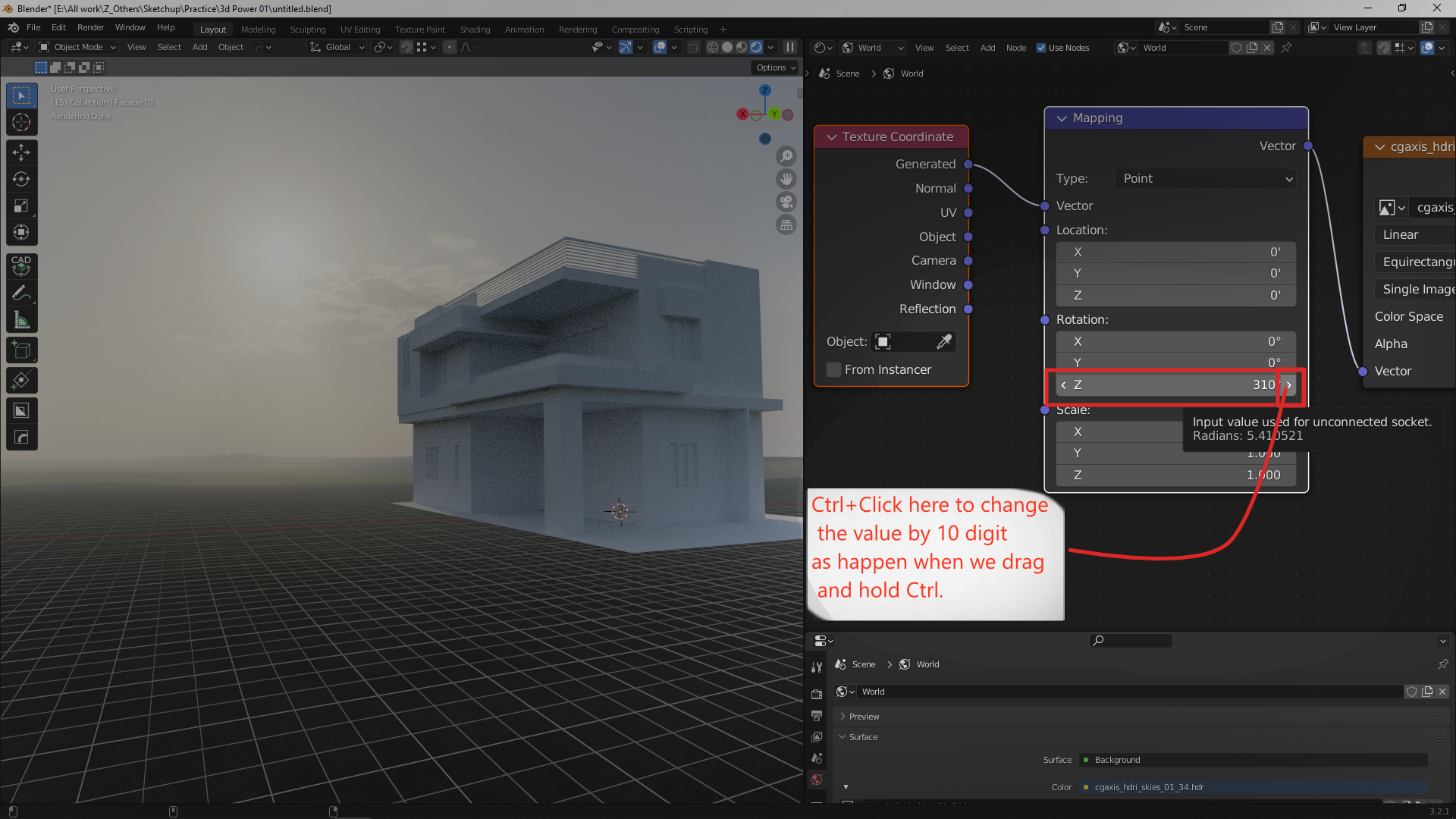 See the sample video for the problem-
youtu.be/1nclKwDIB88
See the sample video for the problem-
youtu.be/1nclKwDIB88
3 Comments
Actually sometimes on heavy calculation if we drag the value blender starts to slow down and we move mouse far way. we struggle to see change and have to type each value manually to see changes. To overcome this issue any suitable key like Ctrl or Shift can be utilized to click on arrows to change value by factor of 0.1 or 10. If take it another step,Also by holding Ctrl+Shift together the factor may be 0.01 and by holding Ctrl+Shift+Alt as well to make factor of 100.
Incrementing just means to add a value. Clicking the arrow adds a value, that's incremental. What do you want precisely?
Your screenshot says to add the value by 10, issue is the increment value is different across fields. Object location is 0.01, Mapping node's location is 0.1, render noise threshold is 0.03.
Do you want a "bigger" increment? If so, I would use a different shortcut. Blender already uses ⇧ Shift as a slower increment while dragging, so why not ⎈ Ctrl ⇧ Shift as an accelerator while dragging, and use Shit and ⎈ Ctrl ⇧ Shift on value arrow click to multiply the increment value by 0.1 and 10 respectively.
Just like it slow down values by holding Shift & Ctrl-Shift while dragging, same behaviour with clicking because sometimes when the scene is heavy dragging is not possible as it hang the scene completely and even sometimes crash as well.