
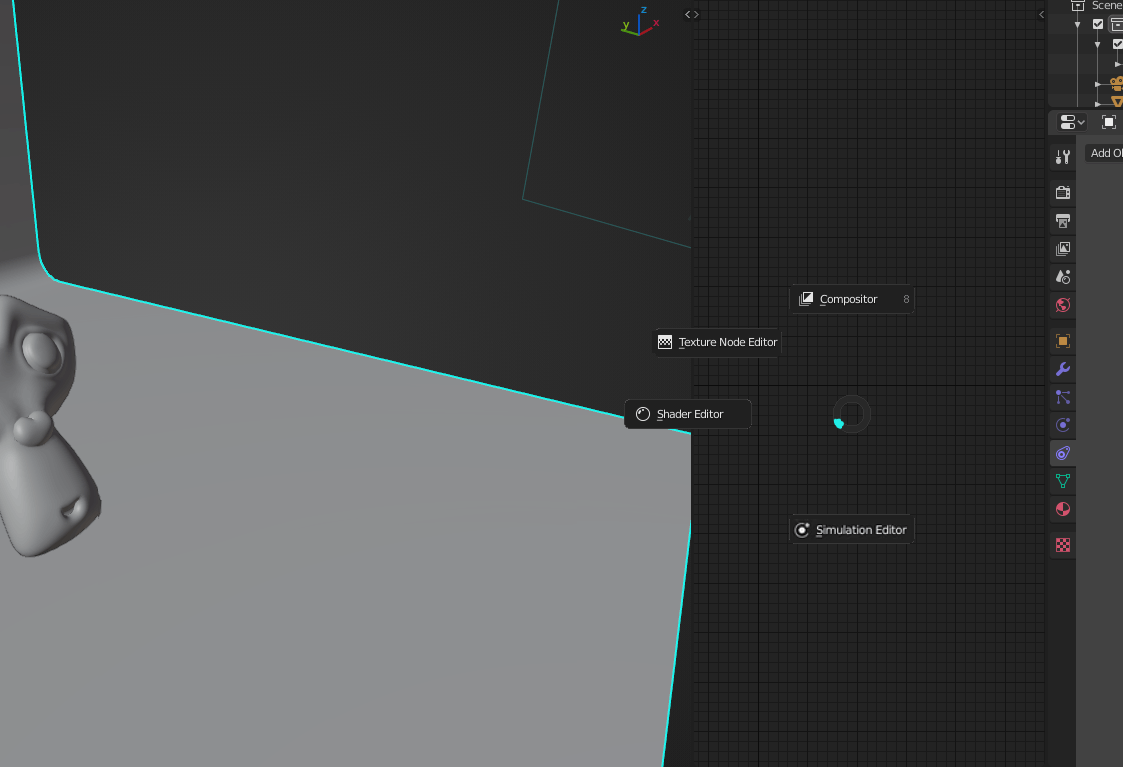
Use tab key to change between node editors
currenlty the shaders editor, the compositor, the texture node editor, and the new simulation editor are different panels when all of them are just node editors, i say we need some consistency here, we dont have a bunch of editors with a bunch of 3D views, we have one sole view and modes
 so we can have one node editor, that lets us access other modes easily without having to clic another editor that acts the same like this

or for changing between world and object or line style in the same shader editor whichever is the best option
4 Comments
Hey, I quickly throw smth together. Here is the download link. we.tl/t-0ycotLqJDm If you have any questions, feel free to ask!
* @matthias.westhoff * WHAAAT, amazing!! I wanted to check the code to change the keymap but I couldnt find any way to do so bc Y is somewhat far away from where my hand rests, but overall really good and impressive :o
* @AnityEx * Hey, I am using a qwertz keyboard and so the Y key is quite handy but you can change the keybind by searching for it “shader switch”. Hope I was able to help you.
maybe this addon will help blenderartists.org/t/addon-free-pie-workspaces/1132853