
Add a Rotation socket to the Mesh to Points node
Mockup:
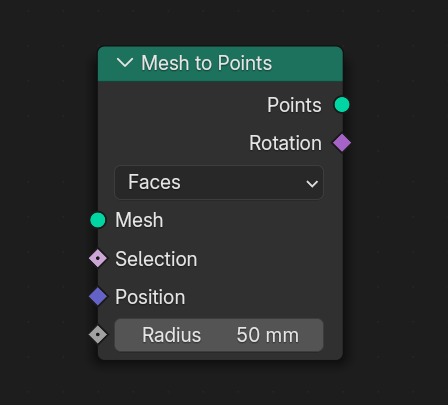
The
Mesh to Points
node could use a built-in rotation output socket, the same way that
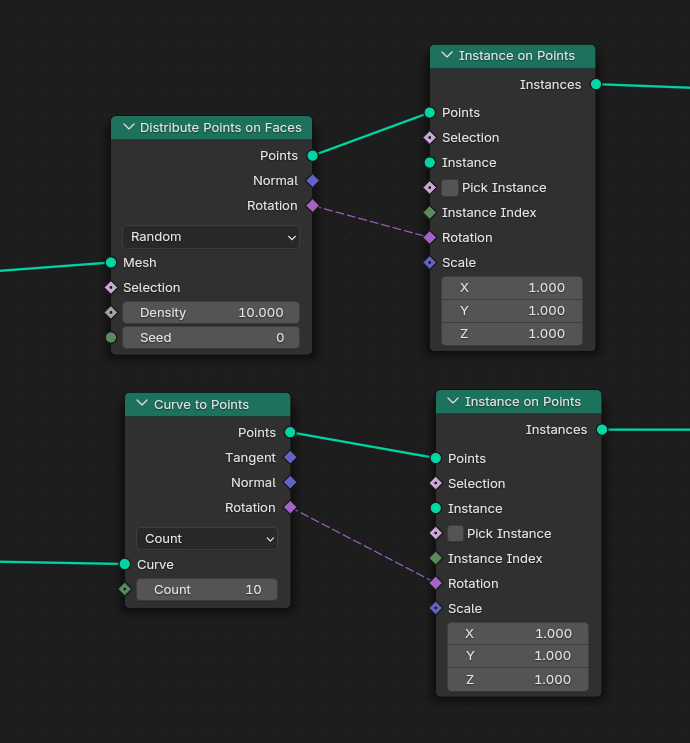
Distribute Points on Faces
or
Curve to Points
have it. That makes it very straighforward when using them in conjunction with the
Instance on Points
node. Just plug in the rotation into the rotation, done.
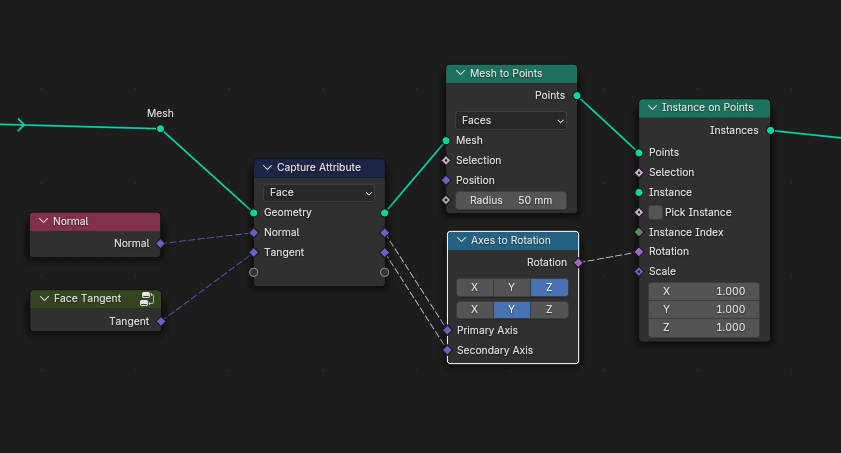
Not so straightforward with
Mesh to Points
since there is no rotation socket. You need to calculate it by yourself. Although it did get less cluttered with the new
Axes to Rotation
node.
I'm constantly seeing people ask how to instance something on a face/edge/vert and also align it to that element. I think a built-in rotation socket would help out a lot and make it consistent, because people might often find different (sometimes incorrect) solutions on how to calculate the rotation.
These are the ways I calculate the rotation for each element in
Mesh to Points
. I'm not really 100% sure about them, but I'll include them just in case.
To get the rotation, we need two vectors to align the axes. The 1st one is the normal, the 2nd one varies for each element:
Faces:
- Normal
- face tangent (not sure what this is, I just found the a formula somewhere)
Edges:
- normal
- the edge itself as a vector (does that have an official name? tangent? binormal?)
Vertices:
- normal
- ???
Corners:
- normal
- the bisector of the corner
0 Comments