
Add an Emboss node in the compositor
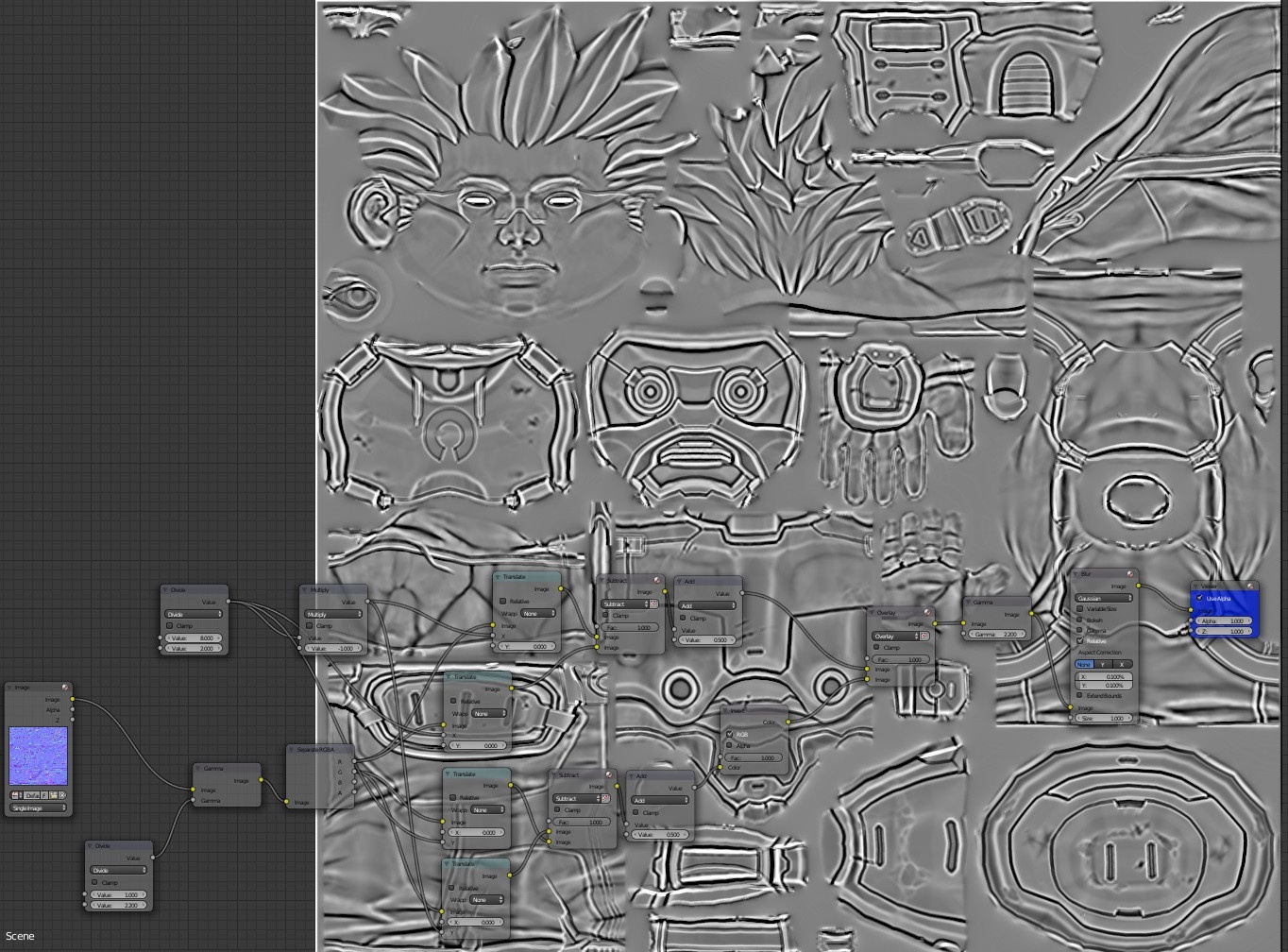
It is possible to get an Emboss effect in Blender to generate a cavity map by using translate nodes combined with a Subtract node. I suggest to create a node in Filer > Emboss. The node takes two options the pixel width and the angle: 0 degree for horizontal and 90 for vertical.
Here is the current node setup: blender.stackexchange.com/questions/52902/how-to-convert-a-normal-map-into-a-curvature-map
2 Comments
As a general proof of concept, it might be nice to pack this into a single Group node that could be shared.
I am not sure about emboss, but high pass can be easily done from texture with this method: Duplicate image, Invert colors from duplicated image. Blur the duplicated, Reduc opacity by 50%. Now combined with the original image you have the high pass layer. The blur size is the high pass "strenght".