
I Found a solution.
So i hope I'm not posting this in the wrong place, that would result in a slap on the wrist and some stern words from Pablo (Love you Pablo :) lol)
Anyway, the first post was to have the ability to name colours and the second to have the hex number display when over a colour.
i have found a rare solution, one that benefits the user AND the Devs as well.
now everybody may know this but i genuinely think it needs to put out there, i came across a link to Microsoft Power Toys, a small free download which i did, installed it and ran a program that i was interested in, then i noticed the words colour picker, ran it and when you hover over a swatch, instead of the word colour.
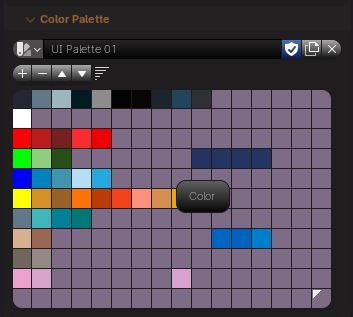 You get this
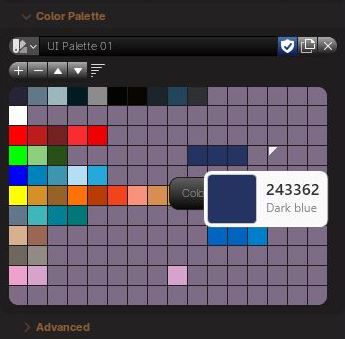 what blew me away was that , somehow, it knows the colour, i wasn't using a palette that had named colours, just with a keypress i can see the colour name and the hex, you can change so many features, it has a list as long as your arm of colour spaces, this is the link and ive had zero issues with it, plus there are other utilities that actually might be worth having such as measure screen.
Apologies if i posted this in the wrong place but im genuinely excited as to how these tools might improve palette design and just general colour management
what blew me away was that , somehow, it knows the colour, i wasn't using a palette that had named colours, just with a keypress i can see the colour name and the hex, you can change so many features, it has a list as long as your arm of colour spaces, this is the link and ive had zero issues with it, plus there are other utilities that actually might be worth having such as measure screen.
Apologies if i posted this in the wrong place but im genuinely excited as to how these tools might improve palette design and just general colour management
POWER TOYS LINK learn.microsoft.com/en-us/windows/powertoys/
0 Comments