
Tap hotkey vs Hold a hotkey longer.
Tap "G" to quickly move an object. Hold "G" longer to make "Move" the active tool. Same for other tools.
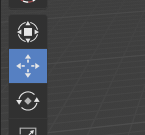
Tap "G" to quickly move an object. Hold "G" longer to make "Move" the active tool. Same for other tools.
3 Comments
I would like to inform you that right now you can assign any hotkey to left menu items,
I personally asignet some of it permanently as standard W, E, R, T
to (Move, Scale, Rotate, Transform) - active tools. Cheers ;)
@chris-1988: Yeah, the flexibility is cool. But active tools is this next big thing for blender, but their keyboard shortcuts are actually harder to press than to click with the mouse. If it's so, that's literally not a shortcut anymore. :)
@visprotis: Try newest build and assign any shortcut - you will see it is very fast now and you don't need to open space bar menu any more before pressing your defined shotcut.
You also can remove shortcuts from old tools and stop using them completely if you don't like using them