
UV Mapping improvements, possible??
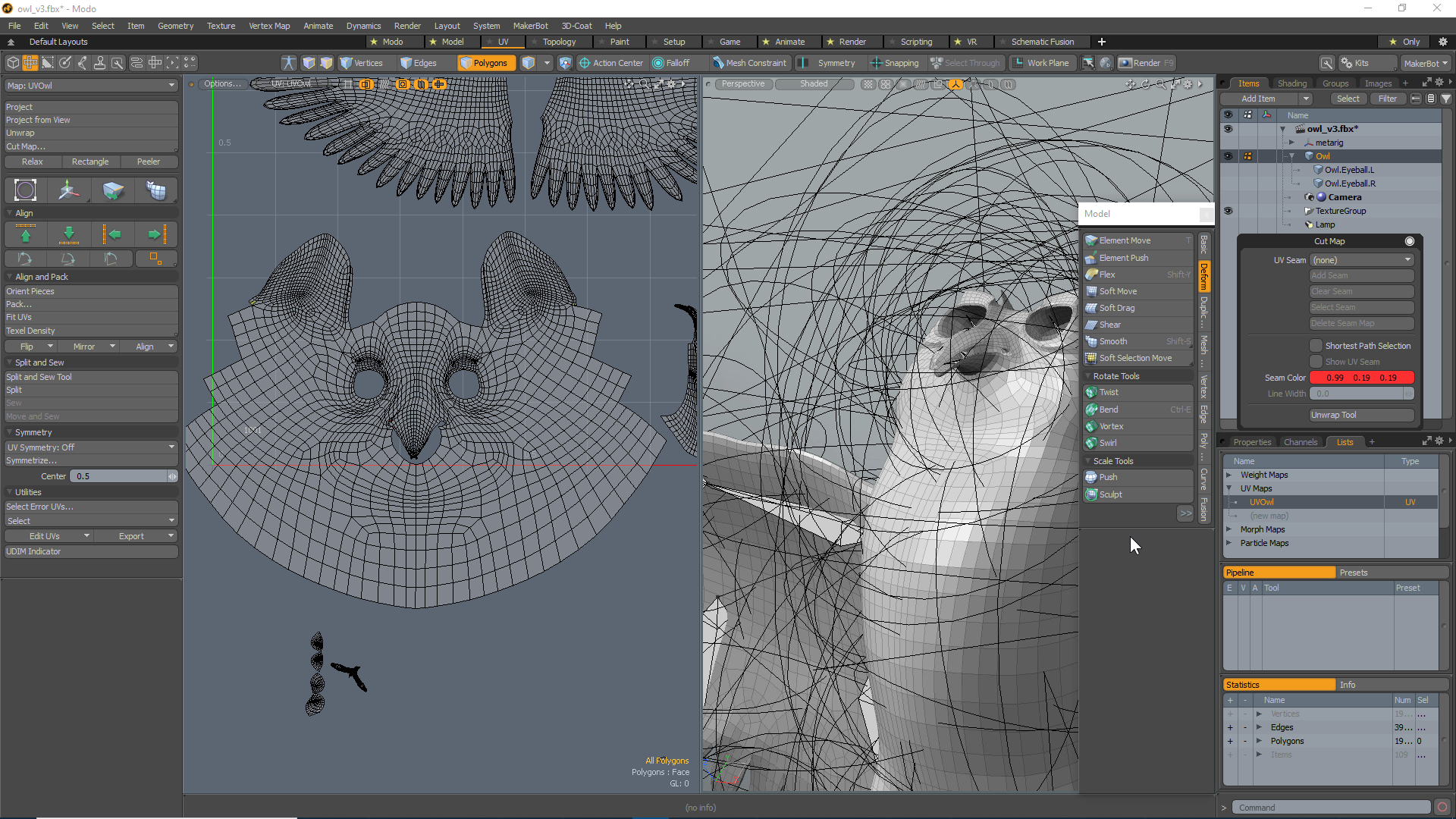
I value Blender 2.8 and upcoming developments, but find that neither Blender (nor Lightwave) has the most useful tools for the task of UV Mapping. I am including a video demo of some of the Key Features of UV Mapping in modo, which I find very intuitive and well thought out. Hopefully this will help the discussion of this ‘neglected’ area which is crucial, but not up to the standards of the other tools in Blender. I particularly like the ‘Soft Drag’ tool, which can be used in the Modeler window, but easily used in the UV window equally well. Take a look and let me know, let the discussion continue.
hartworks.net/blender/modo_UVEditing-demo/modo_UVEditing-demo_player.html
11 Comments
The addon you are looking for is called TexTools for Blender 2.8
* @datadieb * And here's the link to the GitHub Repo for the 2.8 port. github.com/SavMartin/TexTools-Blender/releases
User SavMartin ported it over to 2.8!
At least the UV relaxing is a duplicate of an existing proposal: blender.community/c/rightclickselect/mccbbc/
More unfolding algorithms are actually what is most needed, from my perspective. At least for one more algorithm, during 2016's SOC there was Aurel Gruber's SLIM method to be implemented into Blender but development staled, unfortunately.
For many of the tools there's a plugin: renderhjs.net/textools/blender/ UNfortunately still not updated for 2.8. It's super good.
Do you mind splitting these proposals up into separate posts? Just so the developers can tackle them individually.
* @rodgerdaledavis * While correcting another thread, saw your reply, pardon the delay, but the point of the video was deliberately intent on showing the overall comprehensive inclusion of tools. Chopping it up is part of the problem. I build the latest version, have all of the noted tools, yet I still end up using modo for some modeling and certainly to UV work and mesh cleanup. Recently submitted a 'bug' which was a 'User Error' of some 'degenerate polygons' (love that term) which showed up in the UV window in modo, in alternate colors, but remained elusive in Blender. Thanks for you interest.
I do have Textools, and two(2) other Addons for UV work, but thank you. What I miss is a 'coherent' work flow in Blender for UV mapping. I hear that a variety of different tools are useful in Blender, but only in 'this condition' or in 'this manner.' I love Blender and do as much as I can here, but I made the video to show a 'coherent' on screen experience. I tried to move some Edges in the same model in Blender today, and it keeps also grabbing the 'connected' Edges of the model also in a different island. I can't 'Unselect" them, even tho they are in a separate island. Apparently I need a 'instruction video'. If I selected some polys, they Tear Off, rather than move and stretch, and I don't know how to not Tear Off. I will continue to investigate. Thank you all.
* @Paul Hartsuyker * I am also a Modo user and have grown to like the UV workflow but I think if Blender gets a real overhaul we should maybe rather aim for the stars: youtu.be/z2QvajdFHes
rizom-lab.com/
This looks like a really awesome UV tool and I know that for example Danny Mac also uses it in conjunction with Blender and ZBrush.
* @motionblur.of.doom * These are remarkable tools. I will keep them in mind as I stumble along. Thank you.
* @motionblur.of.doom * These really look amazing... is there actually any Blender Dev working on the UV Tools right now? If not someone really should and aim for these features...
Please make the following changes to make this proposal(s) more useful to users and developers:
Blender does have most of these but usability are different. Jotted my thoughts below.
Syncing is there but straightening and most other similar tools is best done with syncing off. Welding/Aligning, Splitting(Sync Off), Stitching. Selecting while syncing selects all edges that corresponds with selection. This makes, for example, stitching and straightening unusable while synced in most cases. You would have to be unsynced to do these. Maybe add a way to add selection without it adding the corresponding vert/edges while synced?
The Move and Sew is there but isn't in one button. UV>Stitch. Shift+RMB to deselect verts. Left click to apply. Expand dialog box>Snap islands. Lots of steps.
Relax is done by sculpting the UV's and not by iterations. Locking boarders is there in tool settings. Could be cool to have both ways; sculpting and iterations.
UV/Sculpting isn't selection biased. Would be nice to have it as an added feature.