
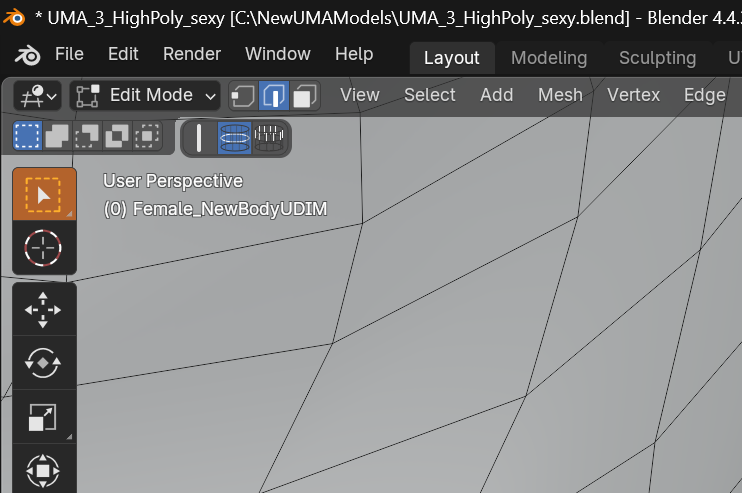
single click edge selection mode toolbar
You know how in the UV editor, that specifies "what" to select. You can select by vertex, edge, face, island. This idea is similar to that.
In mesh edit mode when in "edge" mode, you would have a toolbar that gave you the ability to do single select, edge loops, edge rings. A lot of the time you are editing mesh edges, you need to work with loops.
Basically, in "edge" mode: When the single edge icon is active, it behaves as it does now. When the "Loops" mode is active, clicking on an edge will select the edge, and then run "select edge loops" code, so a complete edge loop is selected for a single click. "Rings" mode is similar, but selects edge rings.
when "edge loops" is activated - a single click on an edge would select the entire loop, or all the ring edges.
pardon for the poor icons.
8 Comments
What kind of file are you working on there?
I guess you're going off the file name (lol), but it's the new UMA ("Unity Multipurpose Avatar") female race model. It's got better geometry, new UV maps, and new texture sets. I can post some actual pics if you are interested in Unity/UMA.
this would be such a good use for hotkeys
Yes, it could be two actions every time, instead of 3. But isn't one action better? Even better that you don't have to take your hand off the mouse or spacemouse.
But edge loops already have a hotkey. It is [Alt+LMB], and by selecting the face loop [3] > [ALT+LMB], then deselecting the edge loops [2] > [SHIFT+ALT+LMB], you don't have to take your hand off the mouse.
Yeah, I know there are hotkeys, and you're wanting to be helpful showing you can do all this with a bunch of keystrokes and actions in specific order, I get that, and I appreciate it.
But the idea of this suggestion is to just make it a single action ("selecting edge loops"). It's got to be one of the most common things when editing a mesh. (I just added edge rings, even though using them is not as common).
There are some people who this would help. People like me (who have a space mouse, or surface dial for their left hand). People who have one hand incapacitated or missing. People who just have trouble memorizing a ton of different hotkeys (also like me).
But isn't pressing [ALT+LMB], to use edge loop select directly, fewer actions than switching to edge loop mode, then using edge loop mode?
I have never used one, but is there no way to use [ALT+LMB] on a space mouse? Buttons like CTRL, SHIFT and ALT are modifiers in so many places in Blender and other software.
With a space mouse, one hand is on the spacemouse (orbiting and zooming), and one hand is on the mouse, selecting and working. So, yeah, means moving your hand off the space mouse.
But still, I think that's doable, and more than good enough. I didn't see that, because it doesn't work when running in "industry compatible" mode. But it 100% does in "Blender keymap" mode. But at least I can go chase down that keymap, and add it. Thanks! I guess we can close this one out.