
Native Animated Image Planes and Multiplane Workflow
Now that importing images as mesh planes is part of Blender’s native workflow, I think there is an opportunity to develop it beyond the initial import operation.
The current tool is very useful for creating a correctly proportioned textured plane from an image, image sequence or movie. However, after the plane has been created, artists working with animation still need to manually manage timing, materials, alpha, camera framing, layer organization and sequence synchronization across several different editors.
My proposal is to turn Image Planes into a more complete native workflow for animated images, layered scenes and multiplane animation , while keeping the current simple import experience available.
This would benefit much more than traditional 2D animation. It could also improve:
- animated image sequences;
- cut-out animation;
- anime-style background layouts;
- matte paintings;
- motion graphics;
- storyboards and animatics;
- camera projections;
- motion comics;
- 2.5D environments;
- compositing inside the 3D Viewport;
- stop-motion and replacement animation;
- reference-image workflows that eventually need to render.
The current limitation
Importing the image is currently the easiest part.
The real work begins afterwards.
For an animated image sequence, the artist may still need to manage:
- the scene frame rate and the source frame rate;
- sequence start and offset;
- playback duration;
- repeating or holding the animation;
- reverse and ping-pong playback;
- frames before and after the sequence;
- alpha and material settings;
- image interpolation;
- missing or replaced source files;
- several synchronized planes;
- camera-relative scale and placement;
- layer ordering and visibility.
None of these tasks is individually impossible in Blender.
The problem is that they are distributed across the Shader Editor, Image Texture node, material settings, Object properties, timeline, Graph Editor, collections and camera settings.
For a single plane this is manageable. For a multiplane scene containing tens or hundreds of animated layers, it becomes a repetitive technical setup rather than an animation workflow.
Proposal: a native Animated Image Plane workflow
I am not proposing that every image effect or specialized animation tool should become part of Blender Core.
The most valuable native improvement would be a small, reliable foundation for image-based animation objects .
The existing Mesh Plane could remain the underlying geometry, while Blender provides a unified interface and native synchronization layer around it.
1. A persistent Image Plane panel
After importing an image, the important settings should remain accessible.
At the moment, many import options effectively disappear after the operator is completed. A dedicated Image Plane panel could expose the source and playback settings throughout the life of the object.
Possible sections:
Source
- Image, sequence or movie;
- source path;
- reload;
- replace source;
- relink missing files;
- detect sequence again;
- interpolation mode;
- color space;
- alpha mode.
Playback
- Source FPS;
- Starting Frame;
- Frame Offset;
- Frame Step;
- Duration;
- Reverse;
- Hold First Frame;
- Hold Last Frame.
Playback Mode
- Repeat;
- Ping-Pong;
- One Shot;
- One Shot with Hold;
- Transparent Outside Range.
The source FPS should be allowed to differ from the scene FPS without requiring drivers or manual expressions.
For example, a 12 FPS drawing sequence should be able to play correctly inside a 24 FPS Blender scene while automatically holding each drawing for two frames.
2. Exposure-based timing
Traditional 2D animation is often based on exposures rather than continuous interpolation.
A native image-plane workflow could represent sequence timing in the Dope Sheet using discrete exposure blocks.
Artists should be able to:
- extend the exposure of one drawing;
- duplicate a frame;
- insert a transparent frame;
- reorder drawings;
- split an exposure;
- reverse selected drawings;
- retime a selected range;
- replace one drawing without rebuilding the material;
- click a drawing in a list and move the timeline to it.
This could become a lightweight bridge between image sequences and Blender’s animation editors.
It would also be useful for:
- mouth replacements;
- blinking;
- hand poses;
- stop-motion replacement parts;
- sprite animation;
- animatics;
- limited animation.
3. Multiplane import and organization
A folder containing several images should optionally be imported as a structured multiplane setup rather than a collection of unrelated objects.
Possible import sources:
- several selected images;
- one folder containing several layers;
- subfolders representing layer groups;
- numbered image sequences;
- layered documents through import extensions.
The import preview could show:
- detected layers;
- detected sequences;
- image order;
- groups and subfolders;
- frame ranges;
- alpha availability;
- files that will be ignored;
- naming conflicts.
After import, Blender could create:
- one collection per group;
- one plane per visual layer;
- predictable depth spacing;
- a shared parent or multiplane controller;
- an optional camera rig;
- consistent naming and ordering.
The goal would not be to hide Blender’s normal objects and collections, but to generate them in a consistent and editable structure.
4. A native Layer List for image planes
The Outliner remains essential, but it is not optimized for quickly managing a stack of visual layers.
A compact Image Plane Layer List could provide:
- thumbnail;
- visibility;
- render visibility;
- lock;
- select;
- active layer;
- layer name;
- color tag;
- clipping status;
- drag-and-drop ordering.
Selecting a row should select the corresponding plane in the 3D Viewport.
Selecting the plane in the viewport should highlight the correct row.
Reordering layers could optionally update their depth while preserving the visual spacing of the multiplane setup.
This would make Blender more approachable to artists coming from applications based on layers, while still using normal Blender objects underneath.
5. Camera-aware placement
Image planes are frequently intended to be viewed through a camera.
The native tool could therefore include camera-aware options such as:
- Fit Image to Camera Width;
- Fit Image to Camera Height;
- Fit Inside Camera;
- Fill Camera;
- Preserve Pixel Density;
- Lock Apparent Camera Scale;
- Track Camera;
- Face Camera;
- Place on Camera Plane;
- Preserve framing when changing depth.
The last option is especially important for multiplane animation.
When a layer is moved closer to or farther from a perspective camera, Blender could optionally compensate for its scale so that its apparent size remains unchanged. The artist could then introduce parallax without manually recalculating every plane.
This would be useful for:
- multiplane backgrounds;
- matte paintings;
- camera projections;
- title sequences;
- animated collages;
- 2.5D photo animation.
6. Non-destructive Crop and Extend
Image planes would benefit from basic non-destructive framing controls.
Crop
Crop should change the visible image area without requiring destructive image editing or manual UV manipulation.
Suggested controls:
- Top;
- Bottom;
- Left;
- Right;
- reset;
- show original image bounds.
Extend
Extend should enlarge the plane without stretching the original image.
The central image should remain unchanged while the new border geometry can:
- repeat the edge pixel;
- repeat the texture;
- remain transparent;
- use a configurable fill color.
This is particularly useful when adapting painted backgrounds to a new camera framing or creating extra space for camera movement.
A simple edge-only viewport guide could show the original image boundaries while Crop or Extend is being edited.
7. Better alpha and material defaults
Many image planes are created for assets with transparency.
The native workflow could provide clear presets rather than requiring users to understand every material setting immediately.
Suggested presets:
- Opaque;
- Alpha Blend;
- Alpha Hashed or equivalent supported mode;
- Emission / Shadeless;
- Lit Surface;
- Holdout;
- Shadow Only;
- Unpremultiplied Alpha;
- Premultiplied Alpha.
The generated node tree should be as simple as possible.
For example:
- an opaque image should not require unnecessary alpha nodes;
- a shadeless plane should not require a complex Principled setup;
- opacity below 100% should introduce only the nodes required for that operation.
This would make generated materials easier to inspect, edit and maintain.
8. Basic layer interaction
A small native set of layer interactions could make image planes significantly more useful without turning Blender into a painting application.
Possible features:
Clipping Mask
Use the alpha of the first compatible layer below as the visible boundary of the current layer.
Alpha Matte
Choose another image plane as an alpha source.
Luma Matte
Use the luminance of another layer as a mask.
Layer Blend
Provide the most common blend modes between image planes:
- Multiply;
- Screen;
- Add;
- Subtract;
- Difference;
- Overlay;
- Darken;
- Lighten.
These features would be especially valuable when importing artwork from layer-based applications.
They should remain optional and should still generate understandable shader nodes.
9. Multi-object editing
When several image planes are selected, shared properties should be editable together.
Examples:
- change interpolation for every selected layer;
- assign the same playback mode;
- change source FPS;
- offset several sequences;
- fit multiple layers to the camera;
- change opacity;
- enable or disable shadows;
- apply the same material preset;
- move several layers through depth while maintaining their spacing.
This is important because image-based scenes often contain many related objects that need to remain synchronized.
10. Reliable native synchronization
The strongest reason to implement the core workflow natively is not only convenience.
It is reliability and performance.
A native system could integrate directly with:
- the Dependency Graph;
- ImageUser;
- render evaluation;
- Undo and Redo;
- file loading;
- sequence caching;
- viewport playback;
- render farms;
- library linking;
- overrides.
An add-on can build a usable workflow with Python, handlers, drivers and generated nodes, but it must constantly work around evaluation order, temporary RNA references, render callbacks and dependency updates.
A native implementation could avoid many of these synchronization problems and provide better performance for large scenes.
Suggested scope
To keep the proposal realistic, this could be developed incrementally.
Phase 1 — Animated Image Plane
- persistent source panel;
- source FPS;
- start and offset;
- Repeat, Ping-Pong and One Shot;
- hold first and last frame;
- replace and relink source;
- multi-object editing.
Phase 2 — Layer and Multiplane workflow
- folder import;
- layer list;
- multiplane parent;
- depth distribution;
- camera fitting;
- preserve apparent camera scale.
Phase 3 — Timing and interaction
- exposure editing;
- frame replacement;
- clipping mask;
- alpha and luma matte;
- basic layer blend modes;
- Crop and Extend.
More specialized image effects could remain the responsibility of extensions, Geometry Nodes, the compositor or custom node groups.
Possible UI location
One possible structure could be:
Shift + A
└── Image
    ├── Image Plane
    ├── Animated Image Plane
    └── Multiplane Setup
After creation, the Sidebar could contain:
Image Plane
├── Source
├── Playback
├── Timing
├── Geometry
├── Camera
├── Layer Interaction
└── Material
The advanced settings would remain available in the normal Blender editors, but the most common image-plane operations would be accessible from one consistent location.
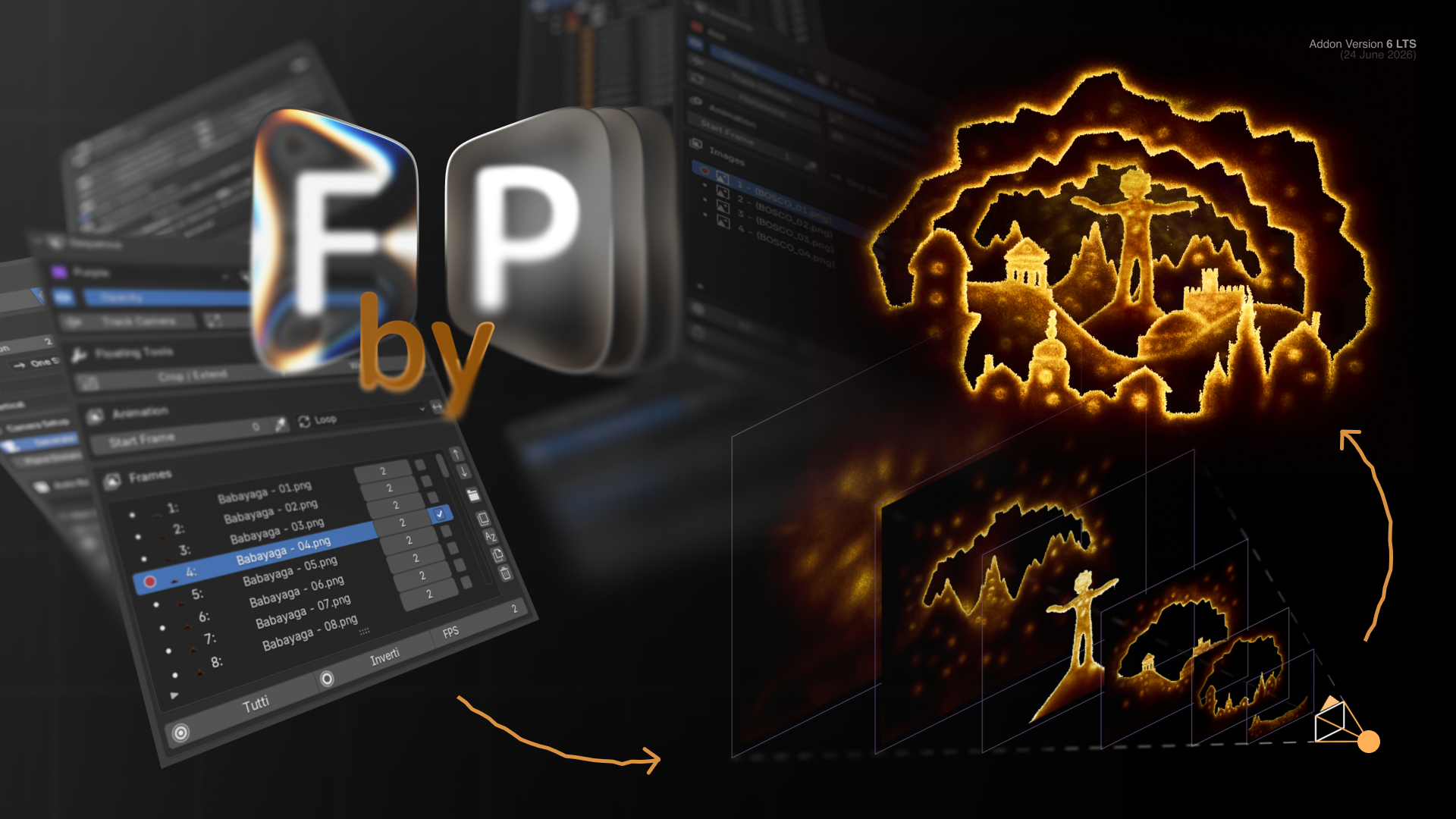
Proof of concept: Frame By Plane
I have been exploring this workflow through a free Blender extension called Frame By Plane , currently developed on its version 6.x branch.
The extension demonstrates several possible ideas:
- native image-sequence playback on mesh planes;
- independent sequence FPS and timing;
- Repeat, Ping-Pong and One Shot modes;
- frame offset and starting-frame controls;
- image, folder and multiplane import;
- layer organization;
- camera fitting;
- Crop and non-destructive Extend;
- Color, Gradient and Cutout planes;
- clipping masks and layer blending;
- image, mask and mesh-based effects;
- viewport controllers;
- animated 2.5D and multiplane workflows.
It is available for free on Blender Extensions:
extensions.blender.org/add-ons/frame-by-plane/
I am not suggesting that the add-on should simply be merged into Blender, nor that every feature it contains belongs in Blender Core.
I am sharing it as a working experiment and as evidence that a more complete image-plane workflow is useful and technically possible.
Developing it has also highlighted where an extension reaches its natural limits and where native integration could provide a cleaner, faster and safer solution.
Why this matters
Blender already has strong tools for:
- 3D animation;
- Grease Pencil;
- compositing;
- video editing;
- camera projection;
- shader creation;
- procedural geometry.
Animated image planes can act as a bridge between all of them.
A stronger native workflow would allow artists to combine:
- hand-drawn animation;
- painted backgrounds;
- photographed textures;
- rendered passes;
- 2D characters;
- 3D cameras;
- lights;
- depth;
- compositing.
This would not replace Grease Pencil or the Video Sequence Editor.
It would cover a different and currently fragmented workflow: using external raster artwork as animated, spatially controllable layers inside a Blender scene .
The current native Image Plane tool is already a very useful foundation. This proposal is about giving that foundation a persistent animation workflow around it.
I would be interested to know:
- Which parts of this proposal would be appropriate for Blender Core?
- Which parts should remain extensions?
- Could Image Plane timing be integrated with the Dope Sheet?
- Could a multiplane workflow reuse existing camera and collection systems?
- Would a dedicated Image Plane object type be useful, or should this remain a standard mesh with additional metadata and UI?
0 Comments