
Highlight parent folder in File Browser
I find it hard navigating with Blender's File Browser, and I've pinned down one of the issues in my opinion.
In Windows I am used to having the parent folder highlighted when I click "Parent Directory". This helps a lot finding nearby folders (often sorted by names) that belong to the same project when there are lots of folders in the parent folder.
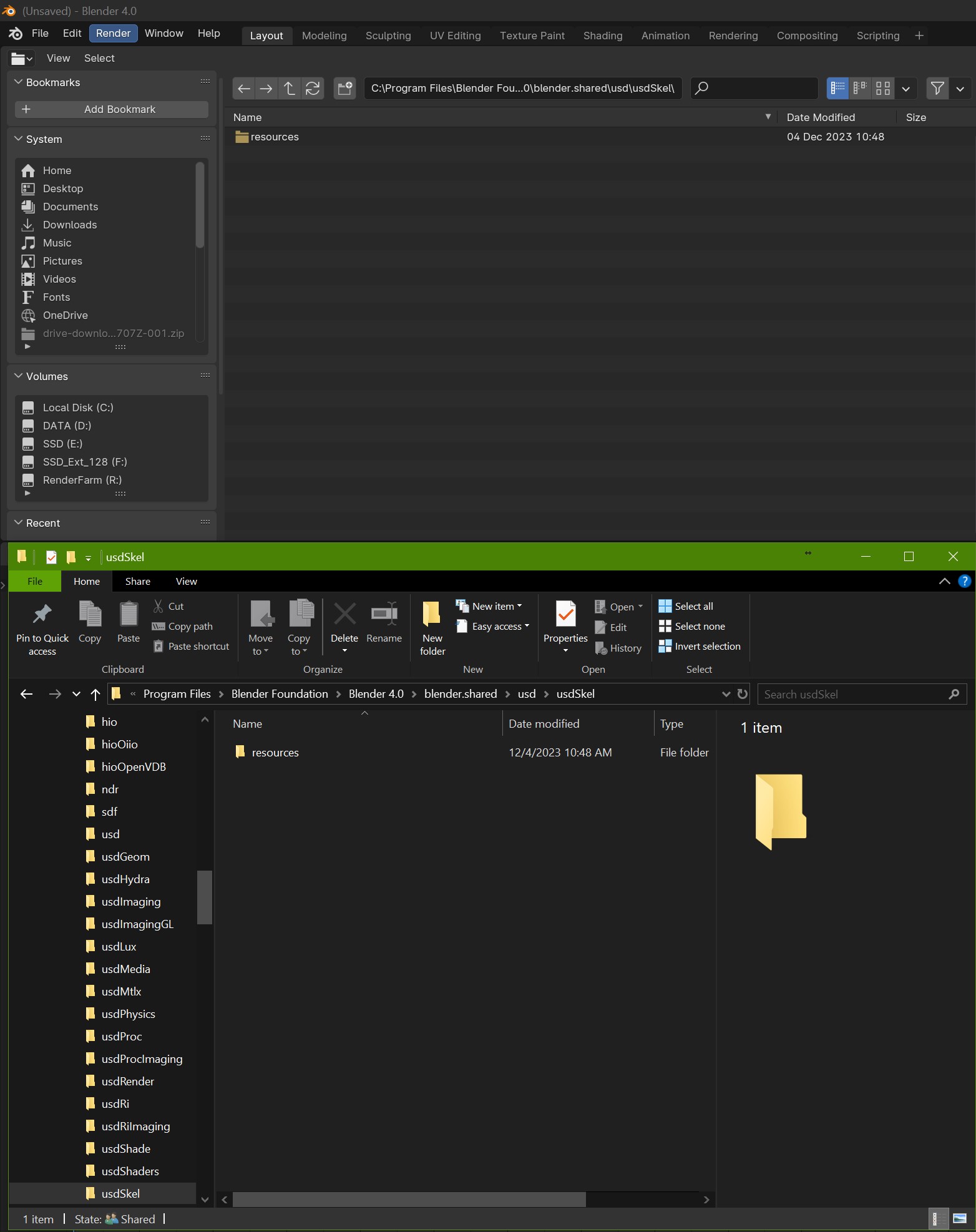
In the images below, a comparison between Blender and Windows file browser, navigating the Blender Program Files.
We are in the folder "/usdSkel", located in "/usd", there is a single folder in there. All is good. I want to see what's in the folder next to "/usdSkel". I hit "Parent Folder" in both Windows' explorer and Blender's file browser to go back to "/usd".
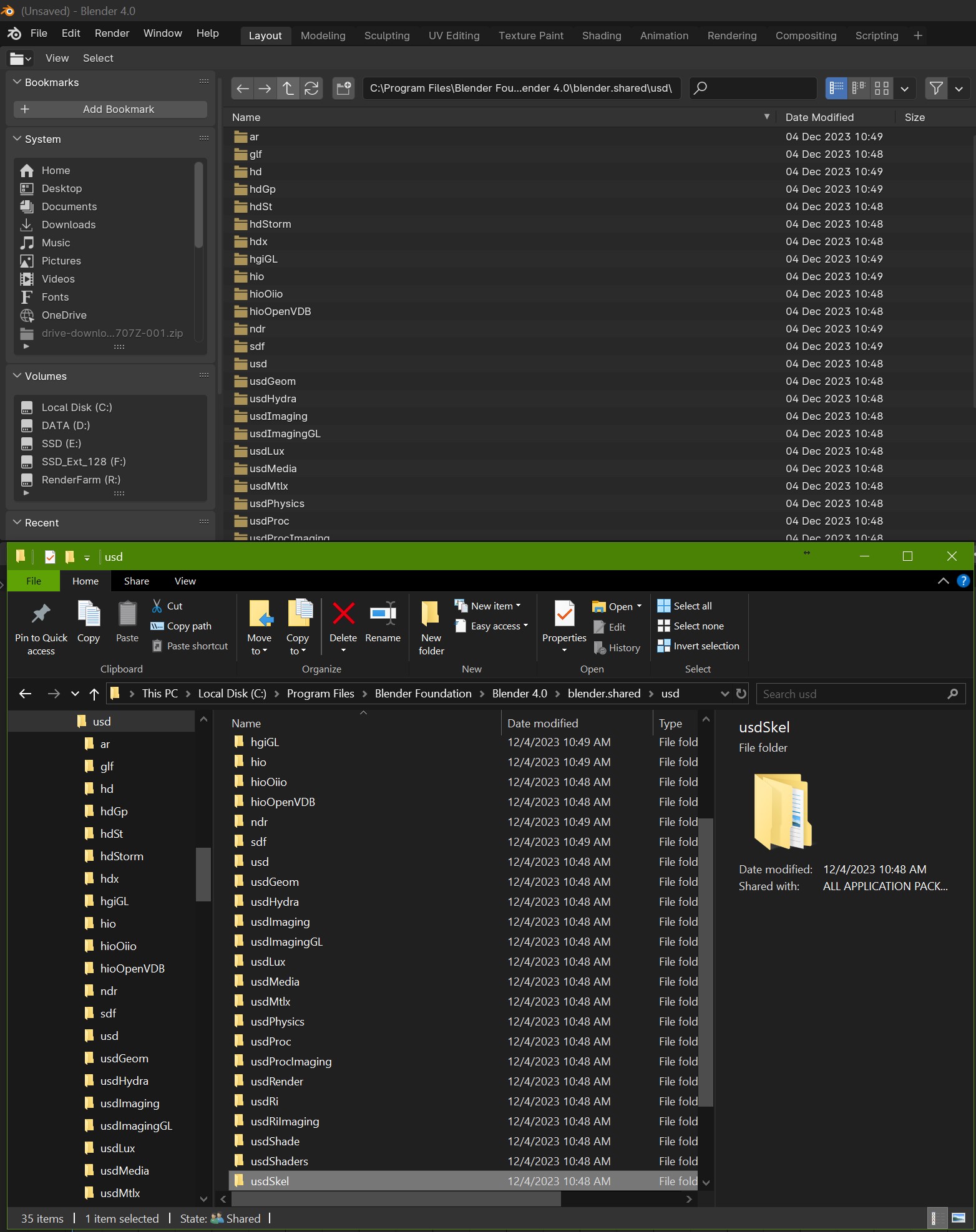
We are in the parent folder "/usd". However, in Blender's browser I have no indication where I come from. The folder I just left is not even shown on the page, I have to scroll down to the folder, remember what it was called, and double click on the next one...
Whereas in Windows, the folder I just left is highlighted and the window automatically scrolled down to show me where it is. I can hit [Down Arrow] + [Enter] and visit the next folder. [Return] + [Down Arrow] + [Enter] to visit the next one, and so on and so forth. This is really handy for large projects with lots of folders that have names that ressembles each others. So much so that I tend to navigate with Windows explorer, copy paste the URL in Blender to save time...
3 Comments
Correct me if I am wrong, but what you show in Windows' file browser is a tree visualizer that highlights the current folder (not the parent).
It makes sense to highlight the current folder in a tree visualizer, because what you see is independent of where you are.
Blender doesn't have a tree visualizer to begin with.
That's not what I wanted to show, sorry I edited the post to make it clearer hopefully. My concern is the main view that doesn't highlight the folder I was previously in. I should have left out the tree view. Even though it would be useful to have that in Blender... For another proposal maybe :)
Oh... What you mean is when you go up a directory, if frames and selects the folder you were in?
Yes that sounds like a nice quality-of-life feature.
I think that'd be clearer to explain it like that and a gif to show it in action.