
Honor Video Codec Rotation Metadata!
If I import a video file with rotation metadata specifying that the video should be rotated 90 degrees, then Blender should display, process, and render it as such.
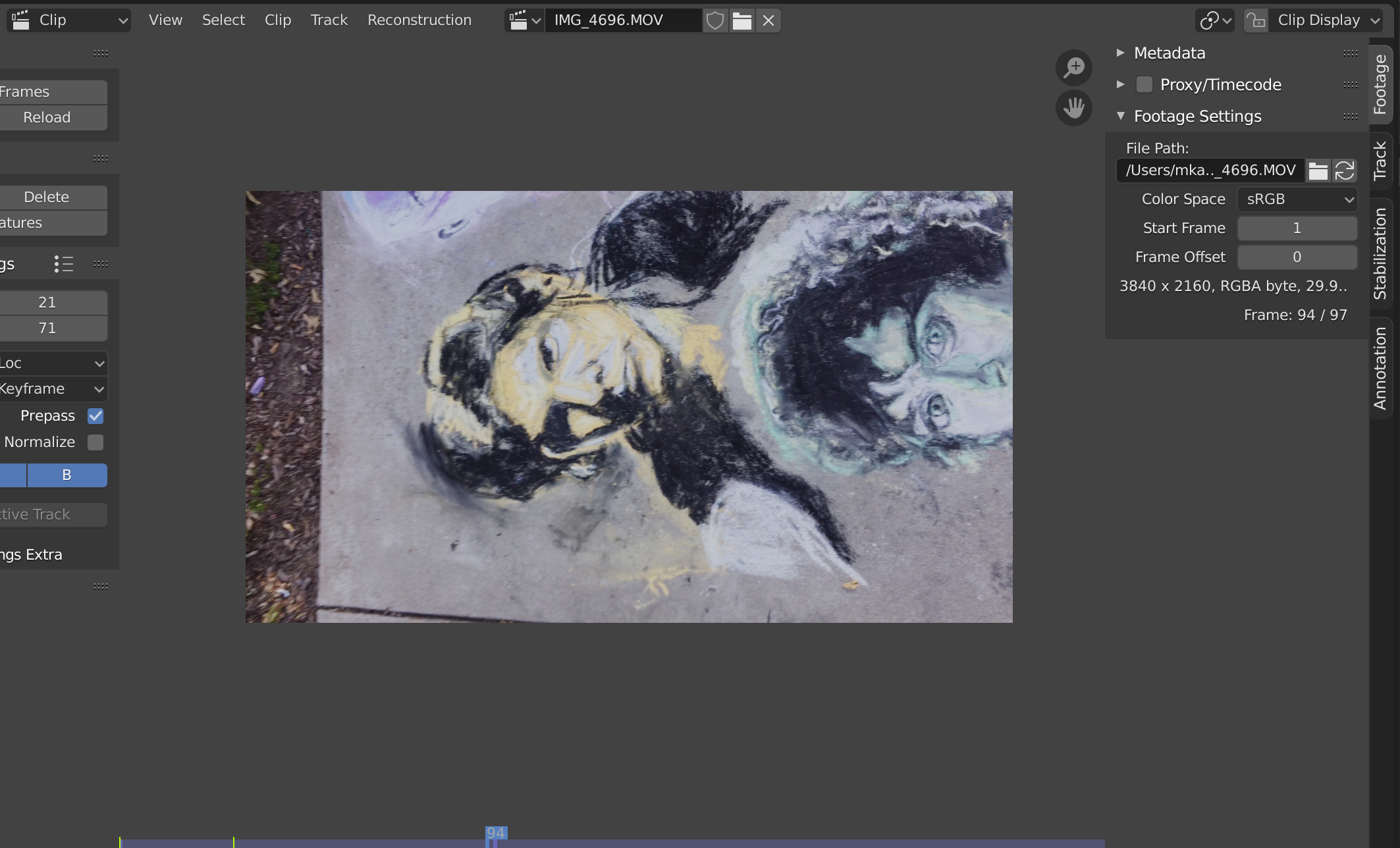
I use Blender a lot for visual effects. Its tracker is top notch! However, I also shoot much of the video I want to track vertically. The video files end up on my hard drive as .mp4's with a 90° rotation attribute in their metadata, because I use MacOS's built-in "rotate" feature within the file browser to transform them from landscape to portrait. When I open these files in Blender's tracking workspace, this rotation attribute is ignored.
As of yet, I only have two options (that I'm aware of):
-
Deal with the headache of tracking and working with the video sideways in Blender the entire time, or
-
Import the rotated mp4 into my editing software, then re-export it as a new video file which has actual portrait dimensions .
Neither of these is convenient, and both slow down my workflow considerably, which is why I would absolutely be over the moon if Blender started honoring rotation metadata.
Devs, if you see this, you guys are awesome! Thanks for making an INCREDIBLE piece of software.
1 Comment
Hey, just in case anyone wants to know some (admittedly non-free, non-open source) workarounds: If shooting on my phone, I use Filmic Pro, which outputs a file with actual vertical directions. If shooting with my Canon camera turned sideways, I take the file, rotate it, and then run it through Adobe Media Encoder to get it to have the correct dimensions. But neither of these is hospitable to people who don't want to spend time or money on rotating a file