
Delete multiple Transform Orientations
It is impossible to delete multiple transform orientations at once.
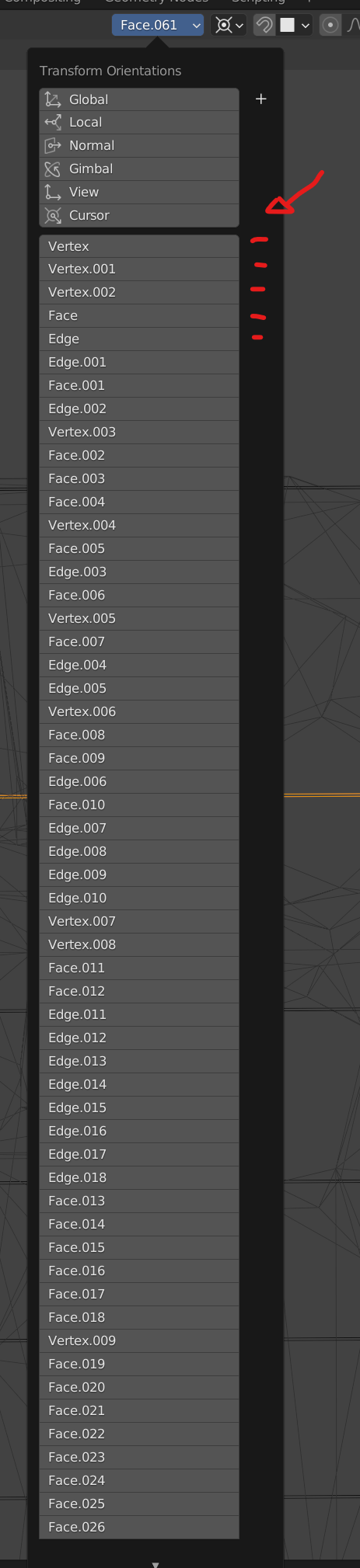
While modeling, It is necessary to create multiple construction planes (transform orientations), it's easy to keep adding them with the "+" button or a shortcut, unfortunately this quickly gets messy and therefore we need the possibility to delete these orientations, all at once, or select a bunch of them and delete.
in the attached picture you can see how my actual project looks like and it seems impossible to clean this up without losing 30min.
please add the "-" icon to each available orientation or simply allow us to hover the mouse and clicl "delete"
1 Comment
Custom transform orientation UI needs some love, it would be handy if you could set one without attaching it to face, for example just picking X,Y,Z rotation.