
Make Object Wire Mode available in quick favorites
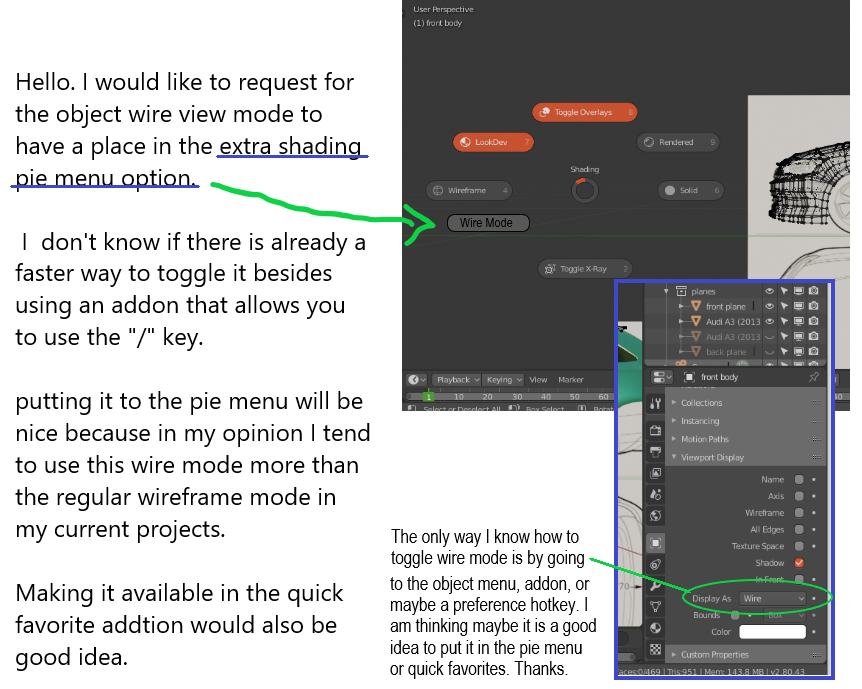
Hello. I would like to request an additional option to add the object wire mode in the pie menu or quick favorites.
I prefer to use the wire mode over wireframe mode when I do 3d modelling because it is much simpler and not so crowded comapared to the wireframe.
I believe be nice to have them both in the pie menu but an option to add it in the favorites would work.
Thanks.
5 Comments
I don't really think it belongs in the shading pie, everything there is a global shading mode, what you're suggesting is adding a per-object option to a global pie. What happens if you have a camera selected? do you grey it out?
* @testure * How about making it available in quick favorites as a faster shortcut?
* @johnpdelacruz26 * it can't be added to the quick favorites either for two reasons: first, quick favorites is empty until a user adds something to it because it's reserved for each individual's preference. theoretically, you could add it yourself- but this is an enum property, so unfortunately it can't be added (only one-off fire and forget operators or toggles can be added). It would be fairly trivial to write an operator in python that could do it, and then add that to the quick favorites, but I doubt you'll see any traction in making that some sort of official feature in blender.
I think the Pie Menu Editor addon can make custom pie menus using various property types from around the UI, that might be something worth looking into.
* @testure * The right click menu has a lot of potential when it comes to individual objects properties. It is also a good idea to look into what features it can contain.
This will make a lot of options faster because the mouse pointer will always be an accessible element in the viewport.
IMHO a new PIE menu specificly for managing the selection's viewport display options would be better.
The different PIE menus addons each have several menus which can be individually turned on/off, and shortcuts assigned by the user. It could be proposed as an addition to one of the official addons.
No need to use PIE menu creator, it's just some python code.
Actually, maybe there's already a PIE for that... Just check the list.