
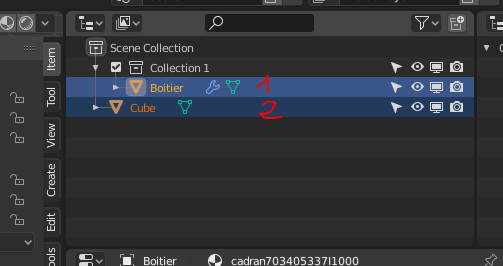
Outliner active object is FIRST selected, but viewport active object is LAST selected.
This doesn't make sense, viewport and outliner selection should work the same way. Therefore outliner active object should be the last object selected in the outliner with shift+click, not the first one.
3 Comments
I think it’s better to write about it on devtalk.blender.org Because it can be very important.
How can this kind of UI/UX mess be still in Blender 4.1?
The problem is this.
In 3D View, hold down the Shift key to select one object at a time.
In Outliner the selection behaves like in Windows Explorer (file selection), that means, you select the first object, hold down the Shift key and select another object further down or up, then all objects between the two objects are automatically selected.
The targeted selection of objects in the Outliner is done here with the CTRL key, the last selected object is simultaneously the active object.
Translated with www.DeepL.com/Translator (free version)