
Add Brush Size Lock in 3D view
This is one of those things that I don't believe is true is not available. I am sure someone will point out I am wrong and there is a way to lock the brush so it doesn't change based on proximity.
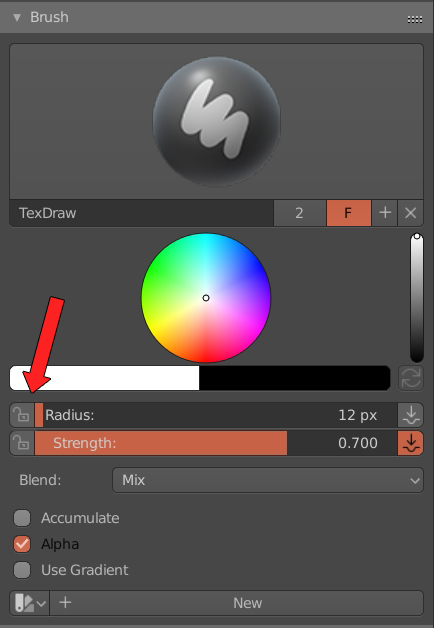
This is one of those things that I don't believe is true is not available. I am sure someone will point out I am wrong and there is a way to lock the brush so it doesn't change based on proximity.
8 Comments
It's funny how some people downvote the proposal without even a reason as this wouldn't affect any user negatively. Its ok to downvote but it would be great to leave why and we all learn from each other.
* @luisburdallo * Some people are not so bright. Please excuse them.
I need brush size locking, etc for pen/pencil style texturing that is not possible if there is no control over the mark size.
I have been looking forward to this function~~~Long time
Do you mean an object space brush size ? if that's it, then yes it's true it would be nice. Just like in Substance Painter for exemple that's it ?
If it exists, I don't know where it is, but it would be really practical to have an constant brush size depending on object space in the 3d view.
@anthony.guiziou: Yes SP default brush doesn't change based on object proximity. I mean real brushes don't change their size so the real default value should be locked. Thanks for sharing your thoughts.
@Craig Jones: What I am suggesting is the default brush for SP so I guess it makes sense for most users. Also, my picture clearly shows that its a toggle. You can turn it off and use as is right now. Flexibility is the key.
* @Craig Jones * This alot of sensemake sense. Thanx. I want to try shading by cross-hatching or simply in a pen-drawing style. I tried it as is and it just doesn't work. Drawing on the UV texture is also impossible. So it only makes sense if the brush behaves as a real brush on a real object.