
Circle Trim Tool.
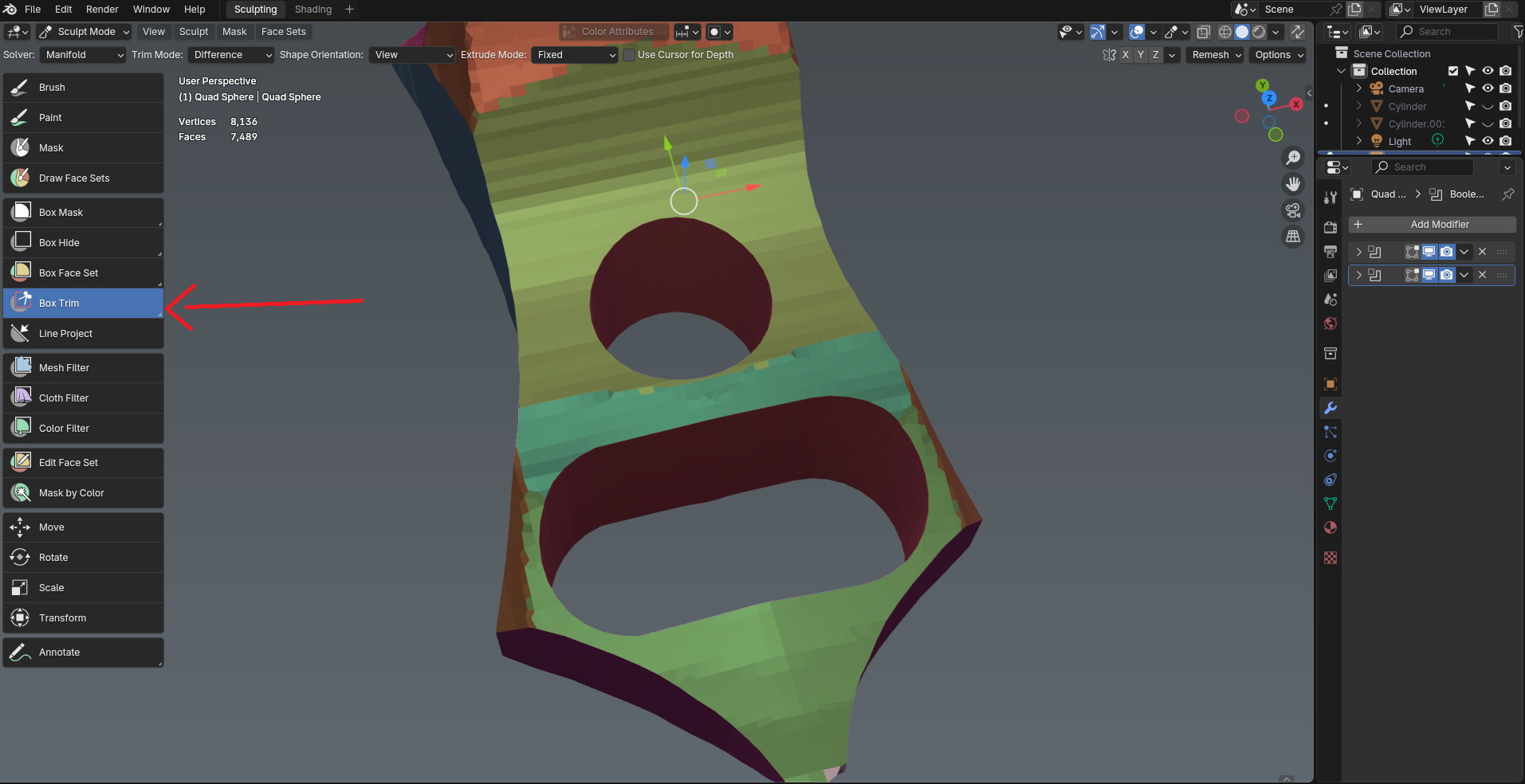
Some clean shapes are not achievable without such a tool in sculpt mode.
I assume the tools Mask, Hide, Face Sets & Trim share the same base code hence it wasn't added in the first place, however I would argue that Trim Tool would benefit from it.
As you can see from a simple example you can't cut a clean "cylindrical shape" in the middle with the other trimming tools, so you have to use boolean workflow in object mode.
The second example, requires a bit of modeling as it uses two half cylinders positioned at both ends and bridged between eachother.
With Cirlce Trim you would simply draw a circle with x-mirror enabled, then draw a box between their halves.
6 Comments
What is the benefit from adding this to sculpt mode versus using BoolTool in Object mode?
Speed, and the trim tools are already there in sculpt mode, so expanding the available shapes isn't a huge step.
Bool Tool is a 3rd party addon that isn't part of vanilla Blender, and even if it was, it takes extra time having to switch interaction modes and do boolean operations using another tool or modifiers.
What @Lauloque said about speed and availability + you wouldn't have to leave sculpt mode, the more you minimize mode switching the more it's better for both workflow and the mental state you are in, so you'll be using these tools subconsciously without thinking. "oh I have to switch to object mode to be able to do this".
After some digging, I foud that it's planned for the future among other features. projects.blender.org/blender/blender/issues/80390
BoolTool makes use of brushes that are not committed yet, so you can modify the result until you are ready to commit. If something like that could be added to sculpt, I suppose it would resemble SDF modeling almost in that you could drag the tool around to position until satisfied. I get the desire to stay focused in one mode but I always end up dragging things til I get the boolean placed correctly, even scaling it.
Yeah that would be an ideal solution to have the cutter remain "live" in sculpt mode until you decide to apply it, but that probably will take a lot of time to develop..this one is a simple solution and u can just use undo.
I feel like we are diverging a bit here.
That's two workflows that are complementary, not exclusive. This proposal is about the current existing workflow in sculpt mode, I don't think it is necessary to debate about another one too much, it's diverting the discussion away more than anything. I suspect there are other proposals that would be better suited to discuss SDF-like modeling. There are even proposals asking for SDF directly:
Right-Click Select — Search results for "sdf"