
Allow CISCO-like commands for Geometry Nodes
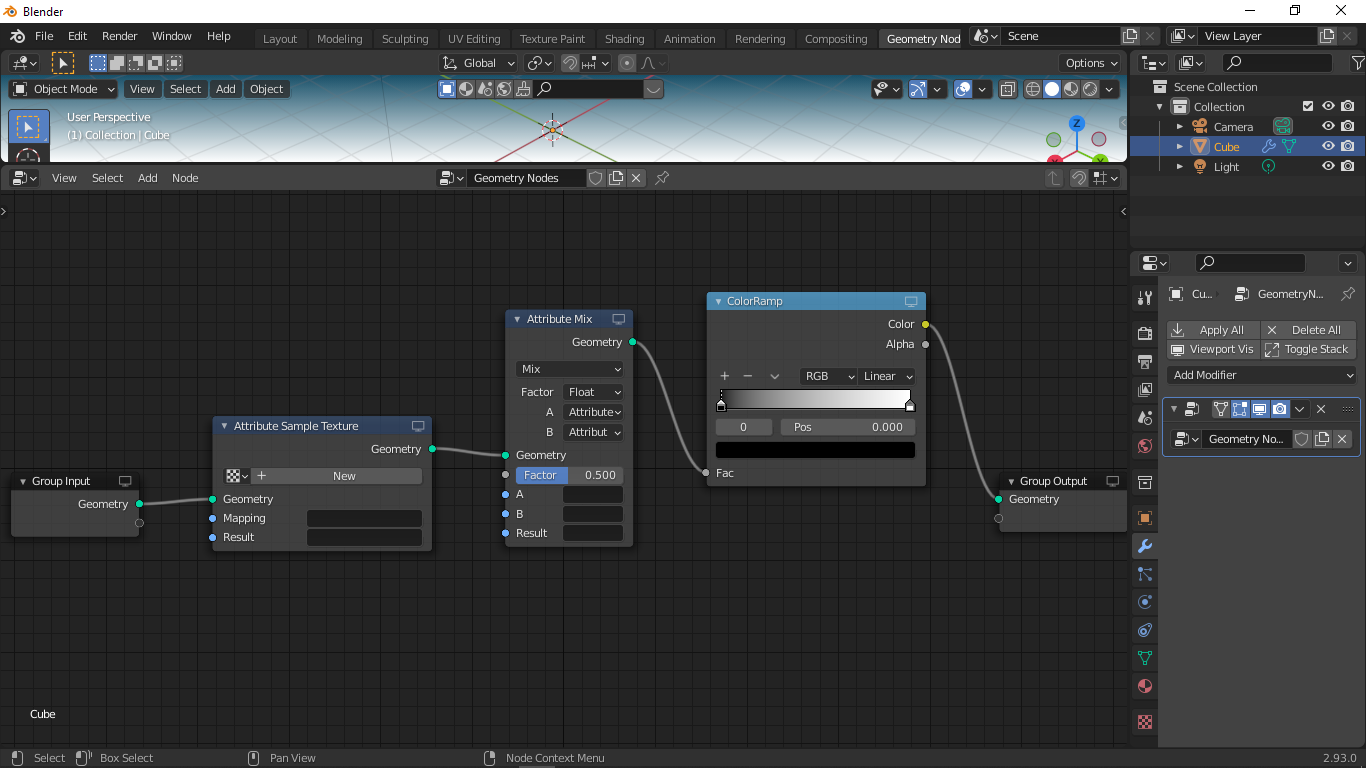 I'm a huge fan of the linux commandline and the CISCO iOS commandset so I was wondering if we could incorporate a setting to enable a similar feature which would
- Enumerate each Geometry Nodes (GNs) and its subports, and
- Enumerate all subnets the subports share
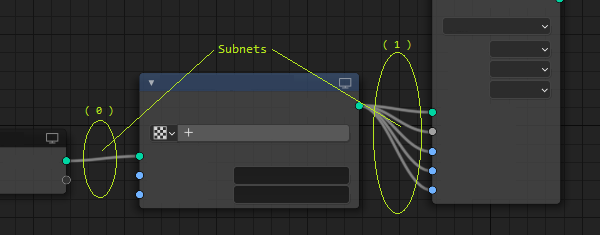
Geometry- and Network- Nodes could then be represented and dereferenced, as shown
[geometry_node#].[geometry_node_subport#].[subnet#]
For example, the following command routes GNs (1,2) onto the same subnet (1)
route 1.3 2.0
1.3 2.0 connected on subnet 1
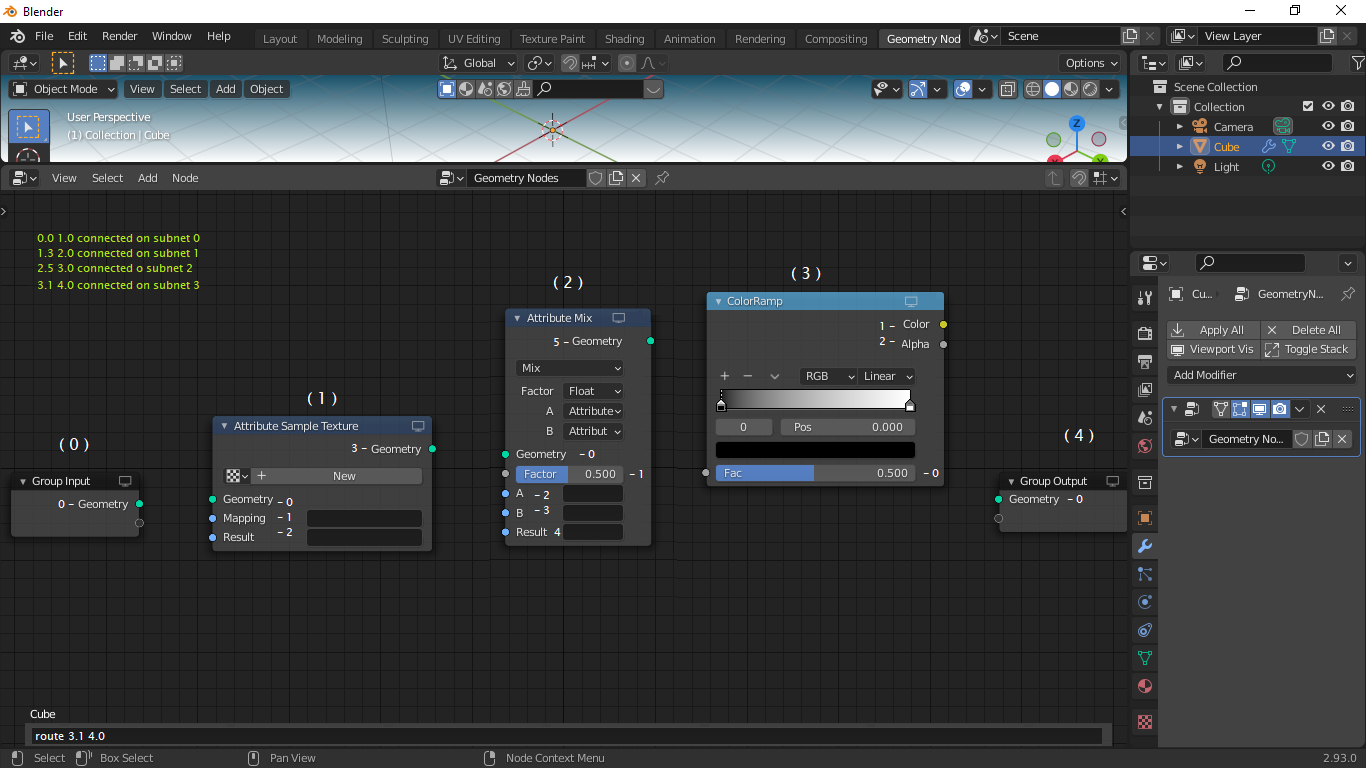
route add 1.3 2.1
1.3 2.0 2.1 connected on subnet 1
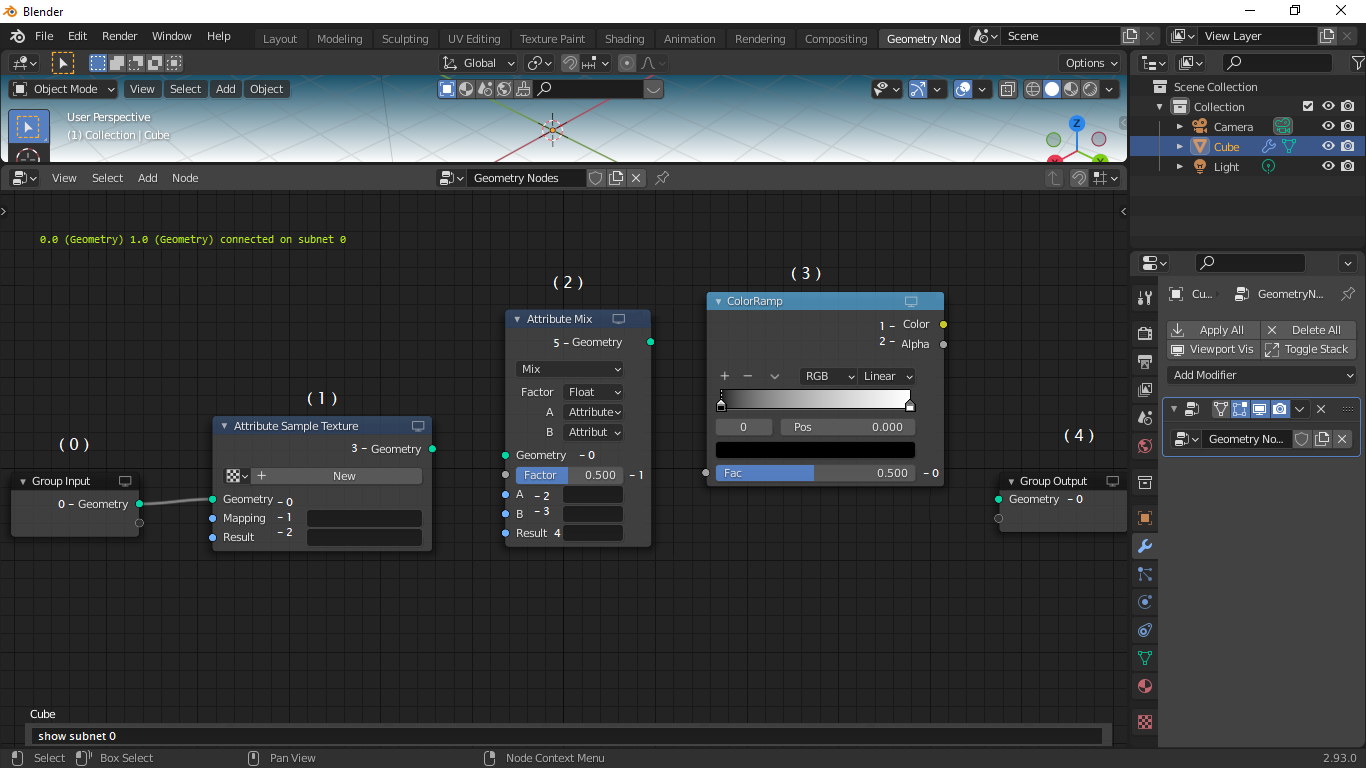
The following commands verify the operation
route show 0
0.0 1.0 connected on subnet 0
route show 0 -q
0 1 connected on subnet 0
route show subnet 0
0.0 1.0 connected on subnet 0
route show subnet 0 -ports
0.Geometry 1.Geometry connected on subnet 0
route show subnet 0 -nodes
GroupInput.Geometry AttributeSampleTexture.Geometry connected on subnet 0
route show subnet 0 -ports -q
0 1 connected on subnet 0
route show subnet 0 -nodes -q
GroupInput AttributeSampleTexture connected on subnet 0
Other useful commands
route show unconnected -nodes
route show unconnected -ports
1 Comment
It's some add-on candidate. Eg. to show python console to react around object/modules and operate in this way. Also seeing some intelisense for object when starting type object, enter, and combine parameters. In finally I believe this need some modification around python shell due python dot philosophy around tree of objects, etc. Can be done.. but need specialist around python API and some modification around console. I think this can consume many time.. Anyway maybe exist something like this as "small input" console, to execute some options. It's going around Rhino style. On this moment "input" is around edit.. blender.community/c/rightclickselect/v0hbbc/ Add Object (primitive) by dimensions with semicolon (x ; y; z) as D:[1.00; 2.0; 3.0]