
The f shortcut in edit mode should create a bridge in face mode
The Make Edge/Face (f) can't be used in face mode that's logic, i suggest that this shortcut become replaced by the Bridge Edge Loop when we are in face selection mode.
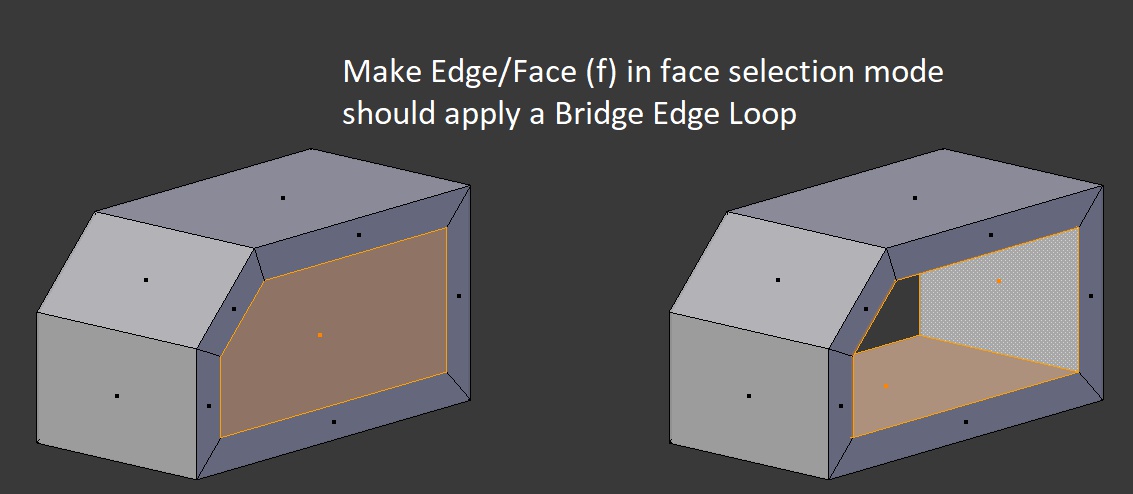
The Make Edge/Face (f) can't be used in face mode that's logic, i suggest that this shortcut become replaced by the Bridge Edge Loop when we are in face selection mode.
2 Comments
That makes sense to me, some operators already behave differently depending on the mode you're in, as well as the current selection. Right now F does nothing when the selection is a closed loop of faces - if the loop is incomplete (take your example, if you were to deselect just one face) it creates a very unholy ngon. When two disconnected sets of faces are selected, F just dissolves each of them into one single face.
I'd say for your example case, this is probably overkill : capping the sides is a simple job - select inside faces, delete, select borders, hit F. However, I agree there's room for improvement in this kind of mechanical modeling - zbrush does this very right with zmodeler - automatic deletion of inside faces when extruding a face that's perfectly coplanar with another, etc. - the kind of little things that makes your life easier.
That would be counterintuitive in my opinion