
EEVEE Ambient Occlusion Factor
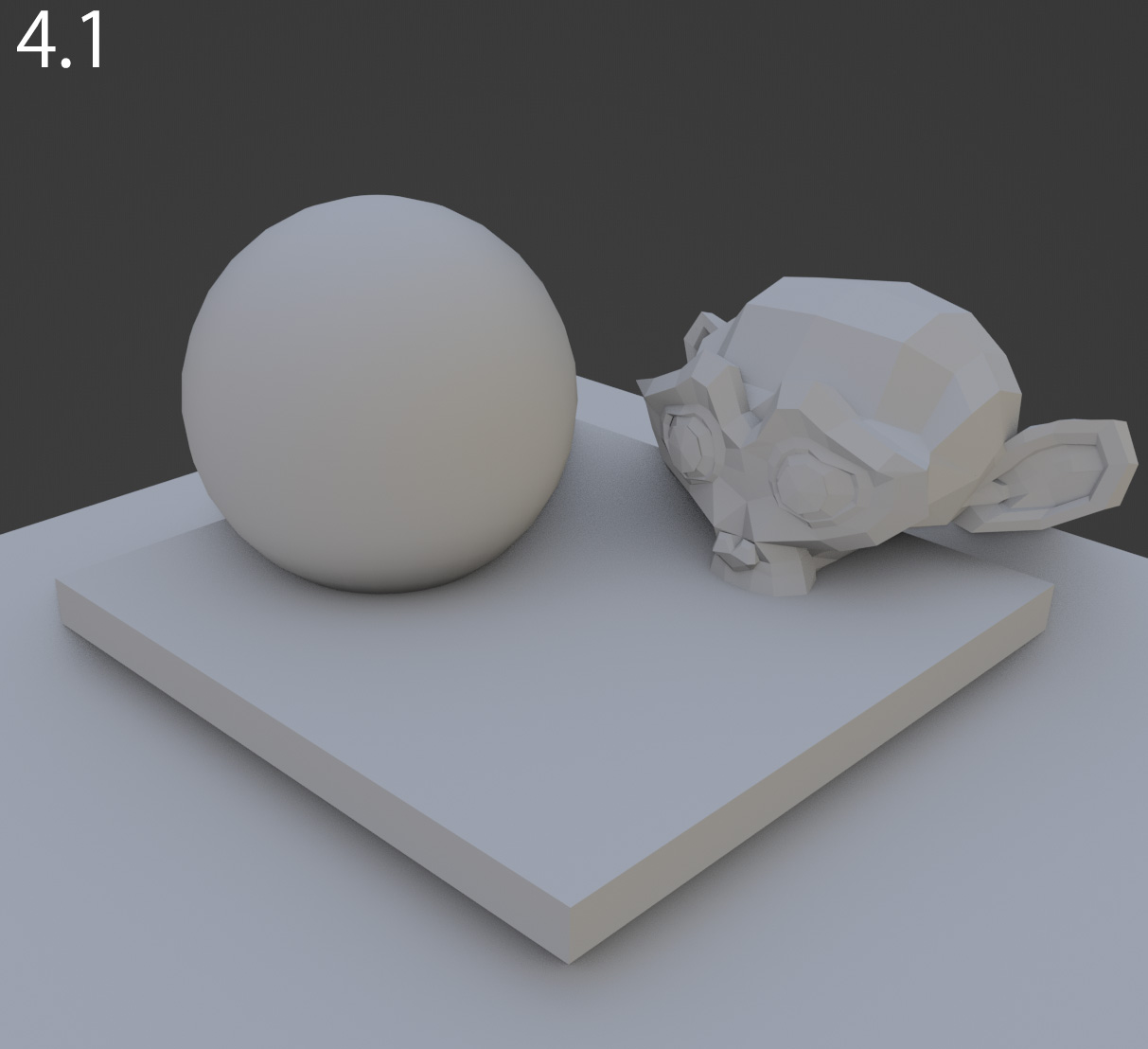
I really like the new Eevee engine, but I do miss the ambient occlusion old behavior, with the possibility to increase its intensity with the factor attribute. Any plan to add this feature back? Here is in Blender 4.1 when I pushed the factor to 3. Giving a nice contrast.
Here is how the same scene look in 5.2 (Raytracing, Ambient Occlusion mode) disregarding the environment light change, there is no way to boost the occlusion look.
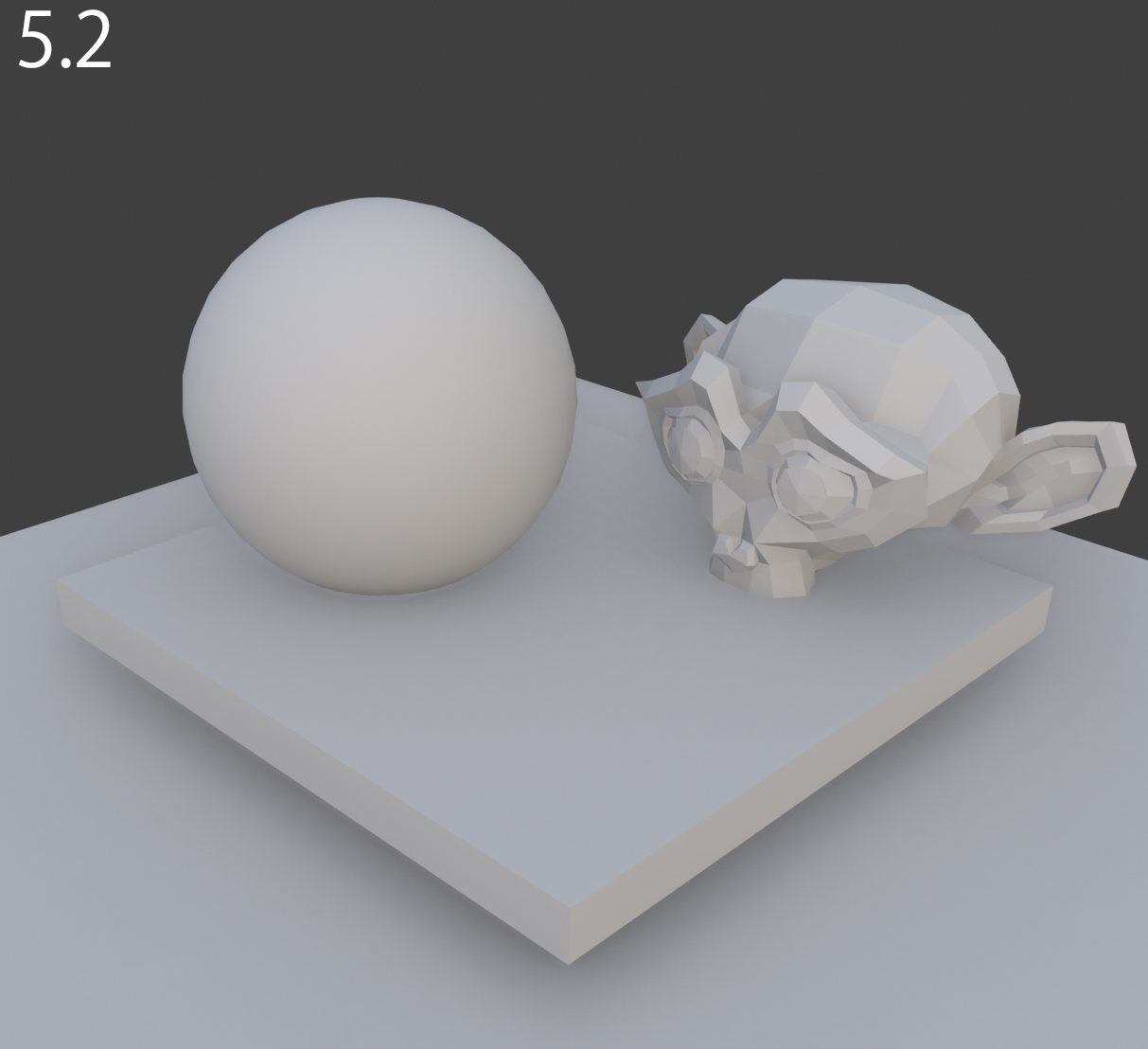
The only way I found to get a similar result is to use the viewport compositor but it requires a bunch of fixes to make it work with transparency or other passes. Maybe the factor only wouldn't be enough to recreate this look I miss so much. It seems the falloff is also different but maybe I just need to adjust the distance settings.
Or maybe there is a setting I missed?
EDIT:
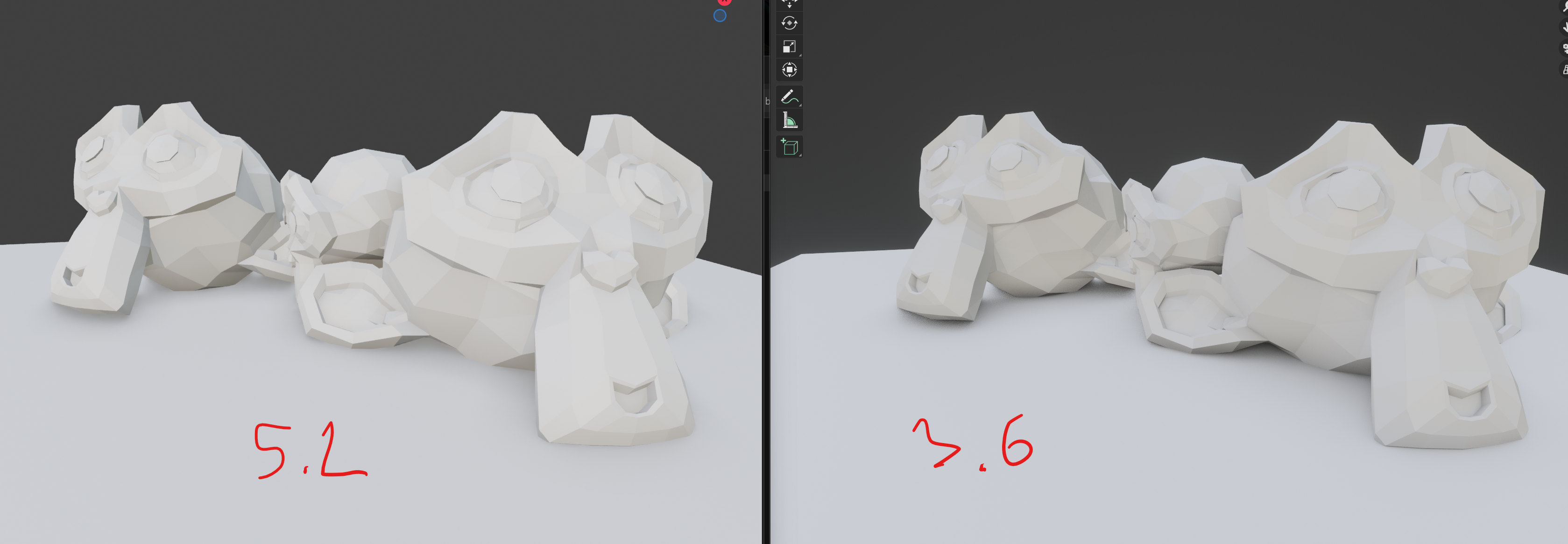
I tried the latest 5.2 (Alpha 2026/05/13) and did a quick test comparing with 3.6.9:
In 3.6, I pushed the Factor setting to 2. This is the setting that I wish we would have back.
Thank you!
2 Comments
When you say 5.2, when exactly? Because there was a massive rewrite a couple days ago that fixes a bunch of things. projects.blender.org/blender/blender/pulls/156597
Thank you for your reply! I watched the latest Blender Today and was so excited to learn about all the eevee improvement so I rushed trying the latest 5.2. The Ambient Occlusion does look better but I do still miss the "Factor" setting that was there in 3.6, just. That was allowing to boost the occlusion if we push it higher than 1.
I will update the original post with the screenshot comparaison.
Thanks!