
custom pass node in material editor
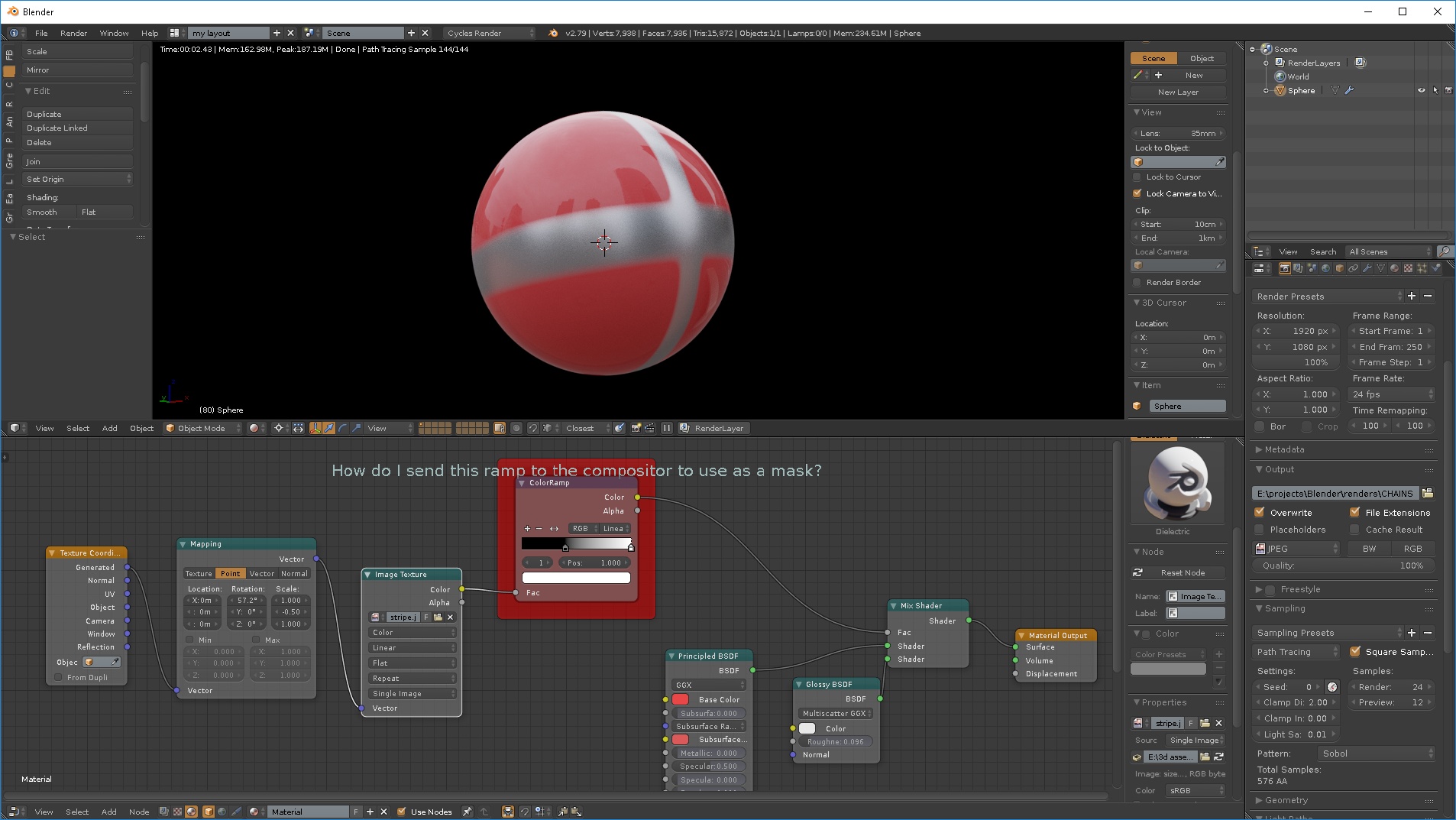
I have an material which has multiple mix shaders plugged into its output, and I want only one of the sub shaders to glow in comp based on the level of brightness of the reflections.
I've tried using a pass index so I can seperate out the material in the compositor, but obviously that produces a mask for the entire material, rather than just one of the sub shaders. I've also tried setting up a different scene and giving the object a different material, but that takes too long to render as the scene is massive (it's also a lot of work).
What I think would be great, is a node which creates a custom render pass, so that I can plug any map/shader into it, and it then output only that part of the material into it's own pass,ready to utilise in the compositor.
3 Comments
You can use material override per Render Layer in 2.79 or use the same material override per View Layer in 2.8
* @bintangsenjapratama * I think the shader to rgb might work in 2.8,but thanks, i'll check out what you mean and see if it works.
Unless someone else knows a way to increase the brightness of a shader connected to a mix shader node, and then only parts of that shader that have bright reflections. Doesn't seem possible with a light path node.
I have found a messy workaround of duplicating all of the objects, putting them on a new layer with a new material so that everything is a holdout apart from the shiny stripe. But that seems a dirty way of doing it, and it also increases render time and workload.