
DRAW SEAMS - UV unwraping improvement need it
It would be a huge step towards the improvement of the UV unwrapping tool,
if you could just make the cursor become a pen that snaps into the closest edges and vertexs, as it goes
... and kinda drawing a selection.. instead of multiple clicking.
The closest tool at the moment is the C - Circle selection tool, but it’s not there yet the C circle leaves a lot of waste in the selection
…
The pen selection should also make it that it selects consecutives edges / vertexs… keeping the continuity of the line
Unless for example
of course you release the click, and go to the other side
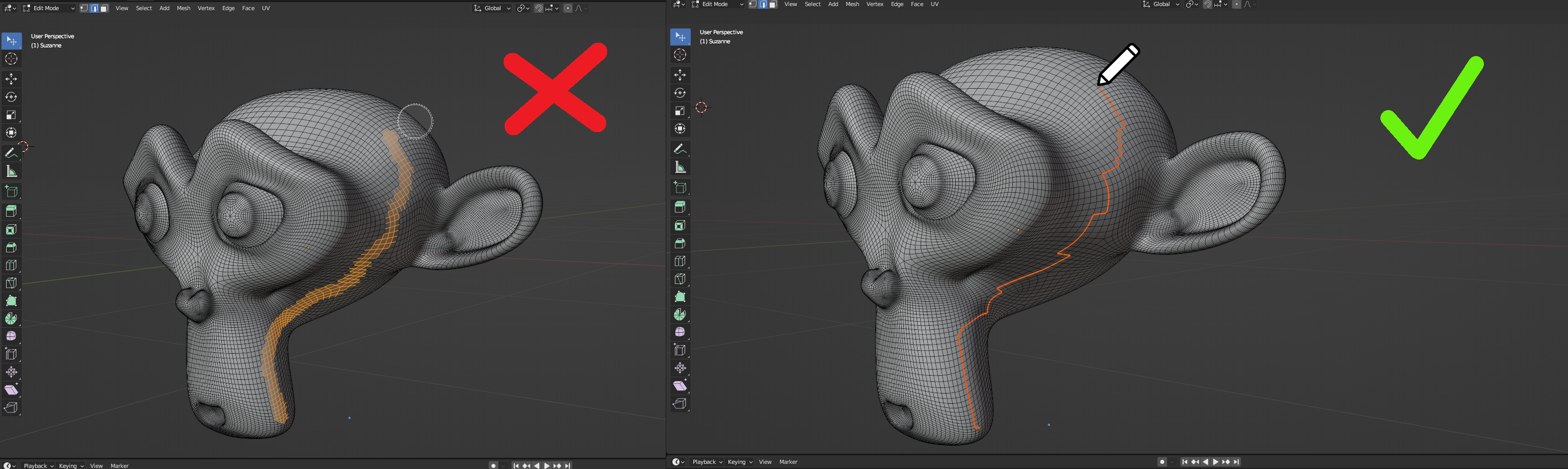
...
Some people mention the option ''Snap Closest Path''
Which is close… but is not a solution
Example:
Here from point … A … to point … B …
I would like to DRAW a diagonal snap path with a simple swing for my seam
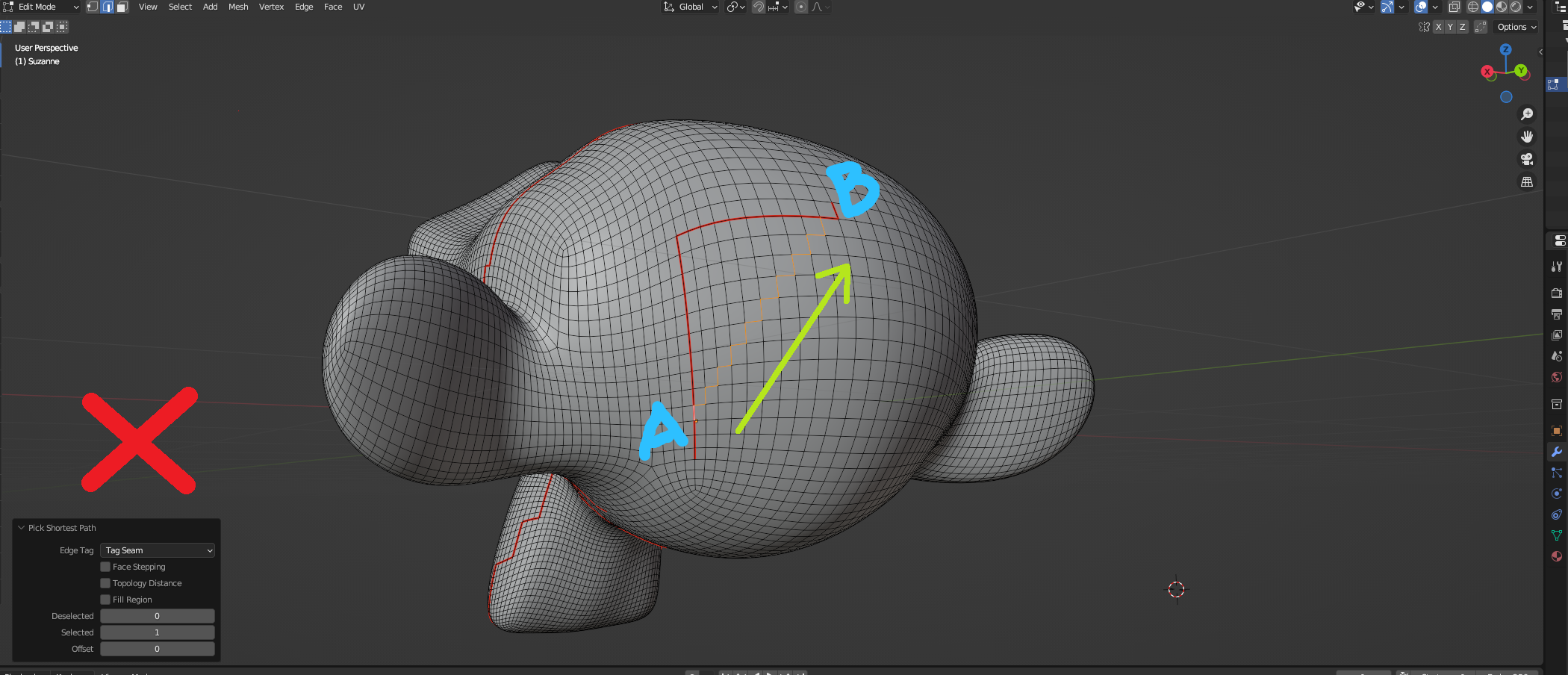
The option “pick shortest path” does not provide me with the result I am looking for
......
Closest option would be ''Topology Distance''
but again, not there yet.
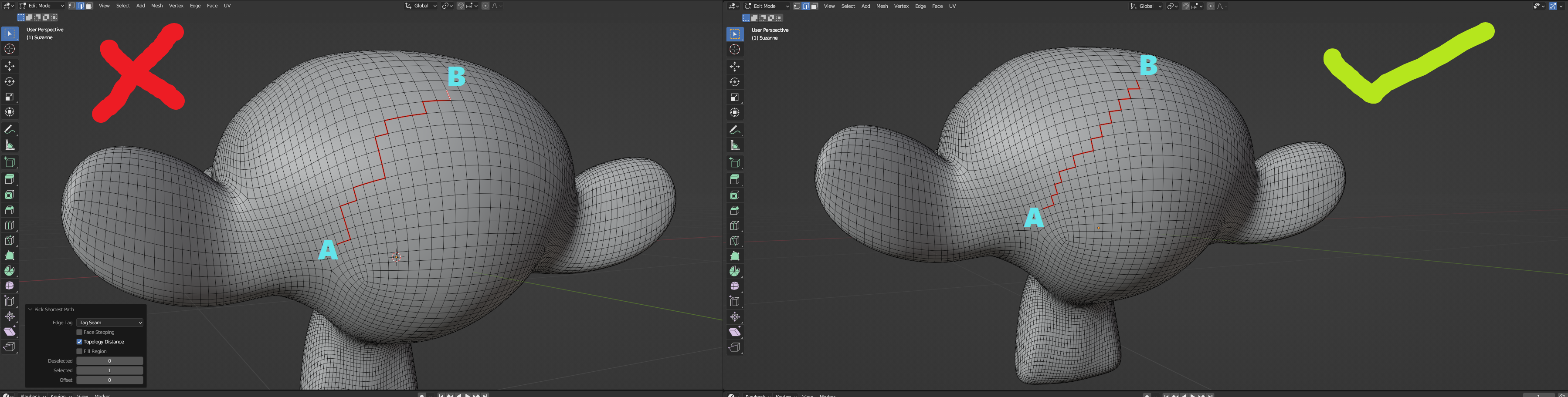
...........
Also, the ''Shortest Path'' method is close and helps..
but for more complex shapes
where I would like to DRAW specific custom lines for the snap path, it does not work
5 Comments
check the "face stepping" box, your second screenshot is literally what it does.
I think you meant 'Topology Distance'.. yup, I've tried, among all the other boxes
it helps, but not always.. not the solution I'm looking for
There are ways to do this without this feature, but the point is a pen feature would be pretty dang efficient and a more direct way of creating seams than select > U > shortest path etc.
Nice proposal!!
You don't need to do this. It'S just click one edge and then Ctrl-Click the target edge. No need to go through menus.
A pen would be nice but I feel like we already are like 80% there with the current tools. Sure you need to make a few clicks inbetween on a dense mesh but It's still reasonably fast.
Ah thanks! You're right. The point though is that you have to select and then U > seam, and then it's nowhere near as predictable or fluid as drawing a seam with a pen. Sometimes you don't want to place a seam in the shortest path, and this is especially useful on dense meshes. Then you're just clicking way more to get it where you want. It's just a nice tool to have and getting that extra 20% would be really nice.