
Shader Type switch by button (not select)
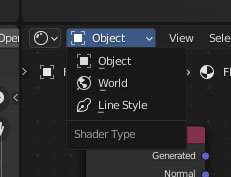
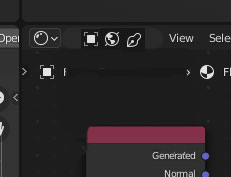
I suggest blender developer to change the Shader Type select with 3 icon buttons (similar to select mode in edit). It's faster and you simply see what's the type you're using. Thanks
Blender 3:
Suggested:
4 Comments
. Tutorial how to change it yourself:
change to
Wow, it worked. Easy with your tutorial. You only need to open blender with "administrator permission", right click on the startup icon (on windows).
Blender 2.7x series and before did have this kind of UI. I don't know why they change it though {attachment 'WjGE' does not exist}
At least you can Ctrl+Mouse Scroll these dropdown menus... But I agree, when there are only 3 or less types it should just be a row of buttons.