
Hotkey Suggestion: Ctrl + Tab to swap between World and Object shader nodes
In the Shader Editor, it would be a great speed improvement to be able to swap between World Shading and Object Shading using Ctrl + Tab.
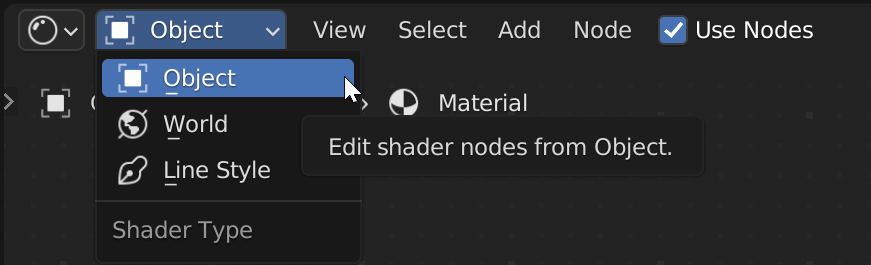
For example in the Graph Editor, I find myself using the Ctrl + Tab hotkey all the time to quickly toggle between Dope Sheet and Graph Editor. It is a very handy hotkey which I think can be used more in Blender.
6 Comments
Maybe a pie menu Z like in 3d viewport that will let you switch between modes
Omg hell yes to this! I find myself in the shader window a lot in most workspaces and switching between Object and World through a handy shortcut would be DA BOMB!
1 Ctrl+Tab is already used for "exit node group" hotkey:
2 If you still want to add it go into keymap editor Node Editor -> Node Editor (Global) category:
Scroll down, press Add New and fill values likes this:
Identifier:
wm.context_toggle_enumContext attribute:
space_data.shader_typeValue:
OBJECTValue:
WORLDAnd don't forget to uncheck key entry for exit node group above, or it will take priority.
After testing it a bit I kinda like functionality, however right now ctrl+tab is already used by something more important.
Why is there a hotkey dedicated to exit a nodegroup? You can already exist just by pressing Tab already. 🤔
Tab only enters / exits 1 level deep groups, can't exit 2 level nested nodegroup with just tab without getting stuck in loop...
Tbh this one feels more like a bug, if you have no node group selected you should just exit with tab.
You can go down levels by selecting the group input and pressing tab. Going up levels is as you know, selecting the nodegroup and pressing tab.