
Simple, intuitive way to run python script files
I do not use Blender's text editor, so originally every time I made a change I would have to reload the file (because the text editor does not auto-reload files) and run the script. I then understood that you could run scripts from the python console and it was an absolute disaster. (Yes I know you are not supposed to run scripts like that because actually it is a console to execute python directly, but I just want to execute a script from a file which should be a very intuitive and straightforward thing to do.)
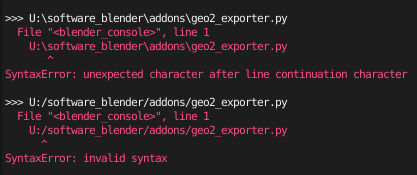
I would just like an extremely simple feature where you have a text box, you enter the filepath of the script you want to execute and then you execute it (and every time you ask for execution, Blender reloads the script file so that it executes new code). It would be much better than using the text editor or the console.
5 Comments
I agree, currently its very cumbersome to have to wrap your one-line command into an addon just to be able to use it. In comparison Maya has a "shelf" where you can store short (or long) commands by just drag-drop which is really easy.
You don’t have to do that. Blender has an internal Python shell .
If you want to execute a script from a Python interpreter, you can open and read it into Python memory and then pass the string into Python’s exec method (this is true outside of Blender’s use case). There’s also a way to run Python scripts with Blender from The system command line, but that’s more meant for rendering or something else that doesn’t save the file. All that said, it’s really not that hard to just press Alt + R to reload from disk. Fighting this would both increase CPU time and go against Blender’s general way of handling file data.
Maybe drag and drop to console or viewport?
like a scratchpad , but i use "pie menu editor" addon to create custom ui buttons and menus to run scripts