
proportional scale when entering dimensions
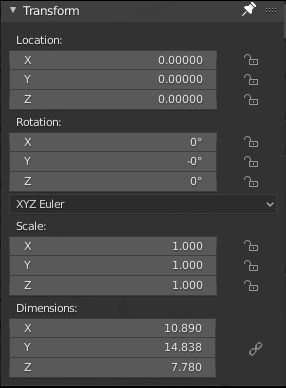
the title says it all almost It could take 2 form the one in screenshot, à sort of checkbox in the dimension panel or a keyboard stroke similar to global/local. pressing S to time or the axis key 3 time then entering the dimension. for exemple I append an asset with a wrong/unknown scale but knowing it should be 4 meter wide. having it selected we would just have to press S S X 4 or S XXX 4. Or entering 4 in the X text filed in the dimension panel with the "link scale" checked
2 Comments
IMO, we need a new operator for editing dimensions-- as it is, it only scales it in a clever way.
This couldn't work. Pressing the axis key multiple times switches between Global and Local/etc. transform orientation.
I agree that we need proportional scale when ENTERING dimensions in transform panel but keyboard shortcuts are not essential...