
Toggle 'Edit Mode/Object Mode' for Blender 4.0
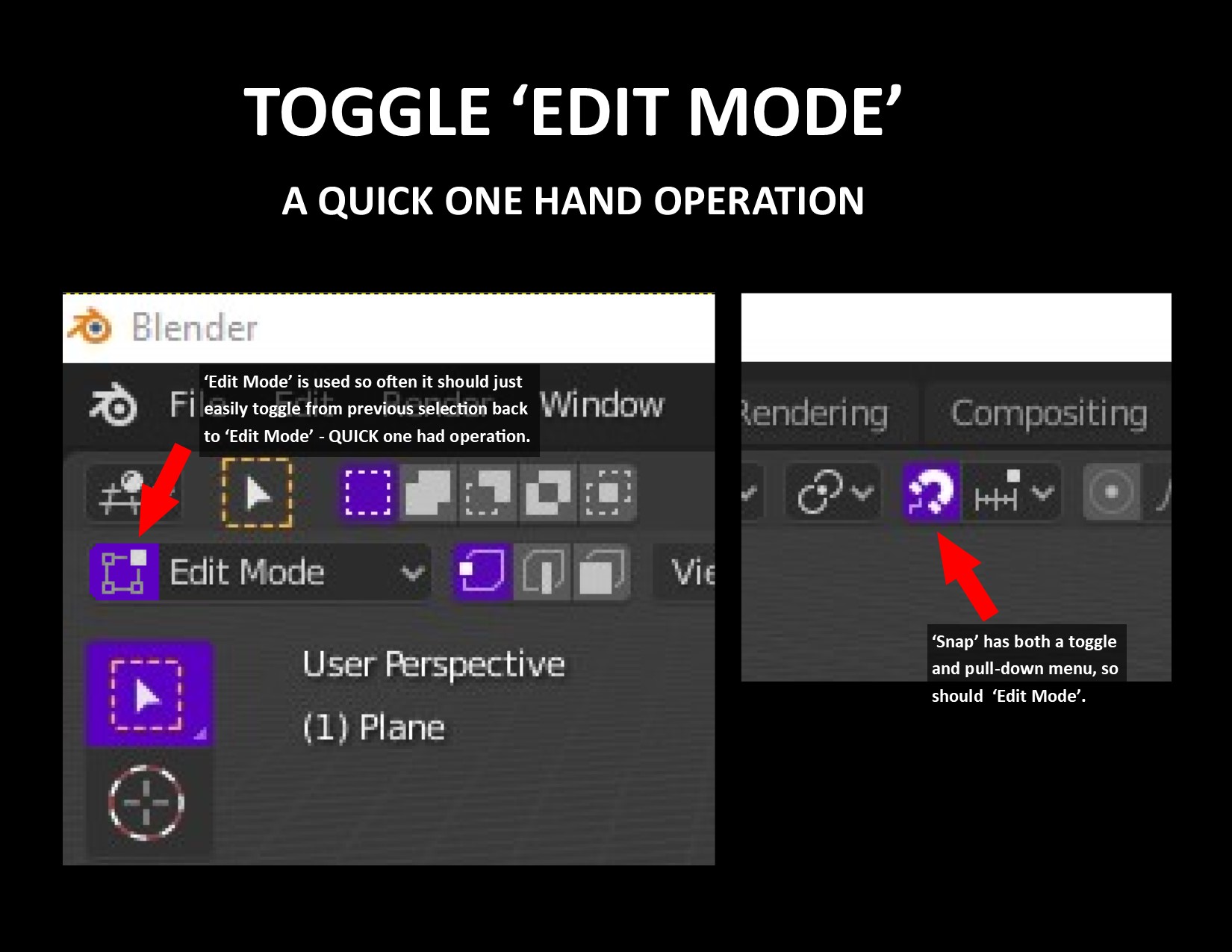
The ability to toggle between Edit Mode/Object Mode using the mouse for one hand operation as an option.
Commonly, people manually draw using one hand. I can eat a sandwich or drink a glass of water and continue drawing quickly if I'm able to quickly toggle between 'Edit Mode' and 'Object Mode' using one hand with my mouse.
It doesn't take away from using 2 hands with the keyboard if someone desires, but it adds the ability to work with one hand as an option.
6 Comments
If you have mouse buttons you can rebind it to switch between object and edit mode
maybe a add on.... is way simpler..
But isn't that more about the fact that people don't use a two-handed pencil?
It doesn't really make sense to me to have two interaction modes being toggled while there are more interaction modes that are all equally important and technically none of them are a toggle from each other.
Only to some it may be senseless, but to others it's just as you would have a button for snap that toggles on and off vs. being located in a pulldown menu. It's an option for those that often work with one hand. It doesn't take away from keyboard lovers.
I wouldn't use Snap as a good comparison. Snap is a binary state: On or OFF. Interaction modes are nine states that change depending on your selection.
It is more similar to the old TAB switch for Object/Edit mode: it makes it a misleading UI, favors only a niche of users while discriminating the others, and takes either screen-space or keymap-space.
Note that Pie menus have become the main way of changing interaction modes since then: it doesn't discriminate anyone, it's more productive and efficient for the vast majority of people, it's intuitive, accurately depicts interaction modes. And there is still Ctrl TAB as Object/Edit switch key for those who prefer it.
People preferring a one-action Edit/Object mode are already a small niche of users and already have a solution for it and still seem to mainly use PIE menus still. People who want to work with one hand on Blender are another small niche and can already switch modes in two clicks. If all you want is a one click solution: enable menus opening on mouse over:
So with all that in mind, I'm not sure whether there is a need for that kind of UI. And if there were, I would prefer something that profits everyone, is accurate, and compact.
That being said, you could make it as an addon, I reckon it's not a hard one to make, even the free version of chatGPT might do the trick. You can share it, and see first hand who wants it, and tweak it from user feedback, and propose it to the BF if it works.