
Trim Curve Node - Added Functionality
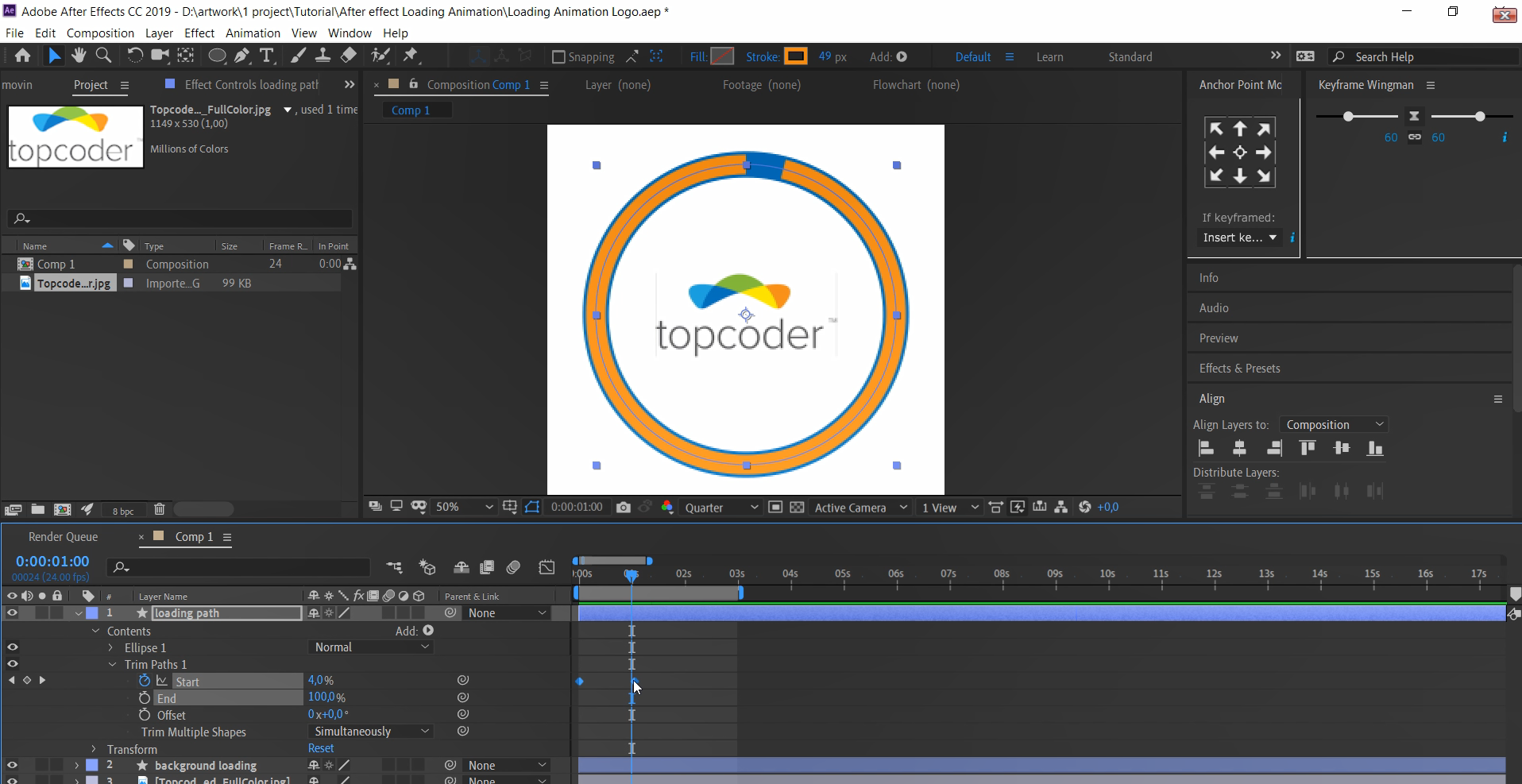 The trim curve node is missing some basic functions, specifically useful for motion graphic animation.
- The option to offset where along the trimming operation takes place. Currently, the Start value trims the curve from the first point and the End value from the last point. Many times you want to shift that elsewhere along the path.
- The option to easily flip the trimming direction. Currently, the trimming operation follows the direction of the path. A simple tick box to invert the direction would prove very useful. (Though less intuitive, in theory it's possible to set the start value to 1 and the end value to 0 to flip direction).
I know it's possible to solve this with other nodes but that takes a fairly long operation for a trivial action you want to achieve very quickly while designing motion graphics.
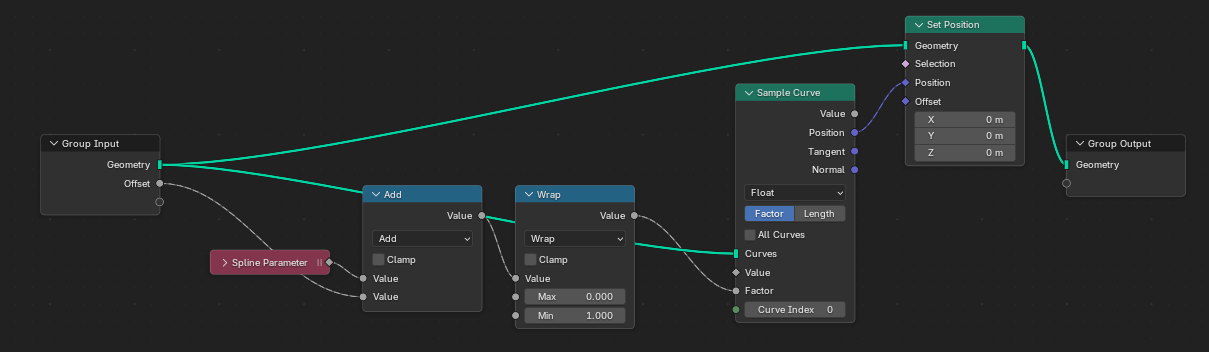
Please tell me if there was a better way to do it but to offset the starting point of the trimming operation, I found this lengthy solution.
1 Comment
just to say, it's not usually allowed to post copy-righted software image on blender website. it should be removed to prevent lawsuit against BF. I also think it may be more possible this is made into an asset either by community or BF.