
ADAPTATIVE SUBDIVISIONS
NOTE: I've used online translation for English, so, if something is hard to understand, please ask.
ADAPTATIVE SUBDIVISIONS (AS), it’s the proposal of a update to the current subdivision method in subdivision and multi resolution modifiers.
Today both modifiers uses a simple math to divide a edge, face into more parts, right now, one edge becomes two, and a single face become four, the major problem is how this math overload the system with unnecessary data.
So AS can be considered like a alternative to optimize the subdivisions levels, freeing system resources and also increasing the number of possible subdivisions levels.
With a good optimization, subdivisions can go from level 5, with today standard method to 6 or maybe 7 levels, freeing system resources at the beginning and them using it to increase resolution in future.
In sculpting mode, this is even more important, considering that the huge amount of data of current modifiers create too much data to work on small spaces and too little in large areas, what force the users to add manual edge loops on large areas or some manual workaround, wasting time with something that can be automated, it’s also have a system impact, considering that is hard to work with too much information in small areas and switch between subdivisions levels it’s also a waste of time.
So, a good way to optimize all the workflow and save system resources is update the subdivision method in the modifiers and create a code that create subdivisions based on edge or face spacing and a manual intervention in the begging of the process, where user can ignore certain areas of a mesh to avoid excessive subdivisions. Hard work, done once.
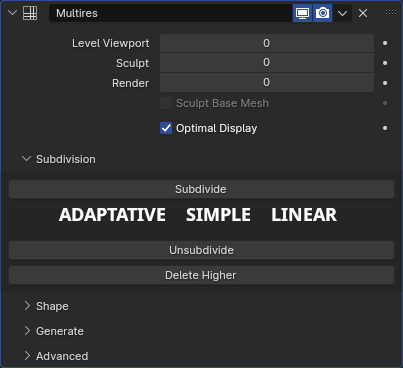
SA should be used like a first step subdivision and RS latter, so it’s necessary to have a button with a ADAPTATIVE SUBDIVISION text and another with other options,
Using Multires like example:
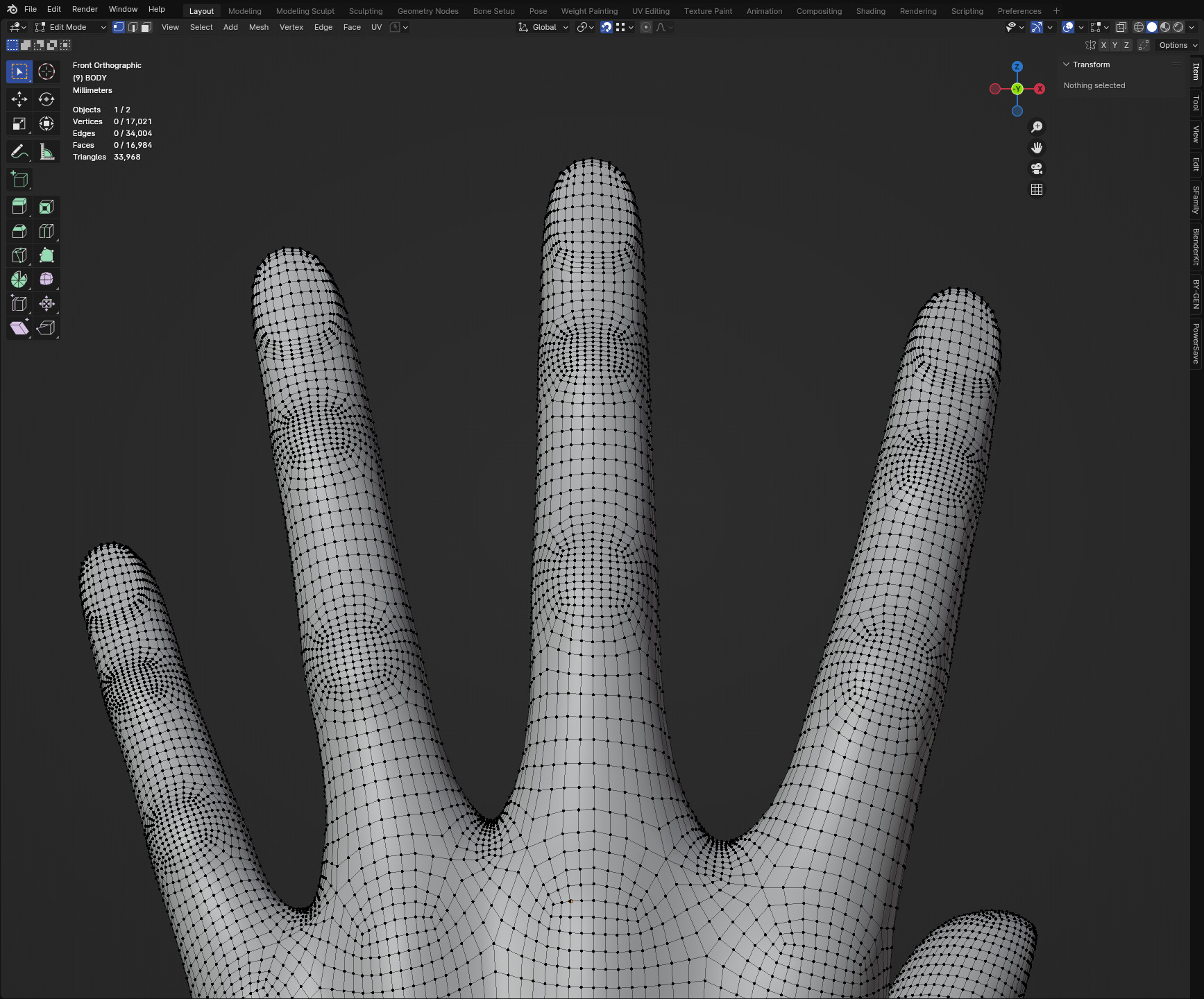
Here it’s a simple example.
In IMAGE 1, we can see a RS, that create a huge amount of data around the nails and top of finger joints, creating a waste of resources with a higher poly count.
In IMAGE 2, we can see what AS can do, finger joints and nails have no edge loops in unnecessary areas, but fingers has been divide, trying to create a evenly space between faces, saving resources and making the next level of subdivisions more smart like we can see.
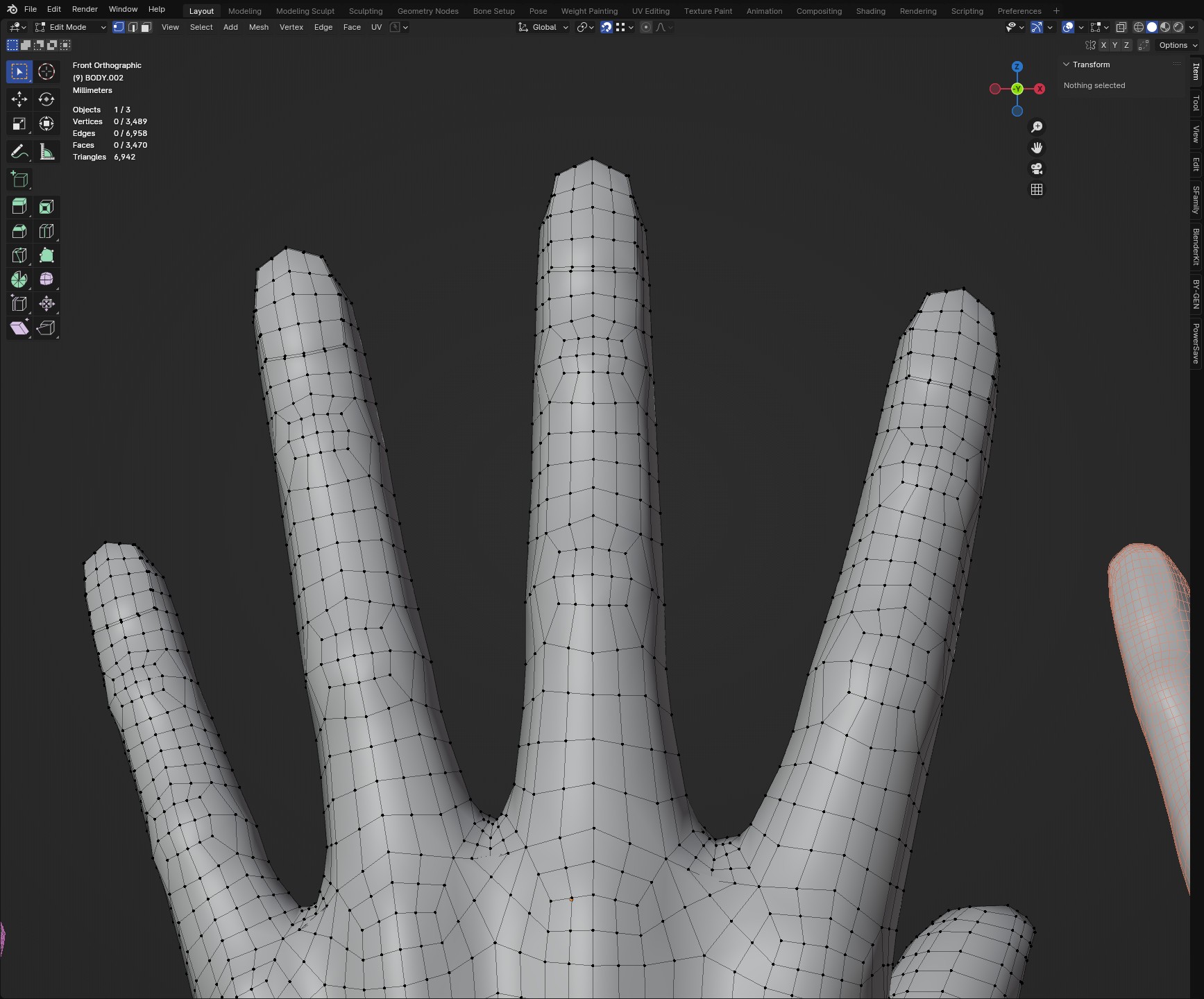
IMAGE 3 shows that there is no nail or finger joints excessive edge loops even in higher levels, in this case, with a user interference, choosing to ignore that area.
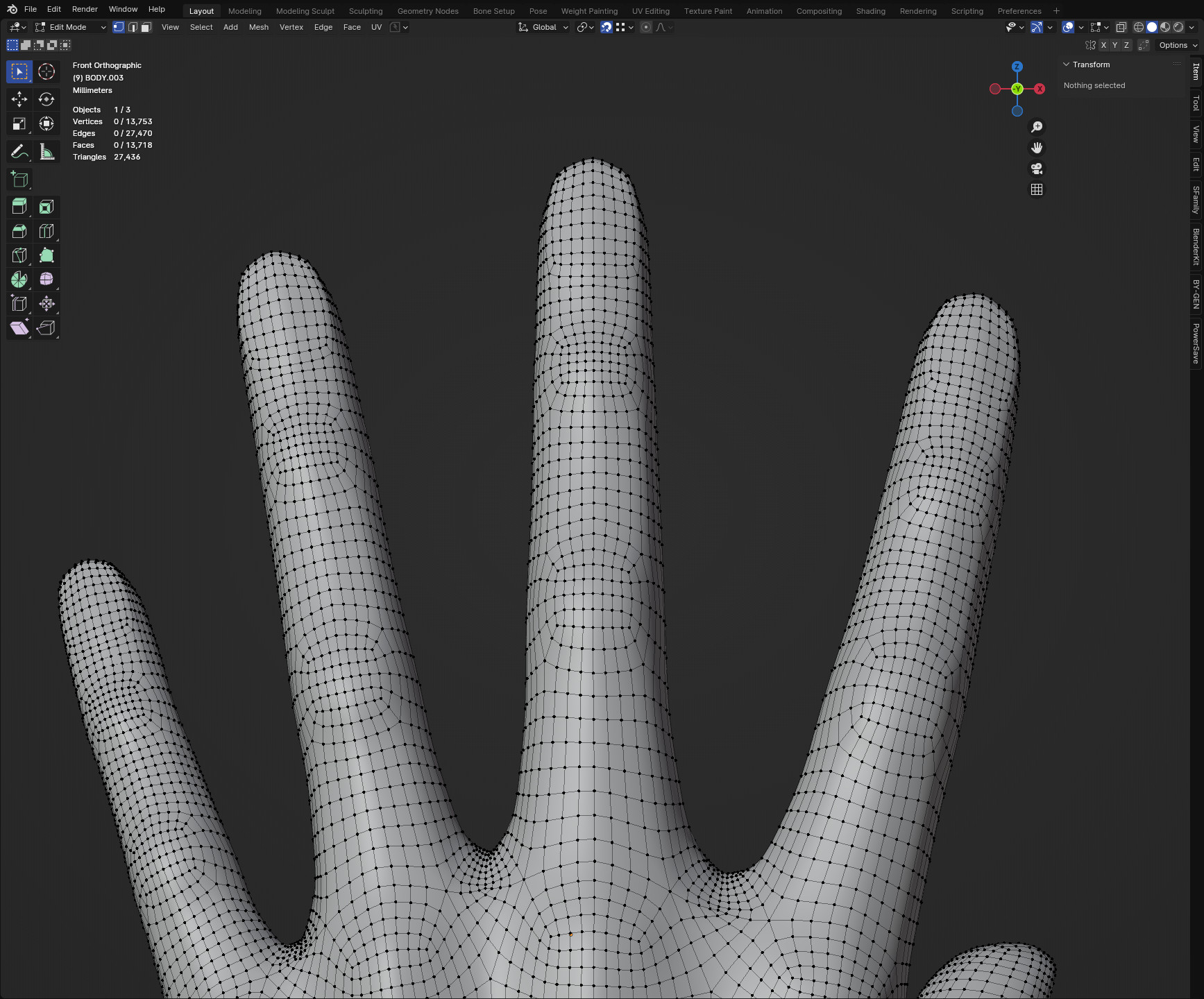
The result is: RS: 17.021 vertices (34.004 edges) AS: 13.753 vertices (27.470 edges)
SA in this example saved 3.268 vertices (6534 edges) in a hand, in a entire body, it maybe be possible to reduce enough unnecessary data to free one or more subdivision levels, if RS reaches a maximum level of 5, AS maybe can reach a level 6 or 7 depending of some manual intervention.
The AS concept can also be special useful for procedural data like GEOMETRY NODES (GN), where it can be used to avoid system resources loss.
In a place with a lot of rocks, or a procedural table, a Greek or Roman columns row, the number of details can be edited manually to increase or reduce the amount of displayed data, what eventually can be used to create a scene with a more controlled poly count, what is useful for game development, and also decrease render time, considering the SA can reduce unnecessary data to be processed.
In this hard surface example, we can have a better look in the difference.
The First (from left) it’s the base mesh, a cube with a bevel modifier, the middle it’s the RS and the last is a AS.
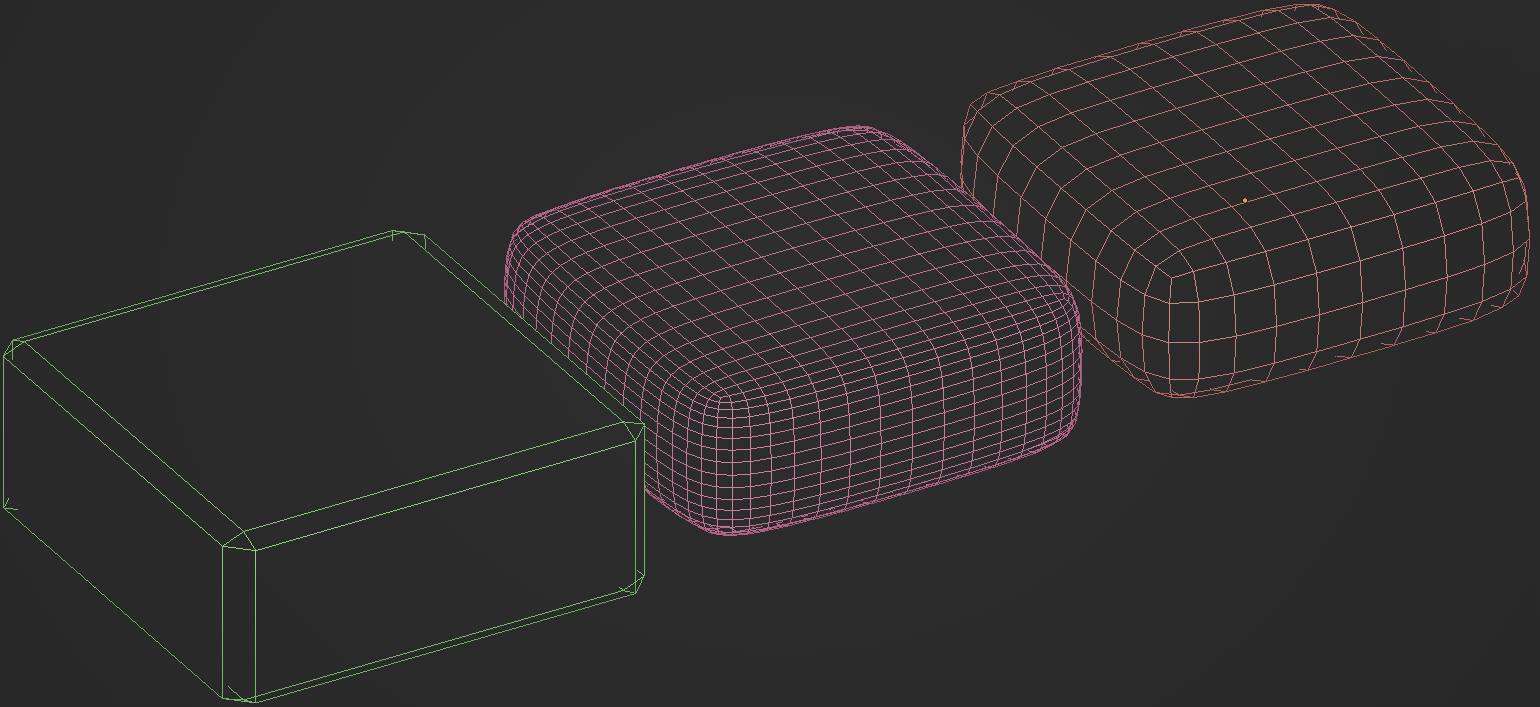
The manual intervention should be possible to select a loop and then increase or decrease the subdivisions in that loop.
PROS:
- Save system resources creating less unnecessary data.
- Optimize the sculpting with details where it needed.
- Save render time with unnecessary calculation of unnecessary data.
- Save manual edge loops creations to hard and organic meshes.
CONS:
- SA it’s almost totally topology dependent, so it will work better with good topology, specially face loops and “modular” topology, weird loops will have no great benefit with it, so it requires that user think a little (what can be a problem for today people).
1 Comment
other than scupltin, can these these to used before bevel modifiers to get a refined, so don't have to manually add edge loops.