
Clicking an object icon being referenced would ping in the outliner to locate them
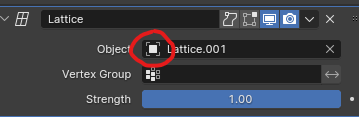
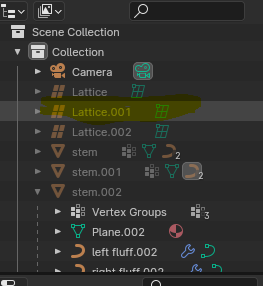
There are plenty of times when having a project with lots of objects is overwhelming to look at to search where references are located in a viewlayer placed in geometry nodes or etc. Especially when learning from project files made from others.
A similar solution in Unity is when one clicks an object being referenced in a script, it pings and focuses on where that object is in their outliner or their project window.
I think this will help speed up locating things in our workflow.
2 Comments
You can do something similar but it will replace your current select and it's a bit cumbersome.
Right click the field containing the object reference, then 'Jump to Target', which will select it in the viewport. Then while your mouse is hovering the outliner, bring up the 'View' pie menu with the backtick (`) key and 'Show Active'.
Definitely something I would like to see streamlined like your suggestion.
Oooh thankyou so much! The 'Jump to target' is exactly what I need! Yeah I can see it gets a bit harder to see if an active child is within the hierarchy.
Usually my habit is to check if the targets exist or not and see how things are placed. So I ended up pinning the inspector window to avoid it disappearing as well.
Would also love to have the same effect for attribute names to located its origin target.